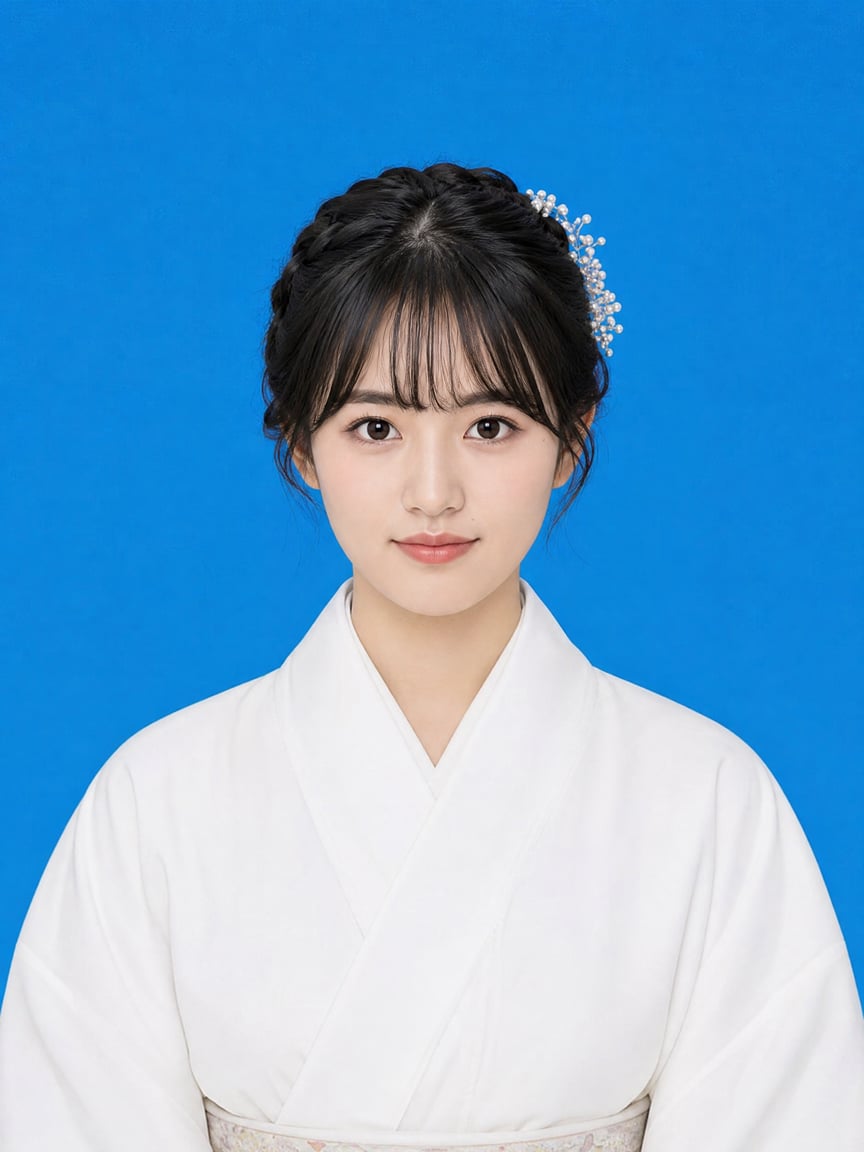
One-Tap ID Photo
Lock face, change background, custom ratios
One-Tap ID Photo
Lock face, change background, custom ratios
Showcase
Description
Generate standard ID photos from character photos while preserving facial features as much as possible, with support for adjusting backgrounds, proportions, and clothing.
Best for
Individuals who need to create standard ID photos using their own portraits.
How to use this Skill
Provide your input
Provide a clear front-facing portrait and specify the background color, aspect ratio or size, and clothing requirements. If not specified, a blue background and a 3:4 ratio will be used.
Run the Skill
Generates a standard ID photo based on the provided photo and parameters while preserving facial features and adjusting posture, background, lighting, and composition.
Review your result
Receive an ID photo image. Please verify facial features and confirm size, background, and retouching requirements with relevant institutions before official use.
Related Skills
View all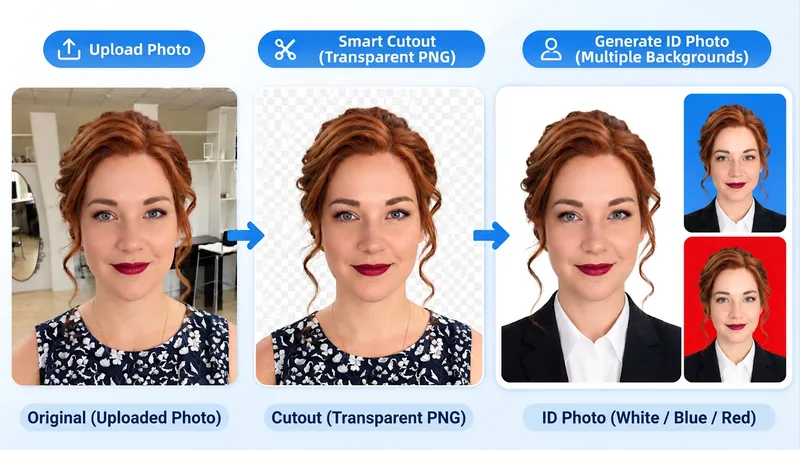
Background Removal & ID Photos
An all-in-one image processing tool combining AI smart background removal and professional ID photo creation. Simply upload a photo to automatically recognize the subject and precisely remove the background. Supports multiple scenarios including people, products, food, animals, architecture, plants, and logos. Features advanced edge-processing technology with optimized hair, fur, and complex outlines, preserving original colors, textures, lighting, and realistic details as much as possible. Outputs high-definition PNG images with a true transparent Alpha channel. Also supports creating professional ID photos. Users can freely choose white, blue, or red backgrounds and clothing styles. Automatically optimizes subject composition, head space, and shoulder positioning. Supports generating a complete set of white, blue, and red background ID photos at once. No complex prompts required. No professional photo-editing experience needed. Just upload a photo to get started.
 Image
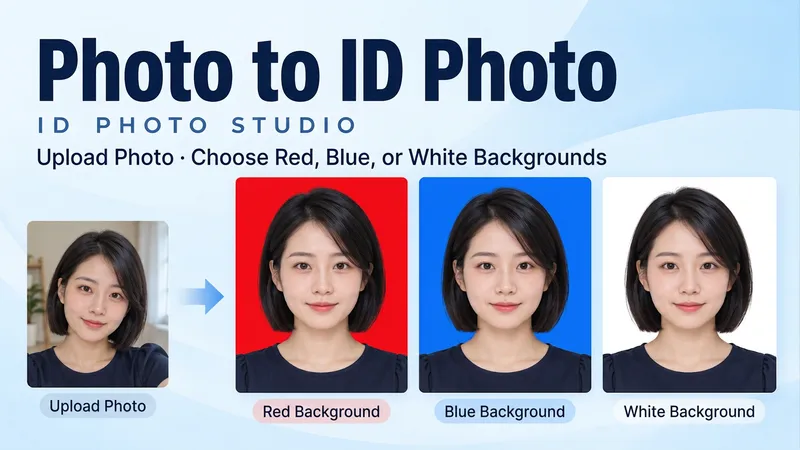
ID Photo Studio
Upload a portrait and create a clean, natural ID-style photo with a red, blue or white background, or get all three colors at once. Turn a casual photo into a frontal, evenly lit head-and-shoulders portrait. Keep your facial features, hair, glasses and identifying details. Original clothing is retained by default; request a shirt or jacket when needed. • Pick a red, blue or white background. • Get three matched color versions as separate images. • Specify pixel dimensions or print width and height. • Use Chinese or English. Final portraits are text-free. Try: "Make a blue-background ID photo from my upload. Keep my face and clothes." Or: "Create matching red, blue and white versions. No beauty reshaping."
 Image
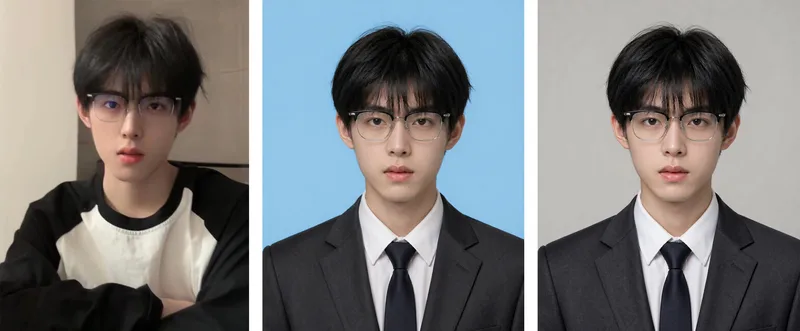
ID Photo Studio
ID Photo Studio: Upload a casual photo to create a formal ID photo with any background color—white, blue, red, dark red, or gray. It automatically changes casual clothing to a dark suit and white shirt, uses standard ID photo positioning and composition, and keeps your face exactly as it appears in the original photo. Trigger it when users say things like “ID photo,” “make an ID photo,” “white-background ID photo,” “blue-background 2-inch photo,” “resume photo,” “passport photo,” “turn this into an ID photo,” “change the background color,” or “1-inch/2-inch photo.” Core rules: removing blemishes is allowed, but changing facial features is not (for official verification); choose the background color before the clothing (to avoid color clashes); place the eyes on the upper-third line, keep both shoulders level, leave space above the head, and use a clean background without shadows. Default format is vertical 3:4, with customization available. Use Nano Banana 2.1 by default for the strongest identity preservation; do not use Midjourney. Supports generating multiple colors, including white, blue, and red, in one run.
Information
- Version
- v3
- Last updated
- Runtime credits
- Usage-based
- Models
- Auto
- Use cases
- Images & design
- What you get
- Image
- Visual styles
- Photorealistic
