
Object Removal
Remove wires, trash cans, and cars
Object Removal
Remove wires, trash cans, and cars
Showcase
Description
Travel photos often turn out with unwanted elements: power lines overhead, trash cans on the corner, or part of a scooter parked at the edge. Object Removal erases unwanted items from your image and seamlessly fills in the background textures and lighting for roads, walls, and skies. Perfect for landscape photos, storefronts, real estate listings, and product background images.
Best for
Ideal for users who need to clean up landscape photos, store photos, property listings, or product background images.
How to use this Skill
Provide your input
Upload an image and point out the objects that need to be removed. You can also specify elements that must be kept and the desired cleaning level.
Run the Skill
After submission, the tool removes the specified objects and traces, naturally filling in the area based on the surrounding image.
Review your result
Receive a cleaned image that retains the original size and proportions, along with a partial comparison and brief explanation of the processed area.
Related Skills
View all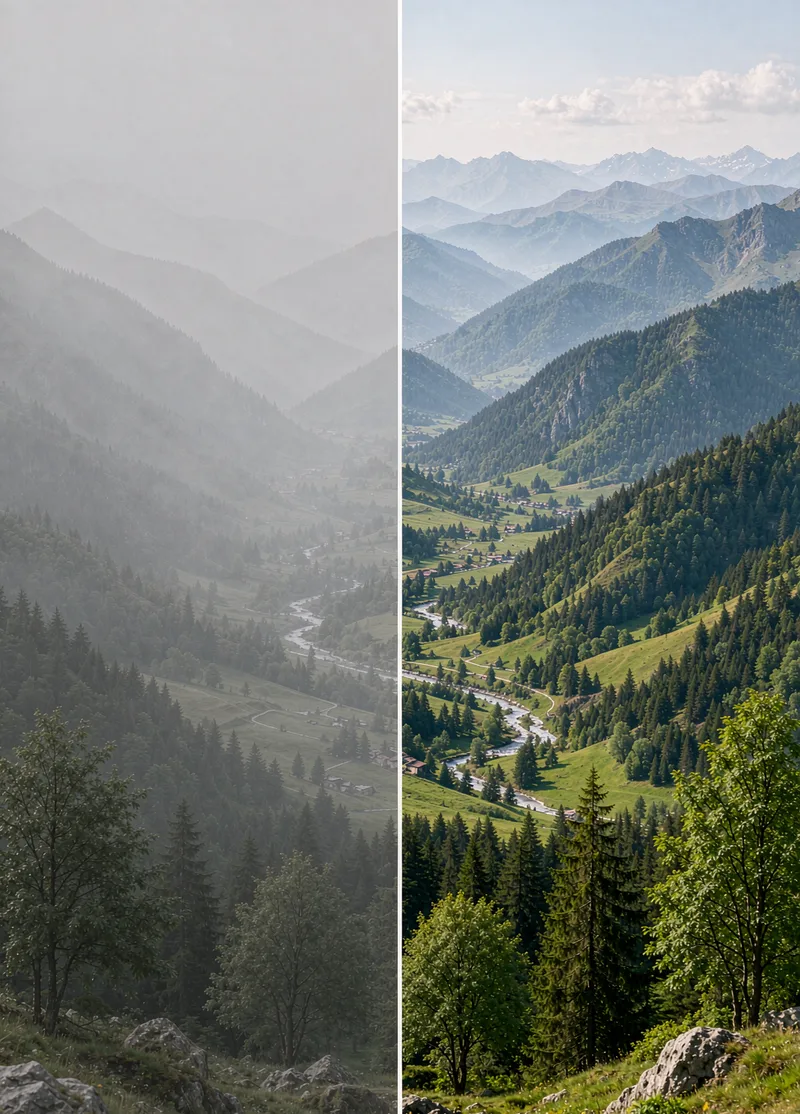
Photo Dehaze
Photos taken on hazy days, through glass, underwater, or backlit often look dull and washed out, as if covered by a dirty veil. Photo Dehaze first identifies whether the issue is fog, smog, smoke, water vapor, or a dirty lens, and then applies regional dehazing: reducing haze in the distance, boosting contrast in the foreground, and processing the sky separately. It preserves natural aerial perspective rather than simply cranking up saturation. Strict rules: Do not alter weather facts (turning an overcast day into clear sunshine must be noted in the description); do not forge surveillance or evidence footage.
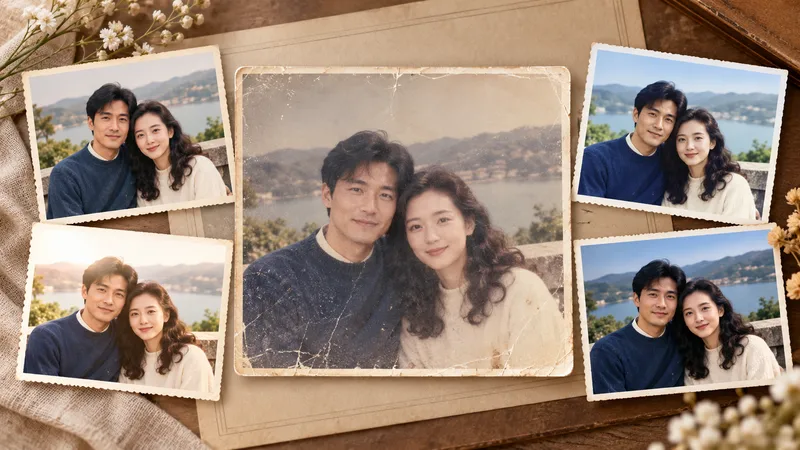
Photo Restoration and Cinematic Enhancement
Transform ordinary, out-of-focus, poorly exposed, faded, or damaged photos into clearer, more textured results ready for sharing and printing. Whether working with portraits, travel landscapes, architecture, interiors, food, products, museum exhibits, old photos, black-and-white images, or scans, it handles light, shadow, color, detail, noise, scratches, and visual depth based on the subject's characteristics while preserving personal identity, object details, architectural structures, text, logos, and historical marks. In addition to faithful and natural restoration, it re-evaluates cropping, aspect ratio, subject size, negative space, perspective, and visual flow to make the image look professionally shot and edited rather than simply brightened or filtered. Landscapes can be enhanced for sky, atmosphere, depth, and cinematic feel; portraits focus on natural skin tones, eyes, hair, and subject separation; architecture maintains realistic lines and textures; exhibits and documents prioritize accurate colors, textures, inscriptions, and details. Old photos undergo dust removal, repair, tonal recovery, and careful colorization, with prudent handling of any inferred reconstruction. Four clearly labeled results are provided by default: natural programmatic restoration, stylized programmatic enhancement, natural AI restoration, and a more impactful AI enhancement, making it easy to compare fidelity and visual presentation. The AI versions also include the optimization prompts used, making it easy to adjust the style or continue creating later.
 Image
Selective Photo Color Changer
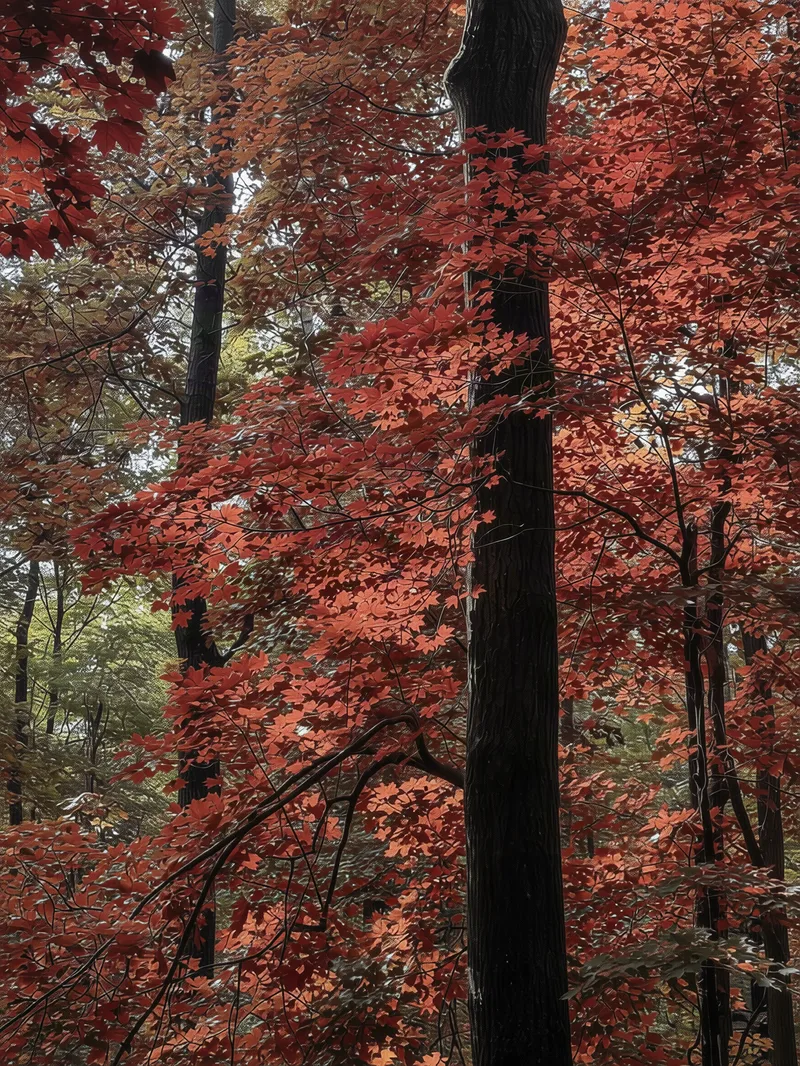
Easily swap the color of any object in your travel or everyday photos—turn green leaves into autumn red, the sky purple, a car matte dark green, or change clothing colors while keeping everything else untouched. Perfect for creating seasonal variations of the same location or previewing different colors for an item. Simply provide a photo, the object to change, and the target color to get a recolored image, a brief description of the edit, and tips for further adjustments. Uses top-tier image models and a fixed four-step prompt template by default, keeping the original aspect ratio without altering the entire image tone. Great for everyday and travel photos to create your own unique look.
Information
- Version
- v2
- Last updated
- Runtime credits
- Usage-based
- Models
- Auto
- Use cases
- Images & designE-commerce & sales
- What you get
- Image
