
DIY AI Marriage ID Photos
Generate compliant red-background marriage ID photos
DIY AI Marriage ID Photos
Generate compliant red-background marriage ID photos
Showcase
Description
Upload clear reference photos of both individuals to generate a red-background marriage registration photo that meets official standards. It supports two outfit templates: white shirts and Neo-Chinese qipao/Zhongshan suits. You can also customize the clothing style while keeping your natural facial features intact, outputting a 3:2 2-inch ID photo ratio.
Best for
Users preparing marriage registration photos who want to quickly create natural composite ID photos.
How to use this Skill
Provide your input
Upload clear face photos of both people, and optionally specify clothing style or details.
Run the Skill
Select a preset outfit or describe custom clothing to generate the ID photo composite.
Review your result
Receive a red-background, 2-inch ratio marriage registration ID photo from the chest up.
Related Skills
View all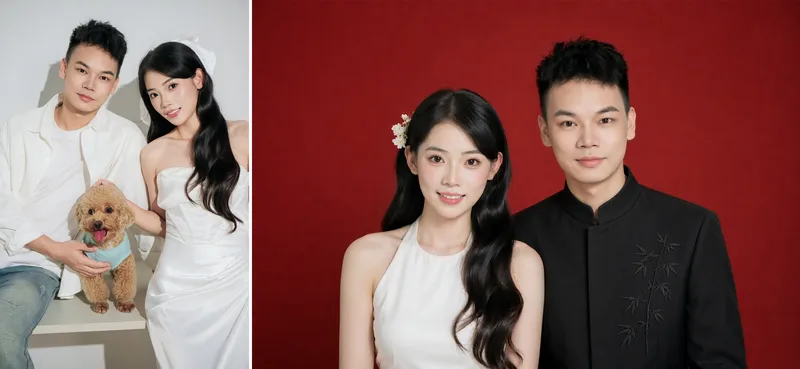 Image
Marriage ID Photo Studio
Marriage Registration Photo Designer: Users upload front-facing photos or selfies of both individuals to generate a marriage certificate-spec red-background couple's portrait. It includes six preset clothing and hairstyle options (such as halter white dress, plain white cheongsam, pink floral cheongsam, white puff-sleeve top, matching white shirts, and ivory cheongsam paired with men's mandarin collar, Zhongshan suit, or regular suit), and also supports uploading custom clothing or hairstyle reference images to generate multiple versions at once. The default size is 53×35mm horizontal (standard marriage certificate photo specification). Triggered when users mention "marriage certificate photo", "marriage registration photo", "license photo", "wedding photo", "red-background couple photo", "civil affairs office photo", or related terms. Core constraints: lock individual faces without excessive distortion or beautification, female on the left and male on the right with overlapping shoulders composition, Chinese red gradient background, and precise retouching provided for reference only subject to local civil affairs office requirements.
 Image
ID Photo Studio
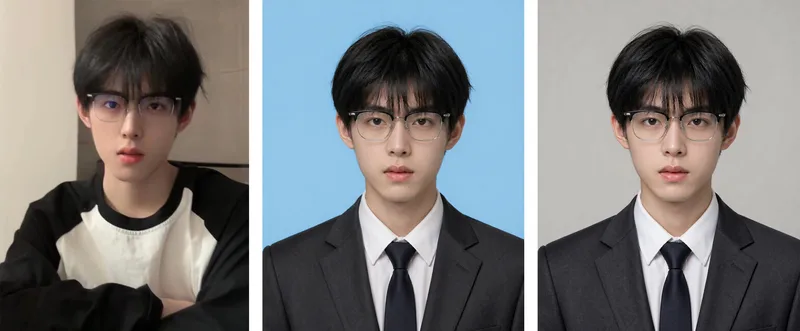
ID Photo Studio: Upload a casual photo to create a formal ID photo with any background color—white, blue, red, dark red, or gray. It automatically changes casual clothing to a dark suit and white shirt, uses standard ID photo positioning and composition, and keeps your face exactly as it appears in the original photo. Trigger it when users say things like “ID photo,” “make an ID photo,” “white-background ID photo,” “blue-background 2-inch photo,” “resume photo,” “passport photo,” “turn this into an ID photo,” “change the background color,” or “1-inch/2-inch photo.” Core rules: removing blemishes is allowed, but changing facial features is not (for official verification); choose the background color before the clothing (to avoid color clashes); place the eyes on the upper-third line, keep both shoulders level, leave space above the head, and use a clean background without shadows. Default format is vertical 3:4, with customization available. Use Nano Banana 2.1 by default for the strongest identity preservation; do not use Midjourney. Supports generating multiple colors, including white, blue, and red, in one run.
 Image
ID Photo Studio
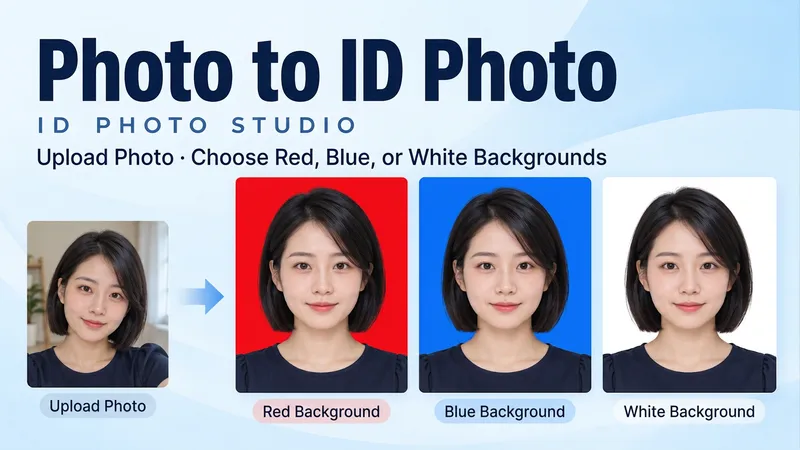
Upload a portrait and create a clean, natural ID-style photo with a red, blue or white background, or get all three colors at once. Turn a casual photo into a frontal, evenly lit head-and-shoulders portrait. Keep your facial features, hair, glasses and identifying details. Original clothing is retained by default; request a shirt or jacket when needed. • Pick a red, blue or white background. • Get three matched color versions as separate images. • Specify pixel dimensions or print width and height. • Use Chinese or English. Final portraits are text-free. Try: "Make a blue-background ID photo from my upload. Keep my face and clothes." Or: "Create matching red, blue and white versions. No beauty reshaping."
Information
- Version
- v2
- Last updated
- Runtime credits
- Usage-based
- Models
- Auto
- Use cases
- Images & design
- What you get
- Image
- Visual styles
- Photorealistic
