
Object Transformer
Turn any object into a cinematic mecha short
Object Transformer
Turn any object into a cinematic mecha short
Showcase
Description
Input any object (via text or reference image) to deduce its structural personality and transformation path. Generate a strict one-shot transformation video with camera angles matching the reference photo and a live-action cinematic feel. It completes the mechanical transformation first, then performs 2 to 3 showcase actions in place (probing, flexing, confirming). The form is determined by the object's own structure rather than generic humanoid hero templates. Includes a transformation logic table and showcase script.
Best for
Ideal for content creators who want to transform everyday objects into unique mechanical forms and produce live-action style transformation short videos.
How to use this Skill
Provide your input
Enter a text description or reference image of any object, ideally including material, color, wear, camera angle, and scene details.
Run the Skill
The system designs a non-humanoid mechanical transformation based on the object's structure, planning a continuous single-take transformation and post-transformation stationary display actions.
Review your result
Receive a transformation logic table, display action script, and video generation prompts. When video generation is supported, you can further produce continuous transformation short videos.
Related Skills
View all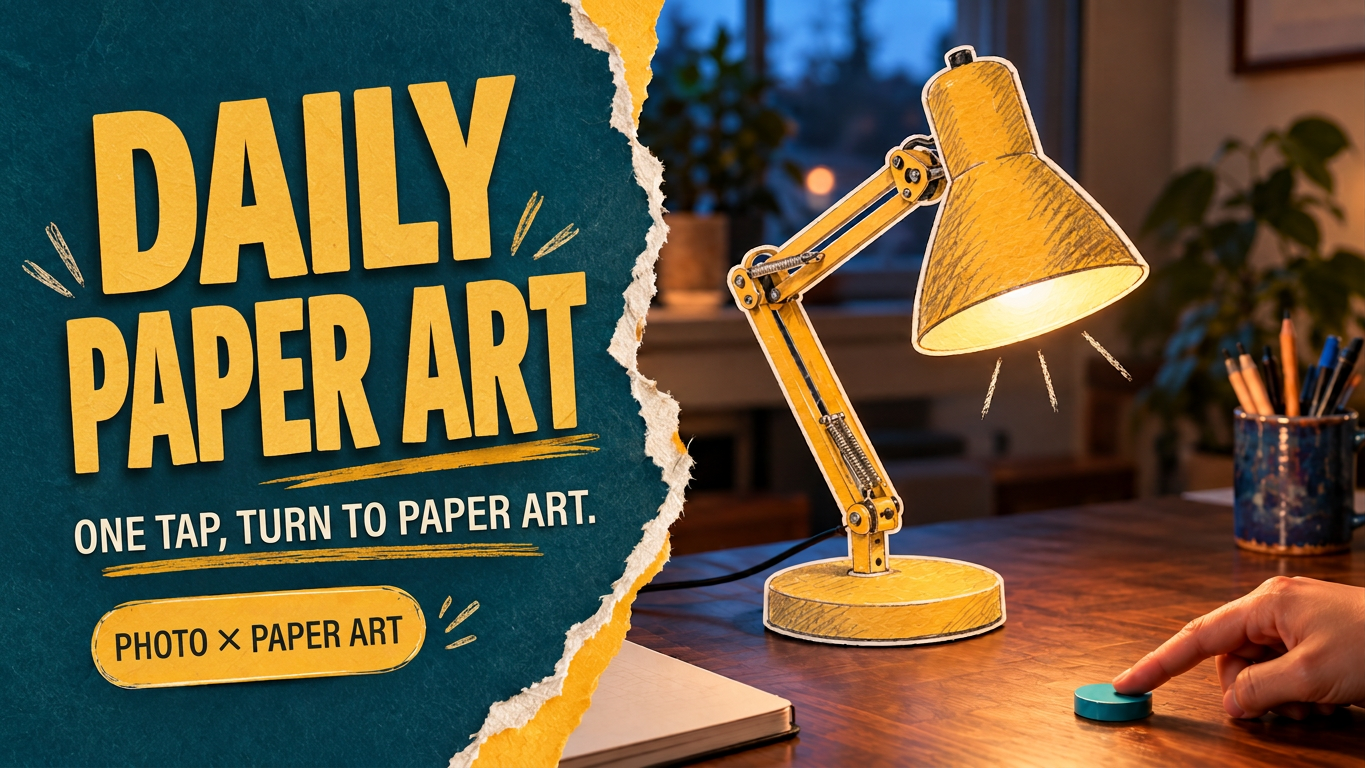 Video
VideoEveryday Paper Magic
With a gentle tap, turn familiar objects into little paper magic. Upload a photo of an everyday scene or name the object you want to transform. Turn a desk lamp, toaster oven, or watering can into a tiny paper-art object with white paper edges, pencil hatching, and watercolor texture. Keep the realistic setting and hands intact so the transformation happens right where the object is. This Skill first creates separate keyframes for before and after the transformation, then plans a clear trigger, transformation process, and small post-transformation reaction. It also provides ready-to-use video storyboards and prompts. When compatible video tools are available, you can continue creating and reviewing the short clip. Try it like this: • After a finger touches the dial, turn a desk lamp into mustard-yellow colored-pencil paper cutout art. • Turn a breakfast toaster oven into a colored-paper installation, with a paper slice of toast gently popping up. • Turn a watering can by a rainy window into watercolor paper art, with two paper droplets falling. Supports photos, video references, and text-only concepts. You can specify the object, style, aspect ratio, and duration. By default, it creates a single-shot concept in 9:16 at 6 seconds. After generation, check the object’s outline, background, hand structure, and the sequence of “trigger first, transformation second.” Ideal for creative lifestyle shorts, localized material transformations, and experiments combining real scenes with 2D animation. The showcase image features an AI-generated realistic scene with paper-art editing, and the desk-lamp example already has an approximately 6-second video sample. Actual image and video generation capabilities and usage limits depend on the platform where it runs.
Infinite Loop Selfie
Turn your written concept or character reference image into a selfie photo with a Droste effect: the person in the image holds a phone with its screen facing the camera, clearly showing the complete scene—including the person, phone, and white studio background—nested and shrinking layer by layer to form a visible visual loop with at least three levels. Customize the person’s gender, age, hairstyle, clothing, pose, and expression. You can also specify a portrait 3:4, square 1:1, or vertical 9:16 aspect ratio. When you upload a reference image, the person’s facial features, hairstyle, skin tone, body type, accessories, and visible clothing will be faithfully recreated. If the reference is only a half-body shot or even a close-up, unseen bottoms, shoes, and accessories will be carefully inferred from visible cues such as the collar, top fabric, and color palette to complete a coordinated outfit in the same style. These details will only be changed when you explicitly describe the changes in text. Without a reference image or character specifications, an original character will be generated, with a consistent appearance, pose, and outfit at every layer. The final image uses a pure white or light gray seamless studio background, soft high-key lighting, and a realistic photographic look, highlighting natural skin tones, fabric details, and a clearly visible phone screen. The composition remains a clean, front-facing shot of one person against an uncluttered background. It avoids incorrect screen content, mirrored text, watermarks, and distorted phones or fingers, keeping the infinite nesting effect natural and easy to recognize.
 Video
Video(Trending) Portrait to 3D Map
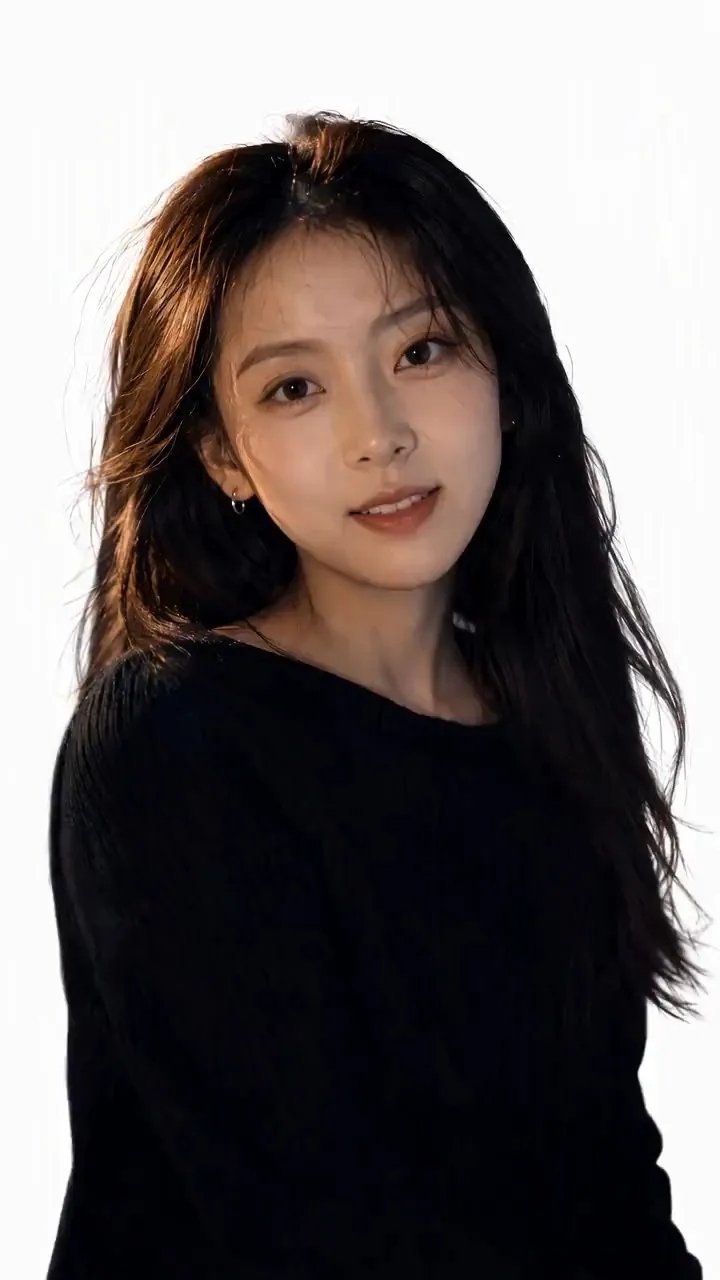
Turn one portrait and a city or place into a vertical portrait-to-3D-map short video with a memorable visual hook. The skill first arranges the person into a 9:16 opening frame with a white background, while preserving facial features, clothing, pose, and identity as closely as possible. If you specify that the original background, composition, or reference style should be retained, it will follow those requirements. If the photo or place is missing, it will ask you to confirm first. The finished video uses a rotating camera move for a natural transition: the person starts on a white background, then transitions into a 3D city map with dimensional buildings, illuminated road networks, and landmarks, ending on a clear location interface. The video can show English landmark labels, the place name in Chinese, its English name, and country and city information—ideal for travel sharing, personal introductions, city check-ins, and short-video openings. Before generating the video, it shows the required credit cost and waits for confirmation. The default output is an approximately 6-second, 9:16 vertical video. After completion, it checks character consistency, transition smoothness, map depth, and text clarity. When needed, it holds the ending on a readable location interface and saves the editable final video as “Place · Portrait 3D Map Transition.”
Information
- Version
- v8
- Last updated
- Runtime credits
- Usage-based
- Models
- Auto
- Use cases
- Images & designVideo & audio
- What you get
- VideoScriptPrompt
- Visual styles
- CinematicPhotorealistic
