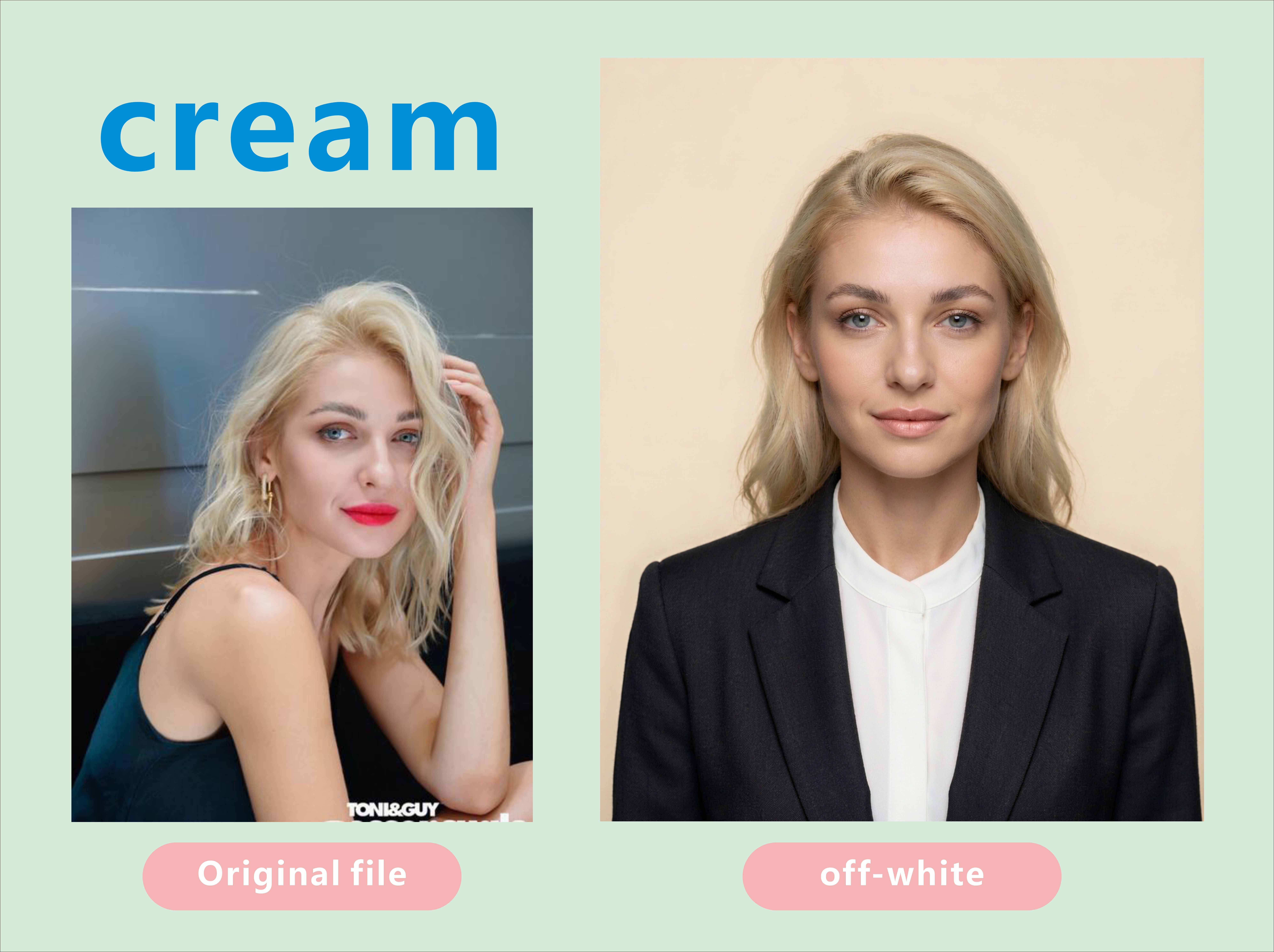
Passport Ready
One selfie in. An ID photo that passes the official check.
Passport Ready
One selfie in. An ID photo that passes the official check.
Showcase
Description
ID Photo Studio: turn one casual snapshot into a formal ID / passport photo on any background — white, off-white, light grey, cream, blue, red, deep red or grey. Automatically replaces casual clothing with a dark tailored jacket over a white shirt, applies standard ID pose and framing, and keeps the face strictly identical to the original. Triggers when the user says "ID photo", "passport photo", "visa photo", "make this an ID photo", "white background photo", "blue background ID", "2x2 photo", "35x45 photo", "resume photo", "work badge photo", "change the background", "strip the background" and similar. Core hard rules: cleanup allowed, face changes forbidden (it has to pass official biometric checks); choose the background before the outfit (same-colour collisions are the number one failure); eyes near the upper-third line + level shoulders + even headroom; pure seamless background with no cast shadow. Defaults to 3:4 portrait. Prefers Nano Banana 2.1 (strongest identity preservation); never Midjourney. Can deliver a white / blue / red set in one run.
Recommended by
Dancang
Why we love this skill
Featured for treating ID photos as compliance documents, not beauty portraits. It preserves identity, applies destination-specific dimensions and backgrounds, controls pose and head height, and rejects risky retouching, producing images designed for official scrutiny rather than merely looking polished.
Best for
People who need a formal passport, visa, ID, badge, resume, or other official-style photo from a casual snapshot.
How to use this Skill
Provide your input
Provide one clear, front-facing photo and specify the intended use, size, or background color if needed.
Run the Skill
The skill converts the photo into a formal ID-style image with a clean background, standardized framing, and restrained appearance adjustments that preserve facial identity.
Review your result
Receive a portrait ID photo suitable for checking against the destination authority’s current requirements.
Related Skills
View all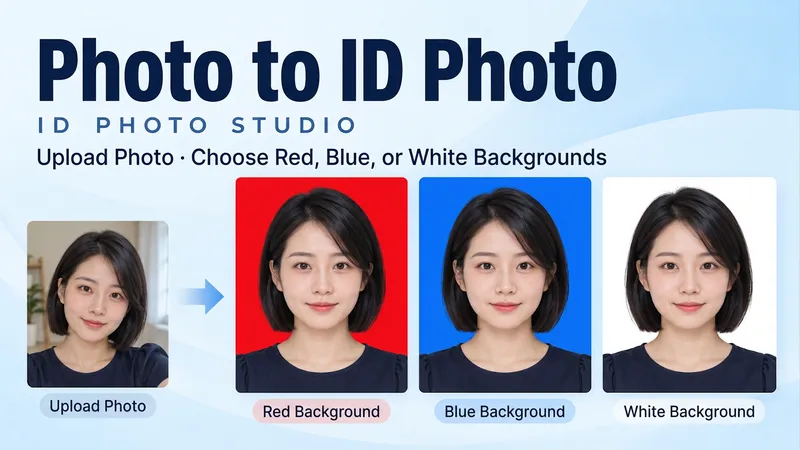 Image
ImageID Photo Studio
Upload a portrait to generate a clean, natural ID photo with your choice of a red, blue, or white background, or get all three colors at once. Turn casual snapshots into frontal, evenly lit head-and-shoulders portraits. Facial features, hair, glasses, and personal details are preserved, with your original clothing kept by default. You can also request a specific shirt or jacket. • Choose from red, blue, or white backgrounds. • Get matched three-color versions with consistent facial expressions, clothing, and composition. • Adjust dimensions as needed by specifying pixels or print width and height. • Supports both Chinese and English, with text-free final images. Try it now: Upload a photo and say, "Make a blue-background ID photo and keep my original clothes," or "Give me red, blue, and white background versions with no beauty filtering."
 Image
ImagePhoto Rescue Lab
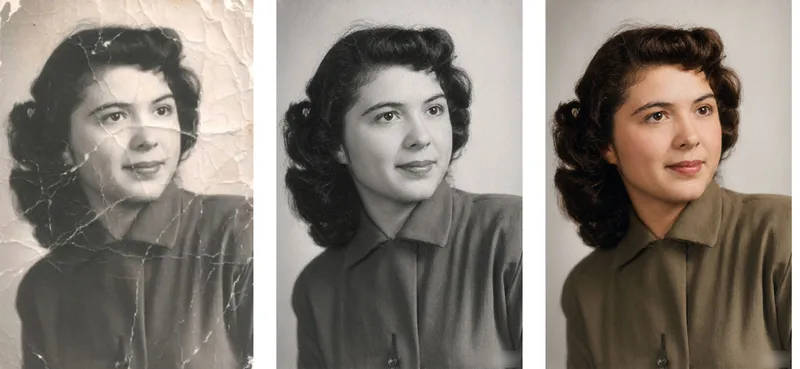
Old Photo Restorer: upload an old photograph of people, buildings, plants or animals; repair the damage (scratches, creases, mold spots, stains, fading, missing pieces) and colorize it in a period-appropriate way, strictly preserving the original composition, number of subjects, expressions and aspect ratio. Trigger when the user says 'restore this old photo', 'colorize old photo', 'fix this damaged photo', 'can you repair a torn photo', 'colorize my grandparents' photo', 'remove scratches from photo', 'make old photo clearer', 'restore family portrait', 'photo cleanup', 'upscale and restore'. Core rules: restoration is subtraction not addition — remove damage only, never add content; the closer it looks to 'nothing was done', the better; the face is the only acceptance criterion; colorization is an educated guess, not fact; output aspect ratio must match the original exactly. Default output aspect ratio = the uploaded photo's ratio. Preferred model: Nano Banana 2.1 high-fidelity reference mode. Midjourney disabled. Heavily damaged photos use a two-step flow: restore in black and white first, then colorize.
 Image
ImageAI Travel Portrait Director
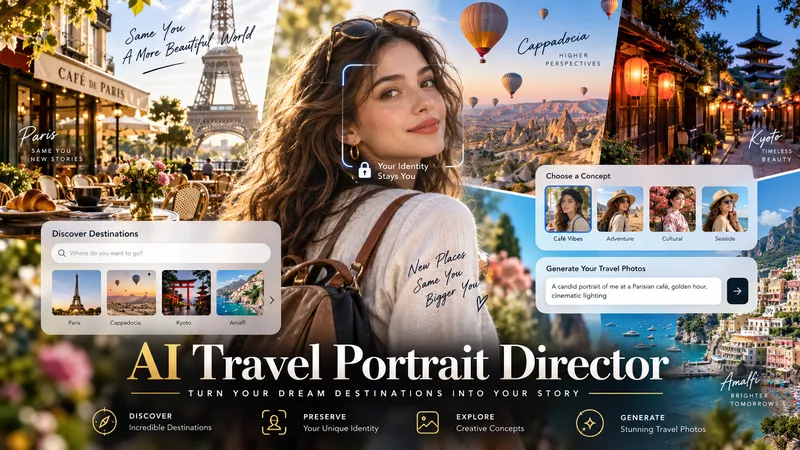
Turn a single character reference into a complete AI travel-photo workflow. AI Travel Portrait Director acts as a virtual travel photographer, destination researcher, and scene director. It preserves the character’s recognizable identity while helping you create believable, destination-specific travel portraits that feel like real photography—not a person pasted onto a tourist background. The skill can: - Analyze a reference image and set identity/style controls - Research current destinations, seasonal hotspots, and photogenic locations - Adapt instantly when you already know the exact destination - Create 10 distinct photo concepts with varied poses, actions, lighting, camera angles, and outfits - Build detailed production-ready image-to-image prompts in English - Preserve facial identity across styling and location changes - Check realism, perspective, lighting, anatomy, scale, and environmental consistency - Generate selected images when supported and explicitly approved You stay in control at each important step: choose the destination, select the concepts you like, review the prompts, and decide whether to generate images. Ideal for personal travel portraits, AI influencers, virtual models, social media creators, and character-based visual projects.
Information
- Version
- v2
- Last updated
- Runtime credits
- Usage-based
- Models
- Auto
- Use cases
- Images & design
- What you get
- Image
- Visual styles
- Photorealistic
