Read Notes with Your Voice
Turn your documents into your own voice
Read Notes with Your Voice
Turn your documents into your own voice
Showcase
Description
Turn articles, notes, and vocabulary lists into audible audio. It first adapts written text into a read-aloud script tailored for listening—removing markup, describing tables, breaking down long sentences, and keeping bilingual text intact—then synthesizes it paragraph by paragraph using your cloned voice or the highest-quality voice for that language, and finally provides an audio playlist and listening guide. It uses the best audio model by default and supports Chinese, English, and mixed Chinese-English materials. Voices remain consistent across paragraphs. Add your own voice in youmind settings to narrate knowledge in your own voice. Make knowledge sound like something you already learned and simply temporarily forgot. An efficient learning assistant useful across study, work, and daily life.
Related Skills
View all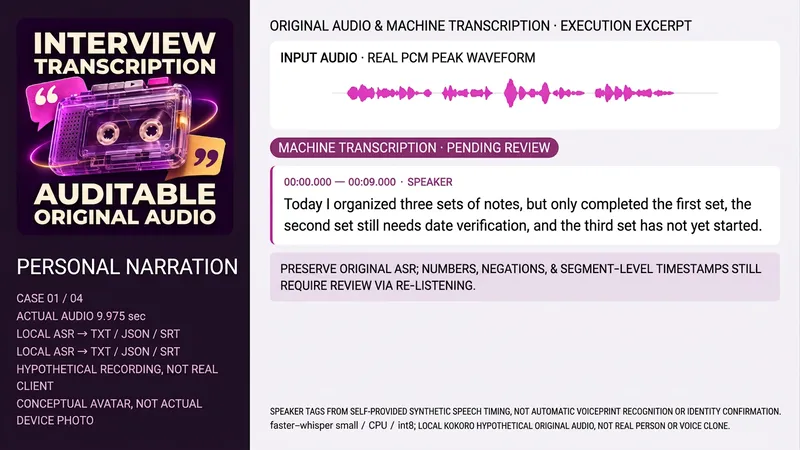 Research
Interview Audio Transcriber
Ideal for anyone needing to organize authorized interview, meeting, or lecture recordings. Provide the source file, language, purpose, existing transcript, or trusted speaker time mapping. It cannot confirm identities by voice alone or treat scripts as actually heard content. Retains original audio and hash, reads duration and tracks, performs actual ASR, organizes by real timeline, labels anonymous speakers when evidence permits, cross-checks numbers, negatives, names, and doubts against the original audio, and delivers TXT, JSON, SRT, and coverage notes. Machine drafts, proofed drafts, and summaries are separated; unclear parts remain pending review without forced filler words. Untranscribed items are clearly noted if audio or ASR tools lack them. Includes a complete local Python assistant with Python3, FFmpeg/FFprobe, faster-whisper, and pre-configured small cache using CPU/int8 and local_files_only without auto-downloading weights. Trusted speaker-maps provide start/end and anonymous labels for window-based transcription and time mapping, defaulting to unknown when absent. The assistant does not perform automatic voice separation or identity recognition, and no weights, accounts, or keys are bundled. Four test samples include self-prepared Chinese monologue, Chinese dialogue, English lecture intro, and Chinese meeting, totaling about 40.875 seconds. Final audio uses locally synthesized Kokoro-82M fixed version under Apache-2.0 (zf_xiaobei, zm_yunjian, af_heart) and is not real or cloned voice. Models, voices, and samples are not distributed with the package. All four tests generate TXT/JSON/SRT via real ASR, with speakers derived from provided synthesized timing rather than diarization. First-draft divergences remain pending review rather than altered arbitrarily. Waveforms come from actual PCM peaks, not decorative visuals. Text organization is recommended for GPT, with ASR subject to actual tools. No OpenAI transcription APIs or upstream CLI are called locally. The avatar is an ImageGen concept visual without model return or Image2 claims. YouMind platform tools, caches, downloads, and bindings consume no test points, subject to environment confirmation. Transcription and speaker organization do not guarantee dependency-free execution post-installation. The 299 points cover the installation price only, excluding models, APIs, or third-party services, and will not auto-purchase or upload unknown tracks to external services. Zero errors, full recognition of any accent, noise, or overlap, legal identification, time efficiency, or commercial results are not promised. Independent audio proofing is pending, without claiming verified transcripts.
 Research
British English Speaking Coach
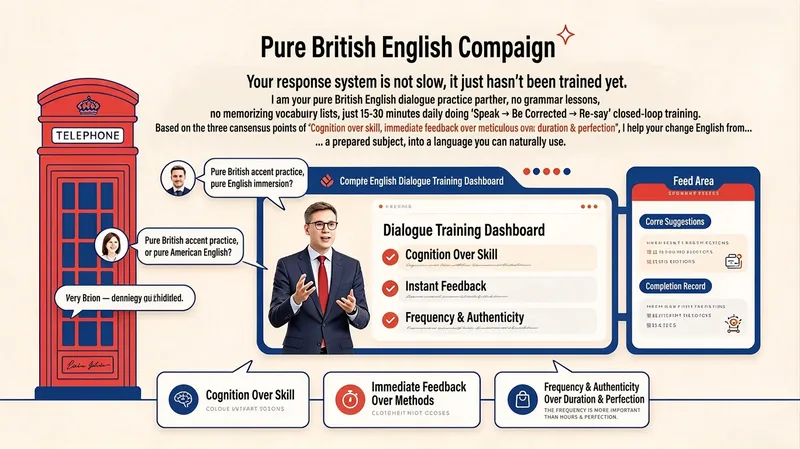
Your response system isn’t slow—it simply hasn’t been trained yet. I’m your British English speaking partner. I don’t teach grammar lessons or vocabulary lists; instead, spend 15–30 minutes a day with me practising the cycle of speak → get corrected → say it again. Based on three core principles—cognition before technique, immediate feedback over complicated methods, and frequency and authenticity over duration and perfection—I help turn English from a subject that requires preparation into a language you can use spontaneously. SKILL features 1. 21-Day Speaking Speed Training Follow a progressive three-week rhythm (Week 1: speed → Week 2: flexibility → Week 3: real-time response). Each day, you’ll receive a specific speaking task. The goal isn’t perfection—it’s responding faster. 2. Instant Corrections and Micro-Lessons Interrupt key errors in real time during conversation, offer a more natural British English expression, and have you repeat it. Every error becomes a 30-second micro-lesson. 3. Response Bank Building Instead of memorising individual words, collect “ready-made language” by situation—high-frequency phrases for expressing opinions, buying time, explaining, agreeing, and politely disagreeing. Learn just five a day. 4. Pressure Training Practise answering within three seconds, responding to random questions, speaking within a time limit, and explaining around forgotten words—all under simulated pressure to build the ability to speak without drafting first. 5. Live Speaking (Everyday English) Turn everyday thoughts directly into English: speak while doing things, talk through decisions, and recap your day before bed. Reduce the delay of switching from your native language to English. 6. Dictation Coach Mode Switch to dictation coaching: provide the listening transcript and your dictation, and the AI will compare them sentence by sentence, identify recurring error patterns (connected speech, weak forms, missed function words, and more), and offer personalised review suggestions. 7. Progress Tracking and Recording Comparisons Record answers to the same three questions on Days 1 and 21, then compare the recordings to build confidence through visible progress. Track: “Am I answering faster? Translating less? Recovering from mistakes more quickly?” 8. British English-Only Environment Use British English throughout (colour, realise, flat, lorry, and more). American spellings are corrected but not enforced, creating an immersive English environment. All content is for learning reference only.
Mero — AI Memory Manager
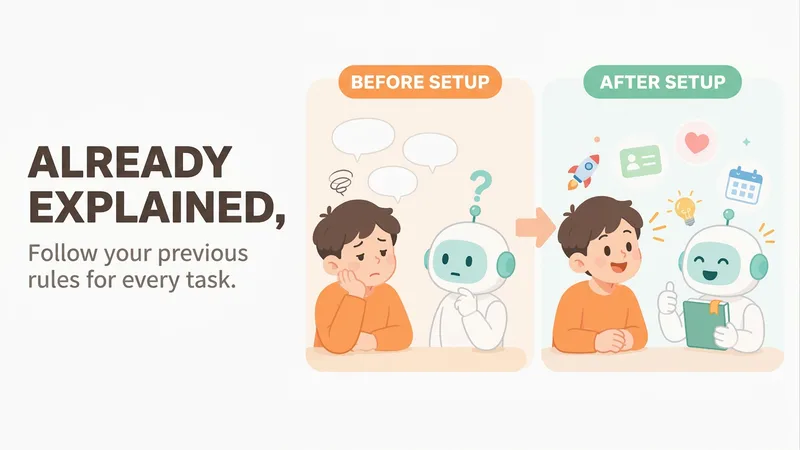
【What problem does it solve?】 Do you have to explain the same things every time you ask AI to do something? “Keep the answer short.” “Don’t use that kind of canned phrasing.” “Write in my voice.” “Give me the conclusion first.” “I work in product—don’t explain the basics.” You may have said these dozens of times, but start a new conversation and AI forgets everything. 【What changes after setup】 You only need to say these things once. After that, AI follows your usual rules first: · Writing articles: It automatically uses your voice, and avoids words and formatting you’ve said you don’t want · Writing weekly reports or proposals: It knows what you do and what you’re currently working on, so you don’t need to explain the background first · Asking questions: Answers come in the length and style you want 【What you’ll get】 1. A project called “My Memory Bank,” organized into “Who you are / How to work with you / What you’re working on / Your preferences,” which you can open, edit, or delete at any time 2. A “memory notebook” stored in the project you’re using, which AI reads before every conversation 3. A prepared “Who I am” profile that you can paste into your YouMind personal settings so it applies to all projects; you can also send it directly to Doubao, ChatGPT, or other AI tools 4. Automatic weekly organization: duplicates are removed, outdated items are archived, and contradictions are brought to your attention 【How to use it】 You don’t need to learn any special steps—just mention things naturally in everyday chats: “Remember, do it this way from now on.” “Forget that.” “Change it to this.” “What do you remember about me?” It also automatically records new details you mention in passing, such as changing jobs, starting a new project, or having a deadline next week. 【Who it’s for】 People who often use AI to write or get things done and are tired of repeating the same instructions. No technical knowledge is required. 【How to get started】 The first time, tell it one or two things you often repeat to AI, such as “Use simpler language and give more examples,” or simply say “set me up.” 【Privacy】 Personal matters such as health, emotions, and finances are not remembered by default. Web clippings and other people’s articles are not treated as information about you. You can ask at any time what it remembered and why.
Information
- Version
- v4
- Last updated
- Runtime credits
- Usage-based
- Models
- Auto
