Photo to Risograph Texture
Limited-color dots for ZINEs & indie print
Description
Recommended by
淡苍
Why we love this skill
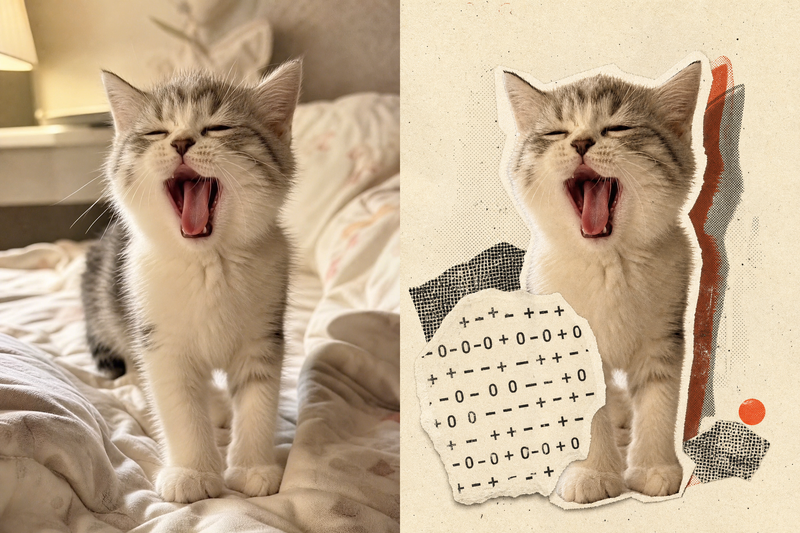
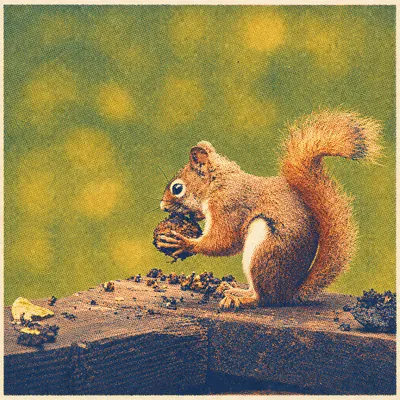
Reconstructs photos as credible limited-color prints—not just retro-filtered images. It balances subject fidelity with spot colors, halftones, misregistration, ink absorption, and paper fibers for an authentic Zine and indie-publishing feel.
Convert user-uploaded photos or images into high-quality simulated prints with the authentic texture of Risograph printing, independent publications, and ZINEs. Reimagine the visual medium through color separation, spot inks, halftone dots, registration shifts, ink overprinting, and paper texture. By default, the original subject, composition, people’s identities, and key content are preserved; only the visual presentation is changed.
Related Skills
View all
ImageCinematic Quote Posters
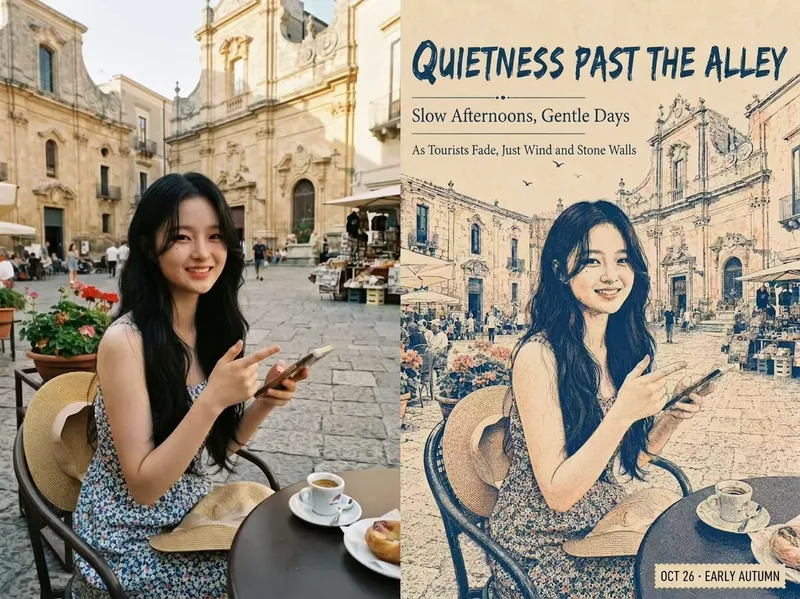
Turn a portrait and a quote into a vertical quote poster with a cinematic narrative feel. The person’s facial features, hairstyle, and identity are kept as consistent as possible with the reference photo, while the quote’s mood shapes scenes such as an interview, at-home conversation, courtroom statement, seaside monologue, rainy-night street, or retro Hong Kong style. Ideal for character quote graphics, mood posters, and social media content. Choose a preset template or customize the scene, clothing, pose, and atmosphere. You can also use speaking lip shapes, Chinese-English bilingual text, classic layouts, subtitle styles, minimalist styling, and Hong Kong-inspired color tones, with output in 3:4, 9:16, or 1:1 ratios. Longer quotes are condensed and line-broken for poster presentation, keeping the text concentrated near the bottom of the image, away from the person’s face, and clear and readable. The final deliverable is an AI-generated cinematic quote poster, with the selected scene, text style, and aspect ratio noted. Because the text is rendered directly by AI, complex or lengthy quotes may occasionally contain incorrect characters. If the text is inaccurate, try shortening the quote or request a new generation.
ImageYour Custom Cartoon Avatar
Turn a photo of a person into a custom hand-drawn cartoon character. Choose your favorite from 4 candidates with different poses and expressions, then finalize the design using one of 3 standard reference sets, each featuring three views and 6 commonly used expressions. You can download and save the reference images, or continue using them for article illustrations, Xiaohongshu posts, profile pictures, covers, sticker packs, nine-grid WeChat Moments posts, and custom scenes. Each task is linked to one character; when switching to a different person, we recommend creating a new task to avoid mixing up characters.
ImageRembrandt Studio Portrait
Transform ordinary photos of people or pets into Rembrandt-lit portraits with realistic studio lighting, strong chiaroscuro shaping, and a cinematic look. The skill automatically selects lighting suited to the original photo, based on a person’s frontal, profile, or three-quarter view, or on a pet’s facial and fur structure. It will not distort the nose shadow or facial features just to create a “Rembrandt triangle of light.” By default, people retain their identity, age, expression, skin tone, clothing, and accessories. Pets retain their breed, coat color, markings, ears, eyes, and body structure. Small adjustments to the camera angle, shoulder line, head direction, and composition are allowed to make an ordinary photo feel like a genuine new studio session, while avoiding a stiff, cutout, or memorial-portrait look. The original photo’s aspect ratio and orientation are preserved by default; a 1:1 headshot is not required. The skill also supports 1:1 headshots, 4:5 social portraits, 3:4 classic portraits, 2:3 print formats, 3:2 photographic landscapes, 4:3 general landscape images, and 16:9 cinematic covers. When the aspect ratio must change, it prioritizes cropping irrelevant background. If hair, ears, chin, hands, paws, or tail might be cut off, it extends the clean studio background instead. The background uses a clean, smooth, noise-free gradient from deep charcoal gray to inky black, aligned with the direction of the key light. Film grain, sensor noise, mottling, paper texture, smoke, glow, banding, and AI-generated compositing textures are explicitly prohibited. Suitable for: people portraits, pet portraits, profile photos, social media covers, editorial portraits, family photo upgrades, and cinematic studio transformations.
Photo to Risograph Texture
Limited-color dots for ZINEs & indie print
Description
Recommended by
淡苍
Why we love this skill
Reconstructs photos as credible limited-color prints—not just retro-filtered images. It balances subject fidelity with spot colors, halftones, misregistration, ink absorption, and paper fibers for an authentic Zine and indie-publishing feel.
Convert user-uploaded photos or images into high-quality simulated prints with the authentic texture of Risograph printing, independent publications, and ZINEs. Reimagine the visual medium through color separation, spot inks, halftone dots, registration shifts, ink overprinting, and paper texture. By default, the original subject, composition, people’s identities, and key content are preserved; only the visual presentation is changed.
Related Skills
View all
ImageCinematic Quote Posters
Turn a portrait and a quote into a vertical quote poster with a cinematic narrative feel. The person’s facial features, hairstyle, and identity are kept as consistent as possible with the reference photo, while the quote’s mood shapes scenes such as an interview, at-home conversation, courtroom statement, seaside monologue, rainy-night street, or retro Hong Kong style. Ideal for character quote graphics, mood posters, and social media content. Choose a preset template or customize the scene, clothing, pose, and atmosphere. You can also use speaking lip shapes, Chinese-English bilingual text, classic layouts, subtitle styles, minimalist styling, and Hong Kong-inspired color tones, with output in 3:4, 9:16, or 1:1 ratios. Longer quotes are condensed and line-broken for poster presentation, keeping the text concentrated near the bottom of the image, away from the person’s face, and clear and readable. The final deliverable is an AI-generated cinematic quote poster, with the selected scene, text style, and aspect ratio noted. Because the text is rendered directly by AI, complex or lengthy quotes may occasionally contain incorrect characters. If the text is inaccurate, try shortening the quote or request a new generation.
ImageYour Custom Cartoon Avatar
Turn a photo of a person into a custom hand-drawn cartoon character. Choose your favorite from 4 candidates with different poses and expressions, then finalize the design using one of 3 standard reference sets, each featuring three views and 6 commonly used expressions. You can download and save the reference images, or continue using them for article illustrations, Xiaohongshu posts, profile pictures, covers, sticker packs, nine-grid WeChat Moments posts, and custom scenes. Each task is linked to one character; when switching to a different person, we recommend creating a new task to avoid mixing up characters.
ImageRembrandt Studio Portrait
Transform ordinary photos of people or pets into Rembrandt-lit portraits with realistic studio lighting, strong chiaroscuro shaping, and a cinematic look. The skill automatically selects lighting suited to the original photo, based on a person’s frontal, profile, or three-quarter view, or on a pet’s facial and fur structure. It will not distort the nose shadow or facial features just to create a “Rembrandt triangle of light.” By default, people retain their identity, age, expression, skin tone, clothing, and accessories. Pets retain their breed, coat color, markings, ears, eyes, and body structure. Small adjustments to the camera angle, shoulder line, head direction, and composition are allowed to make an ordinary photo feel like a genuine new studio session, while avoiding a stiff, cutout, or memorial-portrait look. The original photo’s aspect ratio and orientation are preserved by default; a 1:1 headshot is not required. The skill also supports 1:1 headshots, 4:5 social portraits, 3:4 classic portraits, 2:3 print formats, 3:2 photographic landscapes, 4:3 general landscape images, and 16:9 cinematic covers. When the aspect ratio must change, it prioritizes cropping irrelevant background. If hair, ears, chin, hands, paws, or tail might be cut off, it extends the clean studio background instead. The background uses a clean, smooth, noise-free gradient from deep charcoal gray to inky black, aligned with the direction of the key light. Film grain, sensor noise, mottling, paper texture, smoke, glow, banding, and AI-generated compositing textures are explicitly prohibited. Suitable for: people portraits, pet portraits, profile photos, social media covers, editorial portraits, family photo upgrades, and cinematic studio transformations.
Find your next favorite skill
Explore more curated AI skills for research, creation, and everyday work.