
Slides Backgrounds
Cohesive 16:9 Slides backgrounds ready to use
Slides Backgrounds
Cohesive 16:9 Slides backgrounds ready to use
Showcase
Description
Struggling to find the right Slides background that is neither too busy for text nor too plain? Slides Backgrounds generates 8 matching Slides background images based on your presentation topic and style requirements, covering cover, agenda, content, transition, and closing slides. All images are HD 16:9 with safe text areas and properly balanced tones, ready to drop straight into your presentations.
Best for
Ideal for presentation makers who need to quickly create styled, cohesive background images for Slides.
How to use this Skill
Provide your input
Provide the presentation topic and desired style, optionally including the main color, text color, or industry.
Run the Skill
Generates a cohesive set of 16:9 Slides background images based on your topic and style without text, reserving clear safe zones for layout.
Review your result
Receive a complete set of 8 background images covering cover, agenda, content, transition, and closing slides, complete with usage and color suggestions.
Related Skills
View all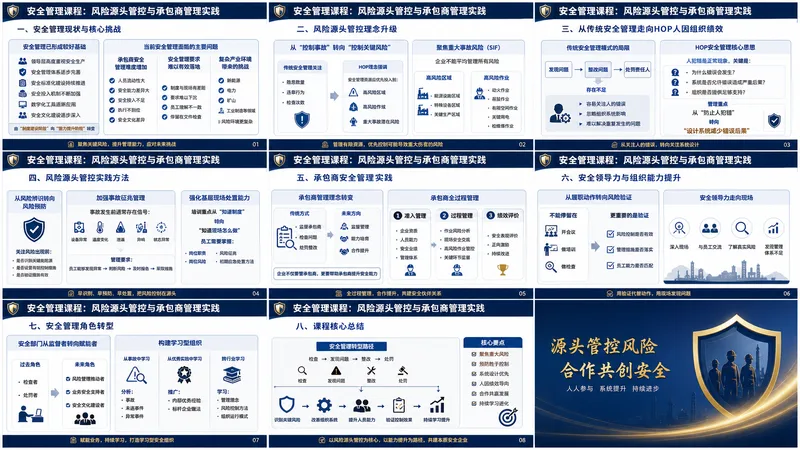 Image
Enterprise 16:9 Infographics
Transform management, safety, and training content into multi-page widescreen infographics for business presentations, internal training, and employee communications. The skill extracts core modules from the content structure and creates one 16:9 enterprise-style image for each module, making complex information easier to understand, present, and share. The final visuals follow a consistent, clean business design system. They use infographic elements such as card layouts, process arrows, matrices, circular diagrams, pyramids, data charts, and thematic icons to clearly present titles, key points, and relationships between modules. The primary palette features professional colors such as dark blue, light blue, and white, with restrained accents. Title bars, card styles, icon treatments, and layouts remain consistent across pages. Simply provide the article, policy, plan, or training content you want to explain, and receive a multi-page Chinese-language infographic generated in the order of the source material. Each page focuses on one core module, with concise text optimized for projection viewing. The visuals avoid information overload, chaotic colors, and unnecessary decoration, making them suitable for executive presentations, management policy communication, workplace safety training, contractor management, and employee education.
 Slides
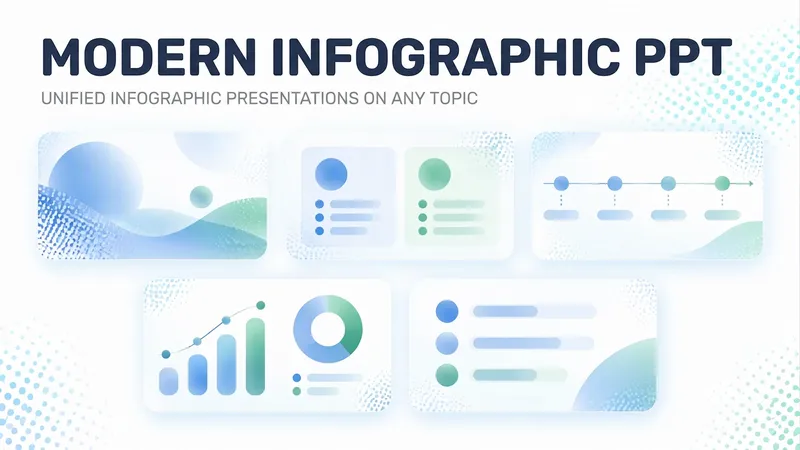
Modern Infographic PPT
For presentations that need a modern business infographic style, this Skill provides a complete visual system: a light blue gradient background, rounded frosted-glass cards, bold Chinese titles, wide-set uppercase English subtitles, blue/cyan icon chips, gold ring badges, and a one-line conclusion bar at the bottom. It then uses these guidelines to generate a cohesive 16:9 PPT. Just provide a topic and key points to get a professional, consistent infographic-style presentation.
 Slides
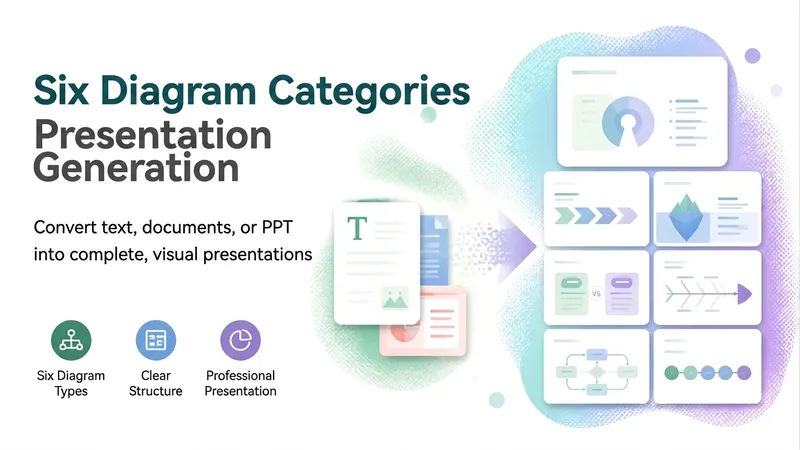
Diagram Presentation Generator
Transform text, documents, or existing Slides files into a ready-to-deliver presentation that retains original facts, data, and core conclusions while reorganizing slide structures based on content and context. Choose from key diagrams, arrow diagrams, iceberg diagrams, comparison diagrams, fishbone diagrams, or flowcharts to present your main content through clear visual relationships for key elements, directions, symptoms and underlying factors, current states versus goals, categorized issues, or action stages. During generation, the Skill adjusts colors, fonts, and visual styles based on your theme, audience, industry, and brand requirements, ensuring consistent covers, tables of contents, content pages, and endings without rigid template repetition, while keeping text, units, timelines, and logic accurate and clear. It will not fabricate numbers, causal relationships, sequences, or conclusions lacking source support, and will clearly point out missing information if a file cannot be read or key details are insufficient. You will receive a complete Slides file or accessible link rather than just a text outline, along with explanations of the chosen diagram type, important material gaps, and actual editability. It is ideal for project reporting, proposal explanations, business summaries, workflow planning, and information visualization.
Information
- Version
- v2
- Last updated
- Runtime credits
- Usage-based
- Models
- Auto
- Use cases
- Images & designPresentations & reporting
- What you get
- Image
- Visual styles
- MinimalistCorporate
