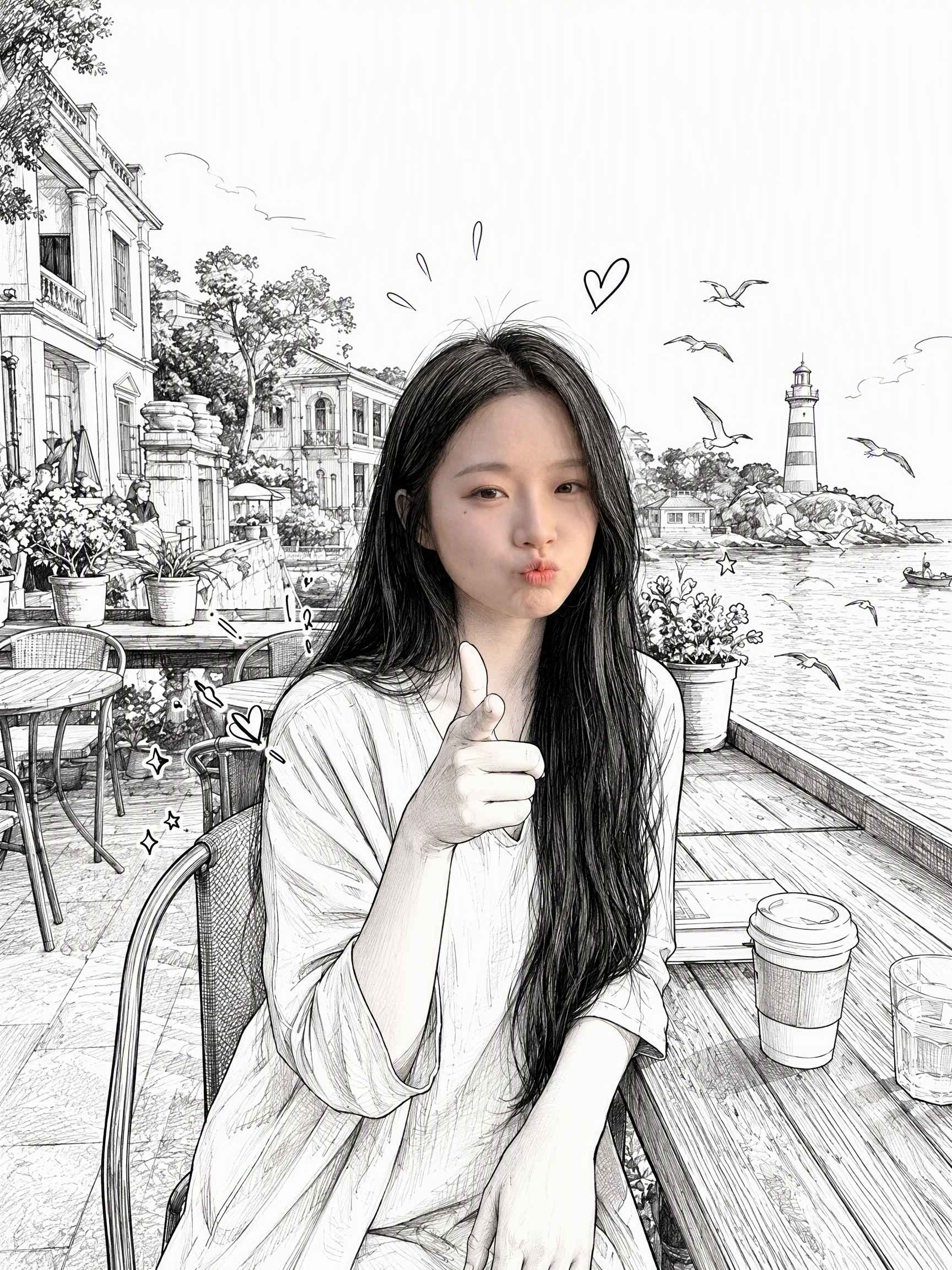
Photorealistic Head, Drawn Body
Turn one photo into a mixed-style image
Photorealistic Head, Drawn Body
Turn one photo into a mixed-style image
Showcase
Description
Upload a real photo—no target image needed—to automatically create a finished mixed-style image with a photorealistic head and black-and-white hand-drawn illustration. The head retains photo-realistic texture and recognizable facial features (facial features stay the same, while the expression may be subtly adjusted). Everything else—including the hair and hairstyle, body and build, clothing, pose, background, and decorative elements such as hearts, stars, sparkles, and motion lines—is transformed into a black-and-white hand-drawn illustration. The body keeps realistic proportions, while the original hairstyle and pose are preserved. Ideal for turning a single photo of a person or pet into a creative image featuring a photorealistic head and hand-drawn elements in the same frame.
Recommended by
Dancang
Why we love this skill
Turn one photo into a distinctive hybrid: realistic facial features and photo texture remain, while the body, clothing, background, and decorations become black-and-white line art. No target image is needed; hairstyle, proportions, and pose are preserved.
Best for
For users who want to quickly turn a person’s or pet’s photo into a creative photorealistic-and-black-and-white hand-drawn image.
How to use this Skill
Provide your input
Upload a clear photo of a person or pet; you may also add text instructions.
Run the Skill
Turn the photo into a creative image featuring a photorealistic head alongside a black-and-white hand-drawn body, clothing, and background, while preserving the original features and pose as closely as possible.
Review your result
Generate a finished black-and-white mixed-style image with a photorealistic head and hand-drawn line-art treatment for the rest.
Related Skills
View all Image
ImageReal-Person Doodle Portrait
Blend your real-person photo into a room or scene drawn with bold hand-drawn lines, creating a creative portrait that places a real person alongside a doodle environment. The person retains realistic photographic texture, facial features, clothing, and lighting, while the environment uses monochrome marker sketches to outline furniture, walls, and spatial contours. The result creates a striking visual effect of a “real person floating in a line-art world,” making it suitable for profile pictures, social cards, and stylized portrait artwork. You can upload a headshot, half-body photo, or full-body photo, then describe the living room, bedroom, study, café, studio, balcony, or other scene you want, along with the person’s clothing, pose, and expression. If you only have a headshot, the image can complete the body and place it in the specified space. If the original photo already includes a real environment, you can also keep the person unchanged while converting the background furniture, floor, walls, or street scene into a simple doodle line drawing, while maintaining the original composition. Deep ocean blue, burgundy, charcoal black, and other line-art colors are supported, with suitable aspect ratios matched to indoor portraits, open outdoor scenes, sports, or spacious environments. The setting will not be filled with excessive detail. Instead, it selects a few key objects and preserves negative space, making the contrast between the real person and the hand-drawn room clearer and more thoughtfully designed.
 Image
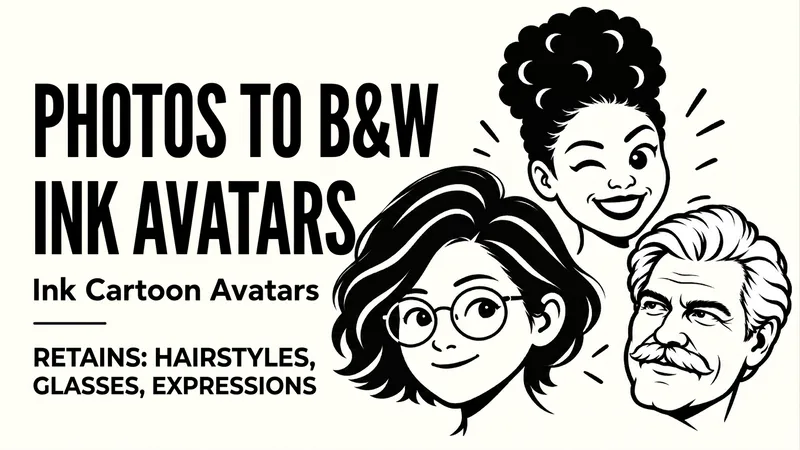
ImageB&W Cartoon Avatar
Upload a portrait to preserve defining features like hairstyle, glasses, and facial hair while generating a clean, recognizable black-and-white bold-line avatar. Upload a character photo to convert identifying features such as hairstyle, face shape, glasses, and facial hair into bold black outlines, black-and-white blocks, and expressive facial features. By default, it preserves the original orientation and natural expression, producing a text-free, 1:1 head avatar with a solid background. If you want a different mood, you can also say "playful wink," "calm and steady," or "make a set of expressions." For the same person, you can use the same hairstyle, frame, and face shape to create natural, playful, and steady looks respectively. It supports changing the background, aspect ratio, quantity, and creating truly transparent backgrounds when supported by the tool. Great for social media avatars, personal branding, community member icons, and digital sticker visuals. After generation, it checks against the original photo for hairstyle, glasses, facial hair, stray lines, and avatar cropping margins, making targeted corrections when clear issues arise. Examples: "Make a black-and-white avatar from this photo, keeping the round glasses and short curly hair, with a closed-mouth smile." "Keep the white hair and mustache, make a calm expression, no glasses."
 Image
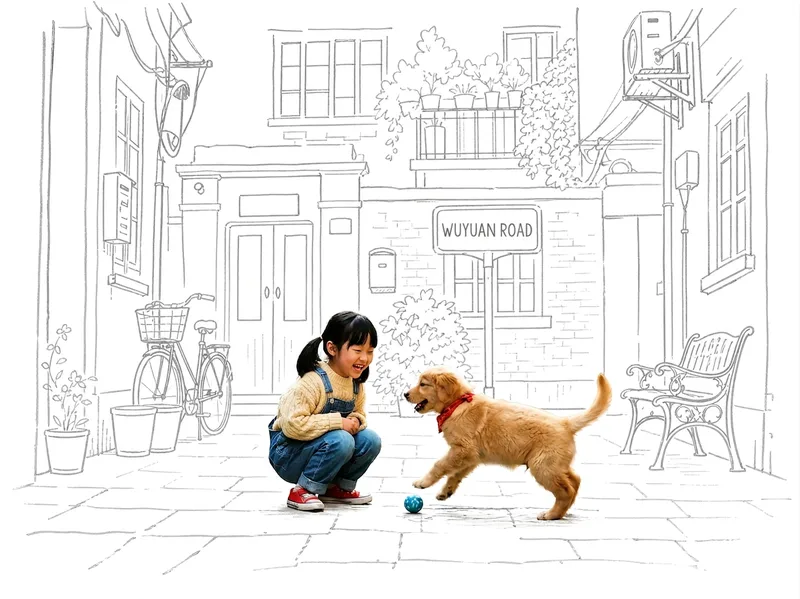
ImagePhoto Meets Hand-Drawn
Turn any photo into a contrast-style poster featuring a photo-realistic subject set against a monochrome, hand-drawn line-art environment: people or other subjects are preserved 100% from the original image—no redrawing, outfit changes, or pose changes—while the surrounding scene and background are translated into casual sketch lines on warm white paper in a single ink color. The default output is a 3:4 portrait layout, with other aspect ratios available on request. Supports single-person photos, group shots, pets, still life, and other non-human subjects, as well as pure landscapes with automatic fallback processing. You can also fine-tune the line-art color, paper background color, amount of whitespace, and line weight while preserving the core structure.
Information
- Version
- v6
- Last updated
- Runtime credits
- Usage-based
- Models
- Auto
- Use cases
- Images & design
- What you get
- Image
- Visual styles
- Hand-drawnBlack and white
