
Realistic Portrait Generator
Generate viral, hyper-realistic portraits in a sentence
Realistic Portrait Generator
Generate viral, hyper-realistic portraits in a sentence
Showcase
Description
Does one thing: turns a single sentence into a camera-shot portrait of a woman with pore-level skin realism, authentic lifestyle settings, stylish outfits, and a natural youthful vibe in her early twenties. Authentic settings: 24 scene recipes—street corners, cafes, rooftop sunsets, rainy parks, beaches, snowscapes, and more, with detailed, crisp backgrounds. 🎯 How to use Just type naturally: "A girl on a street at dusk after the rain", "Studio portrait with a solid haze-blue background", "A woman at sunset by the sea". You can specify aspect ratios, quantities, and reference images to maintain consistent faces. 🖼️ Supports face preservation with reference images, solid studio backgrounds, multiple aspect ratios, and smart multi-model routing for instant sharing.
Best for
Ideal for users who need to quickly create realistic adult female portraits, social media shares, or visual materials.
How to use this Skill
Provide your input
Enter a description for a realistic portrait of an adult woman, optionally upload a reference image, and specify the scene, background color, aspect ratio, and number of images.
Run the Skill
The system generates a realistic photography-style portrait of an adult woman based on your description, or changes the scene using a reference image while preserving facial features.
Review your result
Receive one or more portrait images featuring realistic skin textures, natural lighting, and lifestyle scene details.
Related Skills
View all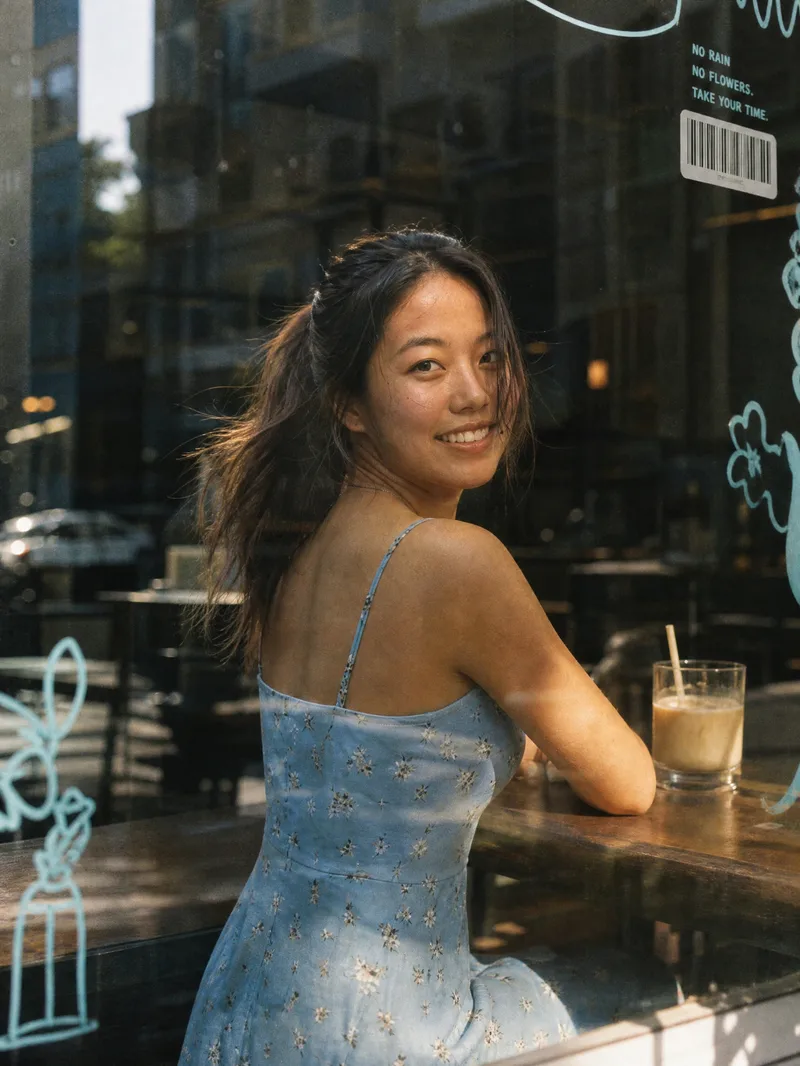 Image
Window Film Portrait Generator
Core Advantages: 1. Accurate Face Preservation: Strictly maintains the face shape, facial features, hairstyle, and skin tone from the uploaded photo without face-swapping, distortion, or excessive skin smoothing. 2. Clothing Retained: Automatically keeps the clothing from the uploaded photo by default, with an option to specify new ones. 3. One-Click Generation: Features a default 3:4 vertical composition that generates immediately upon upload, requiring no prompt writing. 4. Flexible Customization: Supports changing aspect ratios, scenes (bookstores, flower shops, convenience stores, subway windows), lighting (warm twilight, cool overcast, night neon), expressions, and glass decoration styles. Product Description: Upload a portrait photo to automatically generate a Korean-style film street portrait shot through a café window. The image features realistic glass textures: subtle reflections, street scene mirror images, dust, fingerprints, and water spots. The edges of the glass are adorned with blue hand-drawn doodles, barcode stickers, Polaroids, and small English lettering. The background is a blurred city street with soft, transparent lighting, low-saturation tones, warm highlights, and subtle film grain, resembling a casual everyday snapshot taken by a friend. Best For: Ideal for profile pictures, social media covers, lifestyle portraits, blogger persona photos, and creator branding images.
 Image
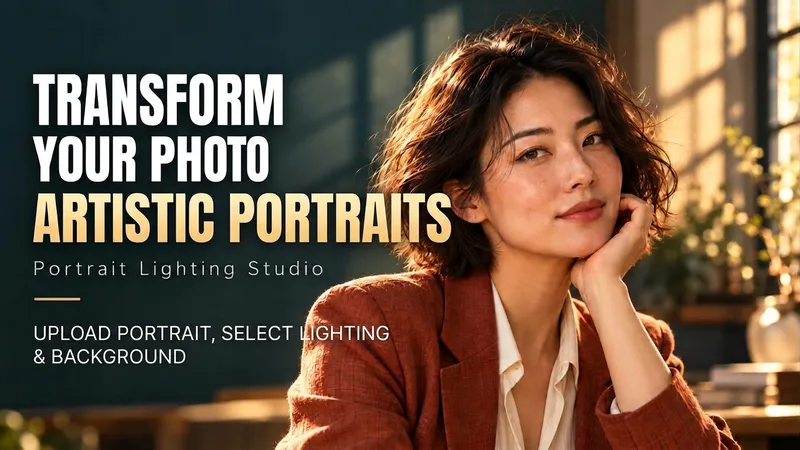
Portrait Light & Shadow Studio
Upload portraits, adjust lighting, poses, and backgrounds to generate window soft-light, night scene, or studio-style portraits. Upload a portrait photo or describe a fictional character to create photographic avatars, personal portraits, and magazine-style portraits. The Skill combines the subject's visible features to arrange poses, lighting, framing, clothing, and environment, ensuring natural hand gestures, grounded body posture, and directional lighting. Three original scenes are ready to use: • Warm Pottery Window: Terracotta and warm wood tones, with a natural medium shot near a studio window. • Rainy Night Set: Warm light in a movie theater porch, cold wet street tones, and expressive gazes. • Coastal Golden Breeze: Sunset rim lighting, sea breeze, and relaxed full-body travel portraits. Professional headshots, solid-color studios, black-and-white portraits, and custom themes are also supported. Uploading a photo preserves primary clothing and accessories by default; to change outfits, backgrounds, or poses, simply specify your request. By default, it generates one 3:4 vertical text-free image per run; you can change the aspect ratio, create a series, or request Chinese, English, or bilingual prompts. Multiple images are generated separately, and after generation, subject recognition, hands, feet, support points, and lighting are verified. You can say: "Use this photo for the rainy night set, keep the hairstyle, and change to a dark jacket." or "Create a mature woman with short curly hair walking naturally in the coastal sunset."
 Image
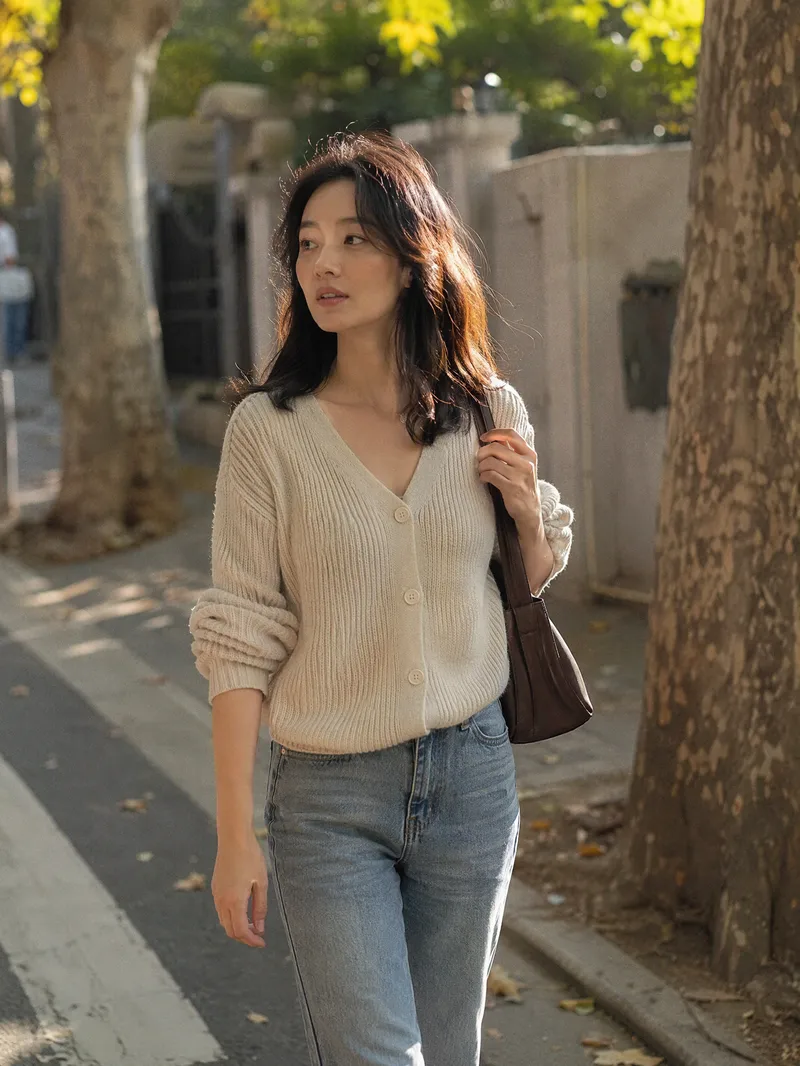
Candid Highlights Pro
Your photo deserves a naturally occurring highlight moment. Upload a clear portrait, and Candid Highlights designs a street photography scene around your expression, outfit, and pose—capturing moments like brushing back your hair, glancing sideways while walking, or just beginning to smile as an original portrait with a realistic photographic feel. • Identity reference: Preserves recognizable facial features and a natural sense of age from the uploaded photo. • Scene customization: Choose directions such as city streets, tree shadows, the seaside, post-rain settings, and night scenes. • Motion control: Choose low, medium, or high motion to balance a clear subject with a dynamic background. • Outfit options: Keep the original outfit by default or specify a change. • Dual use: Create a portrait only or a cover poster with an original short line. • Series creation: Make multi-scene sets featuring the same person and request local revisions as needed. The default is one 3:4 image; you can specify the aspect ratio and number of images. Suitable for social profile pictures, personal content covers, and portrait creation. AI generation may produce identity or limb inaccuracies. Results depend on the reference photo and account capabilities and still require manual review. Installation and redemption cost 3,366 points; runs and additional generations are charged separately under platform rules. This does not represent a real visit or on-site photo shoot.
Information
- Version
- v2
- Last updated
- Runtime credits
- Usage-based
- Models
- Auto
- Use cases
- Images & design
- What you get
- Image
- Visual styles
- Photorealistic
