Realistic Tattoo Couple Photo
Upload one photo, get an image in seconds
Realistic Tattoo Couple Photo
Upload one photo, get an image in seconds
Showcase
Description
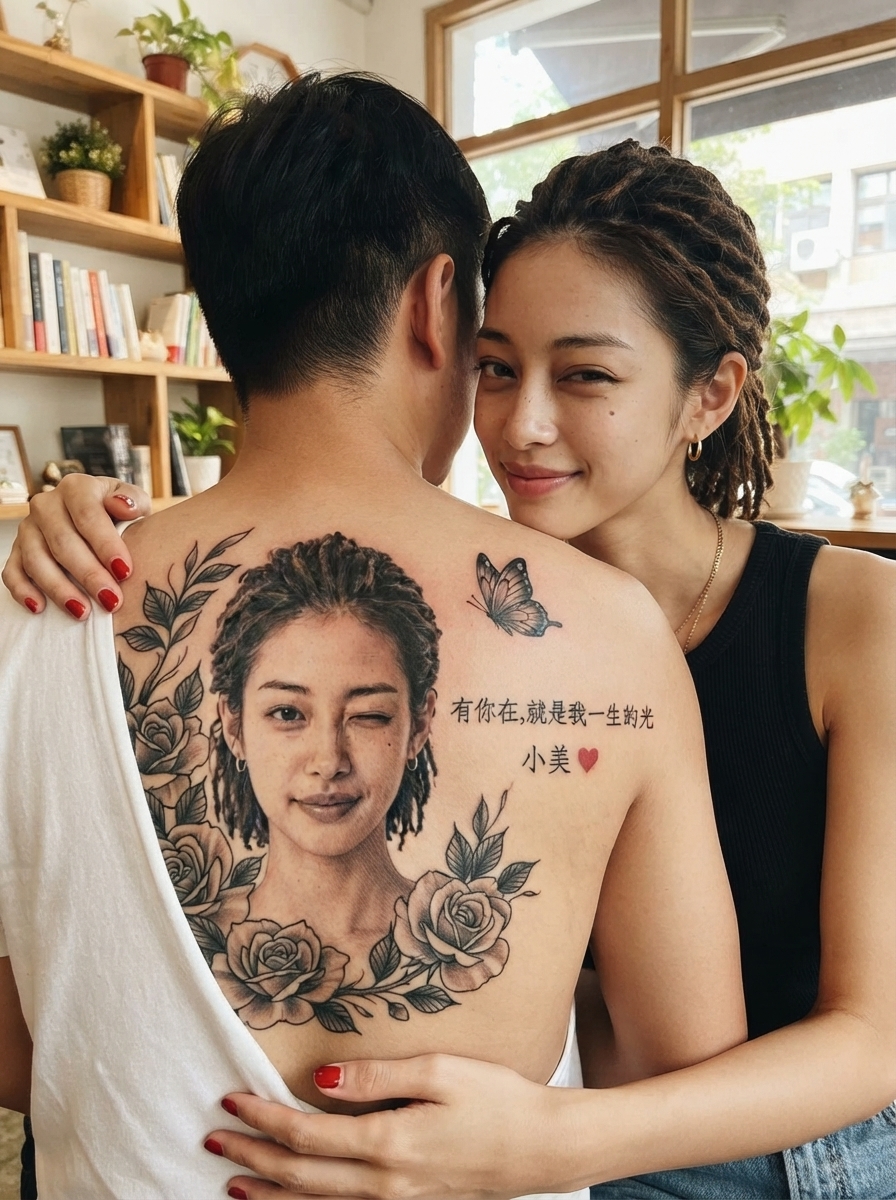
Upload a photo of a person to generate a photography-quality image featuring a black-and-gray realistic tattoo portrait and an intimate couple photo. The tattoo portrait closely matches the person in the photo. Customize the aspect ratio, tattoo placement, calligraphy text, name, accessories, scene, and more.
Best for
Ideal for anyone who wants to turn a person’s photo into a personalized, realistic tattoo couple portrait.
How to use this Skill
Provide your input
Upload a clear photo of a person. You may also specify the aspect ratio, tattoo placement, text, name, accessories, and scene.
Run the Skill
Using the photo and your settings, generate a realistic tattoo portrait and intimate couple photo while keeping the person’s appearance and tattoo details as consistent as possible.
Review your result
Receive a photography-quality realistic couple image featuring customized tattoos, text, and scene elements.
Related Skills
View all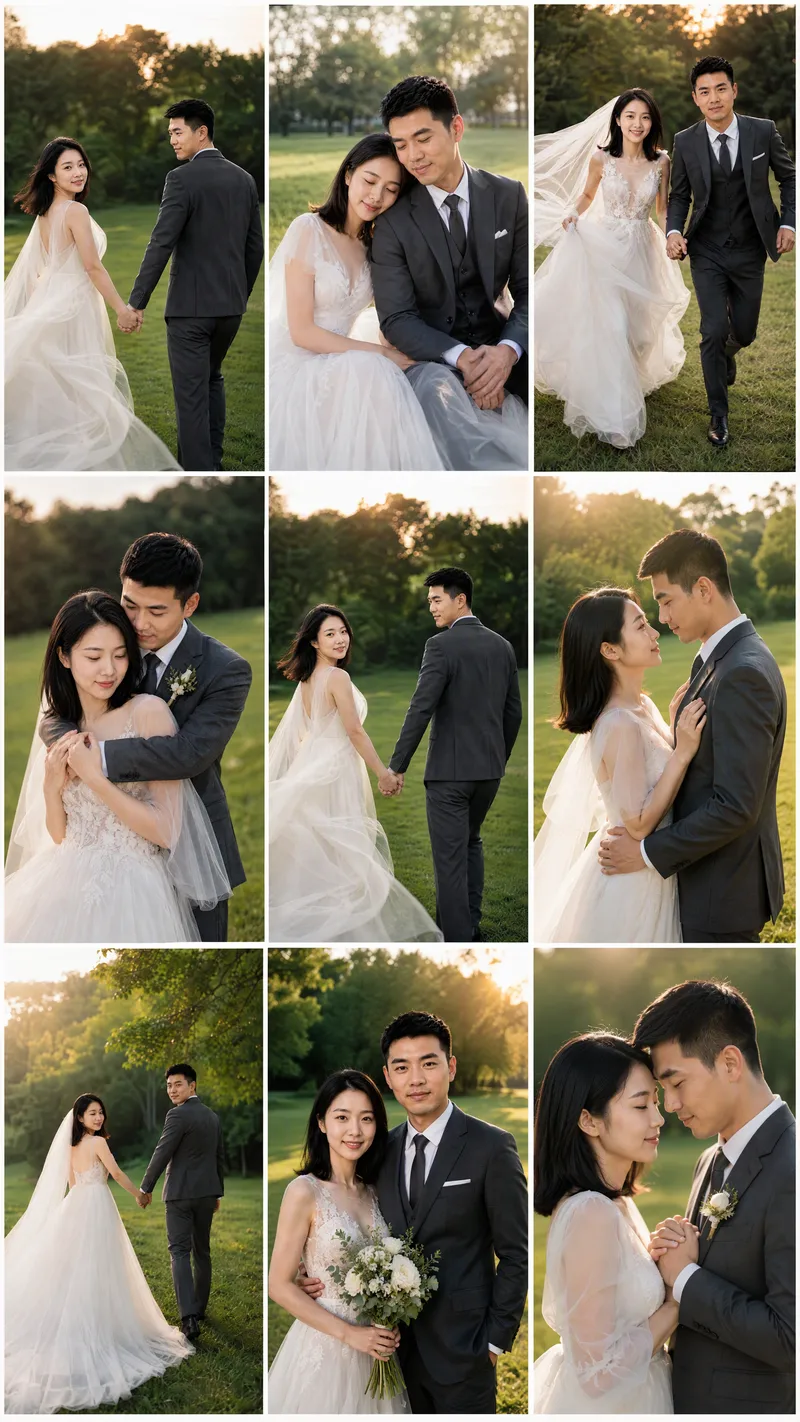 Image
ImageCouples Wedding Photo Maker
Turn photos of married couples or partners into cohesive wedding imagery with consistent identities, giving you more control from identity confirmation through final output. Upload 1–2 couple photos or individual photos of both partners, and the system will use their real facial features to create identity references, helping the same couple stay recognizable across sample images and final results. If you don't have photos, you can also randomly generate a realistic Chinese couple as a reference. Choose from a range of styles, including dark, elegant bridal portraits; forest-inspired lawn weddings; spring French flower houses; cinematic forest street photography; pure white French bridal portraits; modern Chinese wedding looks; coastal rock wedding photography; French vintage oil paintings; and urban documentary street photography. You can also upload a reference image you like or describe a custom style. After confirming the people and style, generate a 9:16 vertical sample first, then continue creating more once you're satisfied. The final result can be a cohesive 3×3 wedding photo grid or nine individual images with different poses and compositions. Images emphasize studio-quality lighting, cinematic color grading, realistic skin texture, and natural couple interactions, while aiming to avoid face swaps, unfamiliar faces, excessive skin smoothing, anatomical errors, and watermarks or text. It's suitable for wedding inspiration, commemorative images, and social media posts.
 Image
ImageReal-Person Doodle Portrait
Blend your real-person photo into a room or scene drawn with bold hand-drawn lines, creating a creative portrait that places a real person alongside a doodle environment. The person retains realistic photographic texture, facial features, clothing, and lighting, while the environment uses monochrome marker sketches to outline furniture, walls, and spatial contours. The result creates a striking visual effect of a “real person floating in a line-art world,” making it suitable for profile pictures, social cards, and stylized portrait artwork. You can upload a headshot, half-body photo, or full-body photo, then describe the living room, bedroom, study, café, studio, balcony, or other scene you want, along with the person’s clothing, pose, and expression. If you only have a headshot, the image can complete the body and place it in the specified space. If the original photo already includes a real environment, you can also keep the person unchanged while converting the background furniture, floor, walls, or street scene into a simple doodle line drawing, while maintaining the original composition. Deep ocean blue, burgundy, charcoal black, and other line-art colors are supported, with suitable aspect ratios matched to indoor portraits, open outdoor scenes, sports, or spacious environments. The setting will not be filled with excessive detail. Instead, it selects a few key objects and preserves negative space, making the contrast between the real person and the hand-drawn room clearer and more thoughtfully designed.
 Image
ImagePhotorealistic Head, Drawn Body
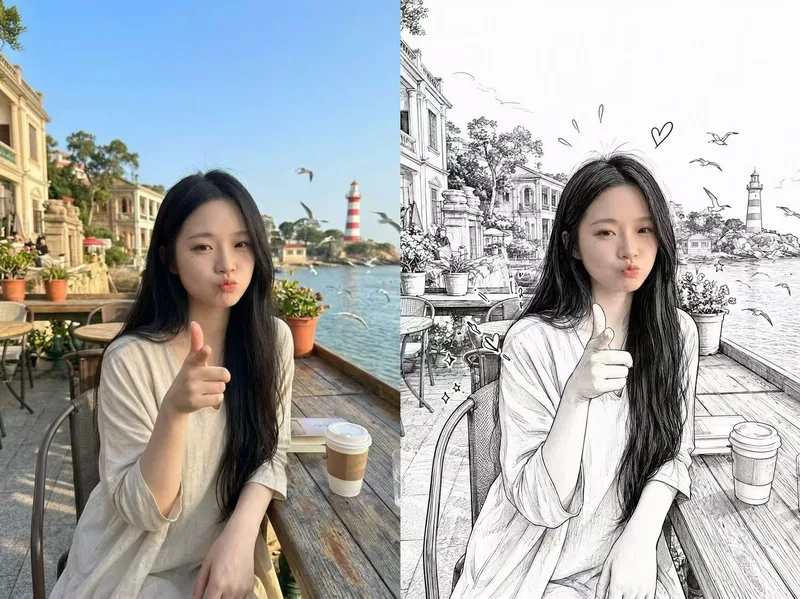
Upload a real photo—no target image needed—to automatically create a finished mixed-style image with a photorealistic head and black-and-white hand-drawn illustration. The head retains photo-realistic texture and recognizable facial features (facial features stay the same, while the expression may be subtly adjusted). Everything else—including the hair and hairstyle, body and build, clothing, pose, background, and decorative elements such as hearts, stars, sparkles, and motion lines—is transformed into a black-and-white hand-drawn illustration. The body keeps realistic proportions, while the original hairstyle and pose are preserved. Ideal for turning a single photo of a person or pet into a creative image featuring a photorealistic head and hand-drawn elements in the same frame.
Information
- Version
- v5
- Last updated
- Runtime credits
- Usage-based
- Models
- Auto
- Use cases
- Images & design
- What you get
- Image
- Visual styles
- Photorealistic
