
Mise-en-Scène & Blocking
Turn scenes into shot lists and prompts
Mise-en-Scène & Blocking
Turn scenes into shot lists and prompts
Showcase
Description
Mise-en-Scène & Blocking — Scene to Shot List (English title). Enter a scene, and the Skill will return a staging solution and translate it into prompts. It breaks the scene into action beats, places characters in space, determines who wants what in the frame, derives blocking movements from changes in the characters’ relationships, selects shot size and angle to match the meaning of the moment, maintains the eyeline and 180-degree axis, decides whether the camera should move and why, reads lighting and time of day as carriers of meaning, plans the scene’s sound layer, and produces a shot-by-shot shot list with a sound column and ready-to-use prompts for your generation model. The Skill answers two questions for every scene: what to stage on set and what to write in the prompt so the generator reproduces exactly that. It is not about “what kinds of shots exist,” but about a specific scene. A separate section addresses the main challenge in AI video—character inconsistency and a “clip-like” feel—with a fixed reference look, consistent wording, shot order, seed, and a list of things to avoid. It is suitable for AI directors and creators making videos in Seedance, Veo, Kling, and similar tools, as well as indie animators, marketers, and agencies. The output format is a shot table and prompt list, ready to use immediately. Tags: mise-en-scène, blocking, shot list and storyboard, AI video, scene direction, eyeline and axes, video prompts, cinematic shots. English title: Mise-en-Scène & Blocking — Scene to Shot List.
Related Skills
View all
seedance-filmmaker
Master cinematic storytelling skill for Seedance 2.0 on Higgsfield. Use this skill whenever the user wants to create a video, scene, shot, or story using Seedance — whether it's action, dialogue, cinematic atmosphere, VFX, or a full multi-clip narrative. Triggers on any mention of Seedance, Higgsfield, video prompt, film scene, story clip, extend, or any request to write, plan, or improve a Seedance prompt. Also triggers when the user describes a story, scene, or character and wants to film it with AI. Use this skill even if the user just says "make me a video of..." or "write a prompt for...". Always use this skill for Seedance work.

Cinematic Scene Prompts
This skill turns any request with a film-like or cinematic intent into a precise, production-grade video-generation prompt. It applies professional cinematography: a 2-second opening hook to stop the scroll, exact camera movement and lighting setups, depth and composition guidance, color grading, timeline structures for 4/8/10/15-second clips, synchronized sound design, and platform-specific optimization (TikTok, YouTube Shorts, Instagram Reels, LinkedIn). Each prompt uses specific numbers, timings, and technical language (focal lengths, f-stops, Kelvin temperatures, movement speeds) and supports @material[name] references for uploaded images, videos, and audio. The result is a ready-to-use prompt that produces broadcast-quality cinematic video.
Seedance 2.5 Master Shot
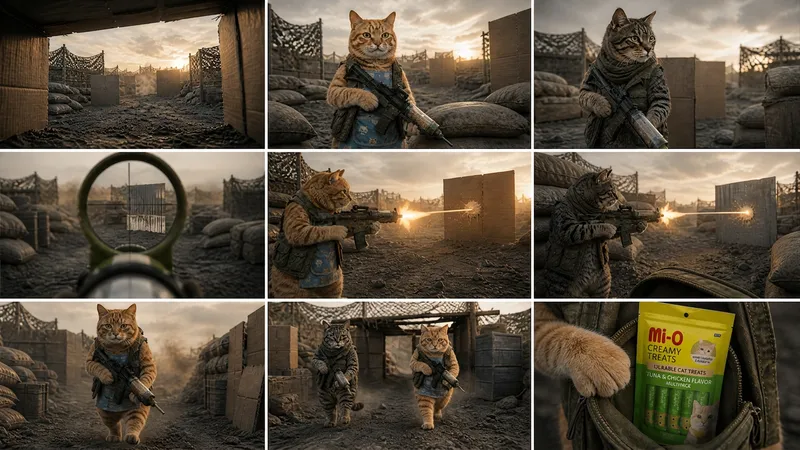
Turn an idea or short plot into a video-ready package for Seedance 2.5—from identifying the core story, theme, narrative structure, and character arcs to creating a scene-by-scene script with connected events and clearly visible end states at each stage. Ideal for filmmakers, storytellers, and creators who want to systematically develop plots into visual work. You’ll receive ready-to-use Seedance 2.5 prompts in English that specify the subjects and actions, setting, visual style, shot size and camera movement, editing, sound, dialogue, and atmosphere in detail. The workflow also supports reference images, longer clips, clip extension, storyboards, and blockouts. With this information, the prompts help maintain continuity in characters, clothing, props, the number of people, and their positions in the scene. The output document is written in Thai for the analysis and explanations, with English prompts for each scene. It also includes the reasoning behind the script and visual language choices, so you can understand how each beat, camera movement, and emotional cue helps tell the story more clearly.
Information
- Version
- v3
- Last updated
- Runtime credits
- Usage-based
- Models
- Auto
