
Stickman Video Generator
Drop a topic to create catchy stickman videos
Stickman Video Generator
Drop a topic to create catchy stickman videos
Showcase
Description
Designed specifically for generating stickman-style commentary animation videos. Users only need to input a video topic or paste an existing narration script to automatically generate a complete director's proposal. After user review and confirmation, it batch-outputs standardized animation videos, each about 10 seconds long. Pain points solved: 1. Manual stickman commentary requires brainstorming scripts, shots, characters, actions, sound effects, and storyboard prompts, which is a huge workload. 2. AI direct video generation easily leads to off-track script logic, messy eras, or character styling, consuming heavy video quotas on rework. 3. Inconsistent styles across multiple clips with fragmented character art, and a lack of unified standards for narration, sound effects, and camera movement. 4. Popular science content easily fabricates false facts and data, while this ensures output content is rigorous and controllable. Applicable scenarios: Historical science, business breakdowns, psychology concepts, personal growth stories, faceless knowledge commentary, product demos, and bilingual learning short videos. It supports 6 major art styles, custom durations, aspect ratios, and narration languages.
Recommended by
Dancang
Why we love this skill
Features a two-stage process of director proposal review and segmented generation, balancing viral hooks, unified art styles, historical fact boundaries, and post-editing execution.
Best for
Content creators looking to quickly plan short stickman science, story, business commentary, or product demo videos.
How to use this Skill
Provide your input
Enter the video topic or ready-made narration script, and optionally specify the total duration, aspect ratio, art style, and narration language.
Run the Skill
The system first generates a director's proposal for your review, allowing you to modify the title, plot, characters, and style before confirming.
Review your result
Receive a structured director's proposal, storyboard and narration plan, and prompts that can be used to generate about 10 seconds of animated clips each.
Related Skills
View all Video
AI Science Animator
Designed to transform practical advice, health warnings, and anti-fraud guides from high-value life guides into engaging animated story video plans suitable for all ages. It supports custom styles (funny, serious, heartwarming, suspenseful, etc.), custom aspect ratios, custom sound effects and voiceover plans (or user-uploaded audio), and user-defined protagonists or IP characters. Use this when you want to adapt any book entry or life knowledge into an animated story, video script, or storyboard prompt. Great for: - Science, health, parenting, and legal self-media creators (turning professional content into high-traffic content) - Short-video directors and editors (getting ready-to-use storyboard scripts without starting from scratch) - Schools, communities, hospitals, and public welfare organizations (creating science popularization and safety education videos) - MCNs and content studios (batch producing multiple versions from a single draft) - Corporate brand accounts (turning product knowledge and industry insights into soft content) - Individuals who want to start a knowledge account but do not know how to write scripts (starting with just a single theme)
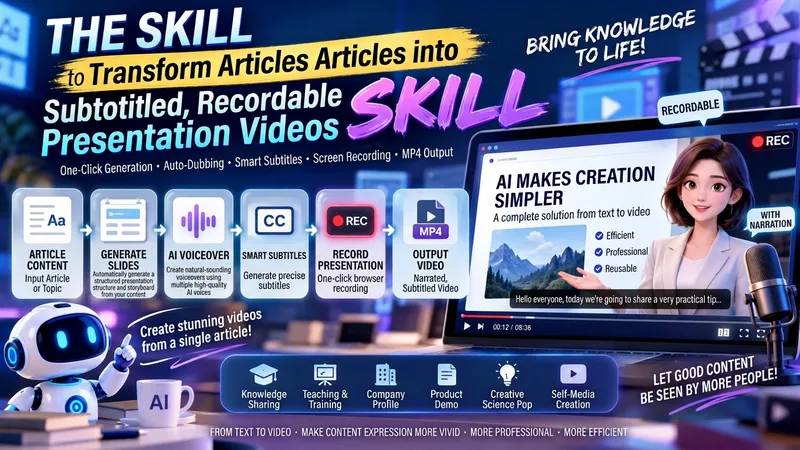
Article to Viral Video
Fully simulates a film director workflow. Input articles, lecture notes, or product copy to automatically break down storyboard scripts, generate detailed presentations, and editing scripts, complete with an independent quality inspection module for visual defects. Following a generation-inspection-correction-confirmation-finalization closed loop, it automatically handles TTS voiceover, subtitle timeline alignment, and browser recording, ultimately outputting a viral presentation video with subtitles and voiceover. Ideal for knowledge explainers, teaching courseware, product introductions, and self-media content production.
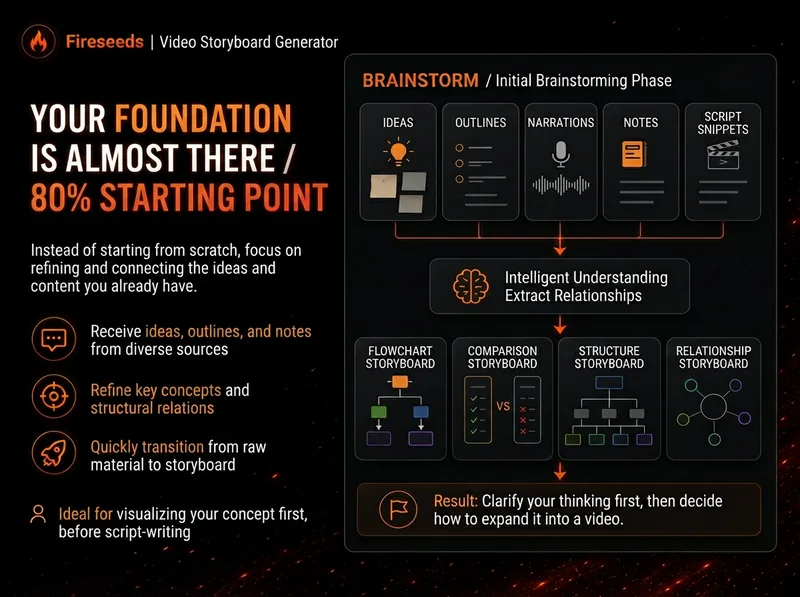 Video
Spark | Video Diagram Maker
Many videos don’t lack content—the content is simply too abstract or dense. Viewers understand one sentence, then forget it by the next. “Spark | Video Diagram Maker” takes your ideas, brainstorms, outlines, scripts, transcripts, or articles and first breaks them down into concepts that are genuinely worth visualizing. It then determines whether they are best expressed as a process, comparison, architecture, hierarchy, cycle, branch, decision tree, or another diagram structure. It won’t draw just to hit a quota, or cram complex content into one cluttered infographic. Multiple diagrams maintain the same visual language, naming, and semantic color system, making them easy to insert into videos as an explanatory framework. Especially useful for: Explaining complex concepts Breaking down workflows Comparing two methods Showing system structures Clarifying cause-and-effect relationships Turning a long brainstorm into a set of visual nodes for a video The default output is a 16:9 static diagram. If the runtime environment cannot provide an editable Excalidraw source file, this will be stated clearly; static images will never be presented as .excalidraw files. Use cases Use case 1 | Turn a brainstorm into diagrams You only have a long stream of spoken ideas, without a complete script. The Skill identifies the points most worth drawing and organizes them into a set of diagrams with a clear presentation order. Use case 2 | Turn a script into visual nodes for a video You already have a complete script but don’t know where to add visuals. The Skill determines which sections are worth visualizing and selects suitable diagram types. Use case 3 | Explain complex concepts For example: how an AI Agent works, why a workflow matters more than a one-off demonstration, how a business model operates, or which layers make up a product architecture. Use case 4 | Break down a workflow or process For example: topic pool → research → Hook → script → production → review. Use case 5 | Make comparisons For example: no workflow vs. a workflow; traditional methods vs. AI methods; one-time success vs. stable, repeatable results.
Information
- Version
- v5
- Last updated
- Runtime credits
- Usage-based
- Models
- Auto
- Use cases
- Writing & contentImages & design
- What you get
- ScriptPromptPlan
- Visual styles
- MinimalistHand-drawnCartoon
