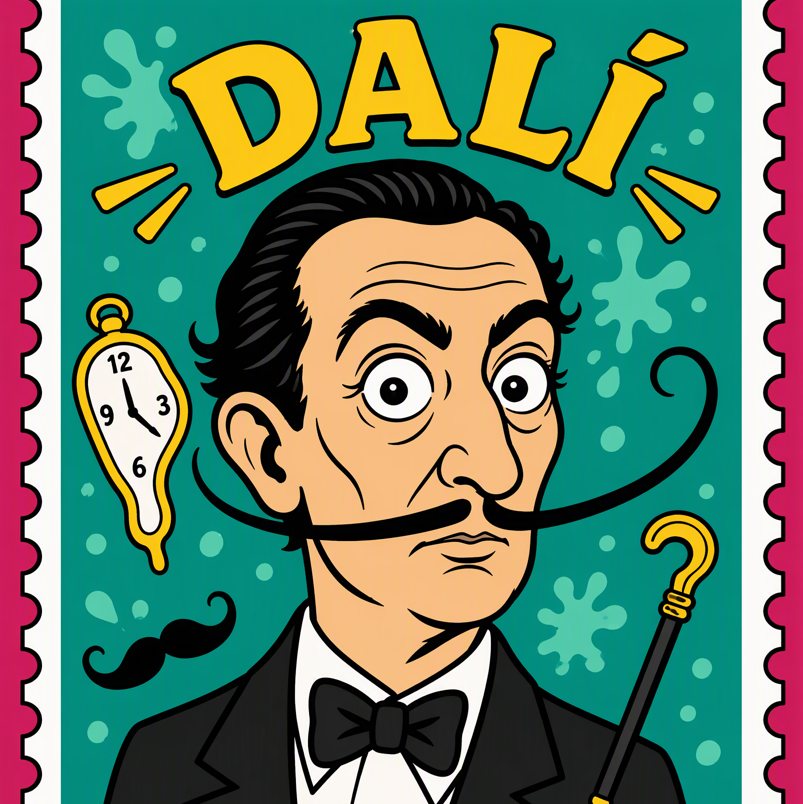
Perforated Stamp Portraits
Bold flat cartoon stamp portraits for anyone
Perforated Stamp Portraits
Bold flat cartoon stamp portraits for anyone
Showcase
Description
Enter a subject—such as a celebrity, fictional character, pet, or your own character—and this Skill applies a consistent retro stamp visual system: a vertical perforated edge, a three-layer border, a flat cartoon half-body portrait with bold black outlines, an arched name title around the top of the head, and a white information band at the bottom with the country name or era plus an oversized denomination number. The subject, colors, text, and denomination can all be customized while keeping the style consistent. Ideal for collectible-looking character stamps, character cards, and series posters.
Recommended by
Dancang
Why we love this skill
Builds a complete collectible stamp layout with perforated edges, layered borders, a white information band, vivid flat-cartoon portraits, and arched titles. Supports people, fictional characters, and non-human subjects.
Best for
Best for creating collectible-looking portraits of people or characters with a consistent visual style.
How to use this Skill
Provide your input
Provide a person, character, pet, or object. You may also include reference images, a name, colors, information text, a denomination, and symbolic elements.
Run the Skill
Transforms the subject into a retro stamp composition with perforated borders, a flat cartoon portrait, an arched title, and a bottom information band.
Review your result
Produces a vertical, perforated stamp-style portrait image for use as a collectible card, character card, or series poster.
Related Skills
View all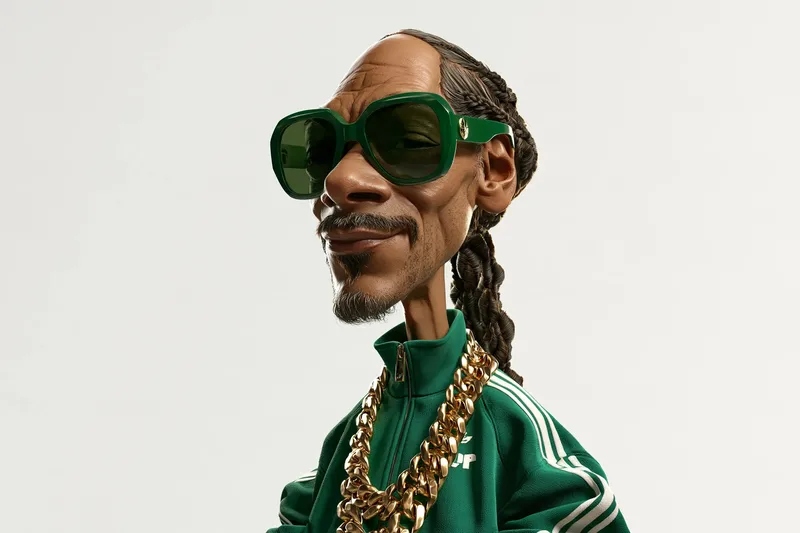 Image
3D Celebrity Cartoon Studio
Target Audience: Content creators, illustrators, 3D design enthusiasts, and social media bloggers. What You Need to Provide: Any real celebrity name (such as Gordon Ramsay, Mr. Bean, Einstein, Snoop Dogg, etc.) or fictional character. You can optionally specify emotions, expressions, classic clothing, and iconic props. How It Works: Deeply deconstructs the character's signature facial features (hairline, eye bags, wrinkles, gaze), builds dramatic big-head, small-body humorous proportions, configures realistic pores, subsurface scattering light transmission, and lifelike hair, and outputs high-resolution prompts with cinematic lighting and a pure white background. Final Deliverable: Character feature deconstruction checklist, bilingual high-precision image generation prompts (supporting direct rendering in mainstream models like Midjourney, DALL-E, Flux, and GPT Image 2/2.5). Steps to Use: Enter the name of the celebrity you want to create; the Skill outputs structured prompts; you can generate images in one click within currently supported image generation model environments or copy the prompts for use in major image generation tools. Sample Showcase: The sample images show surreal 3D cartoon portraits of Gordon Ramsay, Mr. Bean, Einstein, and Snoop Dogg rendered using this Skill.
 Image
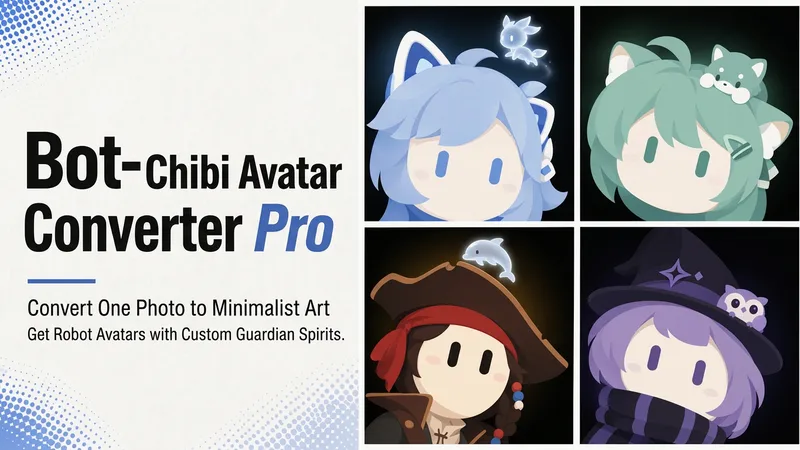
Bot Q-Style Avatar Pro
Upload a photo, a character image, or simply describe it in one sentence, and turn it into a minimalist 2D “robot avatar” with a consistent style—no mouth or nose, large vertical oval eyes, a charcoal-black background, and soft theme-colored backlighting. You can also add a dedicated guardian that stays by its side. [What it can do] - Handles four input types: real-person photos, character or original IP art, pet photos, and text-only descriptions can all be transformed. - One style, a cohesive set: all avatars share the same minimalist robot visual language, creating a highly recognizable avatar wall without making everyone look alike. - Natural, realistic skin tones: skin color is captured from the original image for a clean, natural result—not a stark white mask. For real-person photos, the person’s actual skin tone is used. - Optional exclusive “Guardian” overlay: if the character has a signature pet, one is added automatically. You can also request one yourself and choose between a “glowing spirit” or a “physical cute companion.” - Switchable backgrounds: the main avatar uses a charcoal-black background with theme-colored backlighting. For displays or covers, you can also switch to a full theme-pattern background. - Delivered as a set: in addition to the main avatar, you can add guardian stickers, dual-form comparison versions, and sticker packs. [What you’ll receive] One 1:1 minimalist robot avatar, with guardian stickers, dual-form comparison versions, and sticker packs available as add-ons for a complete set. [Who it’s for] - Individuals who want a highly recognizable avatar that doesn’t look like everyone else; - Social media creators and managers who need a consistent avatar wall or visual identity; - Bloggers and brands that want to humanize and develop their original IP, pets, or brand mascots into a series. [Note] This Skill is a general-purpose style engine. You provide the source materials in the conversation; it does not include or replicate any specific artwork or trademarked character. Make sure you have the rights to use any photos or images you provide. The finished work is AI-generated content.
 Image
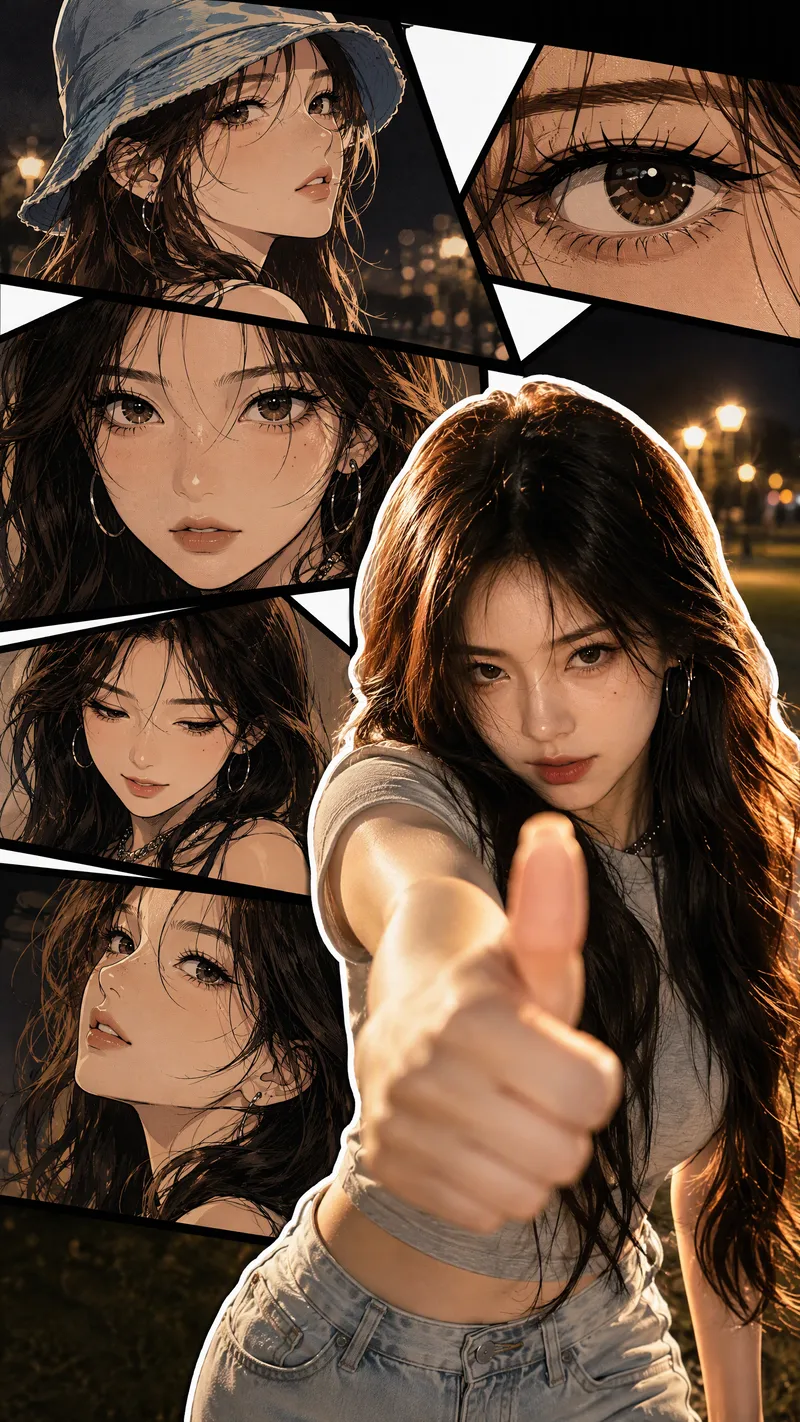
Live-Action Manga Collage
Turn a portrait photo into a 9:16 vertical collage poster that combines photographic realism with comic-style storytelling. The lower right preserves the person’s real appearance and original pose, while multi-panel manga scenes featuring the same face surround it on the left and upper right. Facial features, hairstyle, clothing, accessories, and overall character remain consistent between the real-person image and the illustrations. The poster blends retro Korean manhwa and American comic styles, with color cel shading, sharp black linework, halftone shadows, and finely rendered hair. Bold white outlines, black panel divisions, white geometric paper strips, and layered shadows create a magazine-inspired live-action manga collage. The comic panels can explore emotional angles such as a side profile, a particular gaze, looking down, or a low-angle view. The background extends the mood of the photo into scenes such as nighttime bokeh, a seaside sunset, streetlights on a lawn, or warm indoor lighting. By default, the image is clean and contains no text, speech bubbles, watermarks, or interface elements. It prioritizes preserving the body orientation, gestures, and expression from the photo without replacing the person or changing the pose. You can also specify the background, clothing, accessories, number of panels, or text. If you do not have a photo, it can create a person based on your description of their gender, age, and overall character, using the same vertical collage composition.
Information
- Version
- v2
- Last updated
- Runtime credits
- Usage-based
- Models
- Auto
- Use cases
- Images & design
- What you get
- Image
- Visual styles
- RetroCartoonFlat
