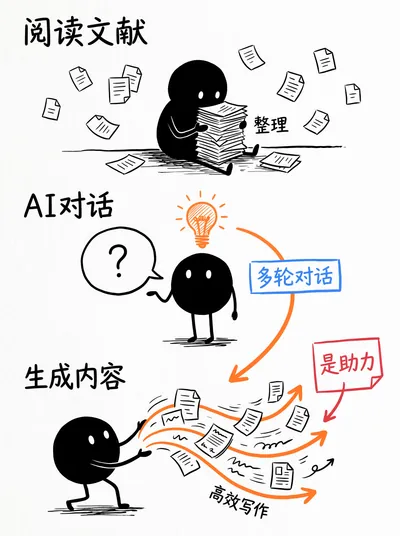
Stick Figure Doodle for WeChat
Turn articles or ideas to stick figure doodle
Stick Figure Doodle for WeChat
Turn articles or ideas to stick figure doodle
Showcase
Description
Turn an article, note, or idea into a hand-drawn doodle concept diagram from end to end. @ a markdown article, or paste a long text/enter a topic in the task box, the skill will automatically read through, extract core ideas and comparison structure. Fixed style: pure black stick figure protagonist + orange and blue highlights + red handwritten annotations, inspired by Christoph Niemann × xkcd × Sketchnote, restrained, humorous, with a charmingly rough feel. Typical use: - Finish a WeChat article, @ it to generate a cover image directly. Suitable for: content creators, knowledge bloggers, independent consultants, product/operations.
Recommended by
nene@YouMind
Why we love this skill
This skill transforms dull ideas into minimalist black-and-white doodles. Using the unique Xiaodouren character and physical metaphors, it provides vertical hand-drawn diagrams with the texture of sketchnotes for articles.
Related Skills
View all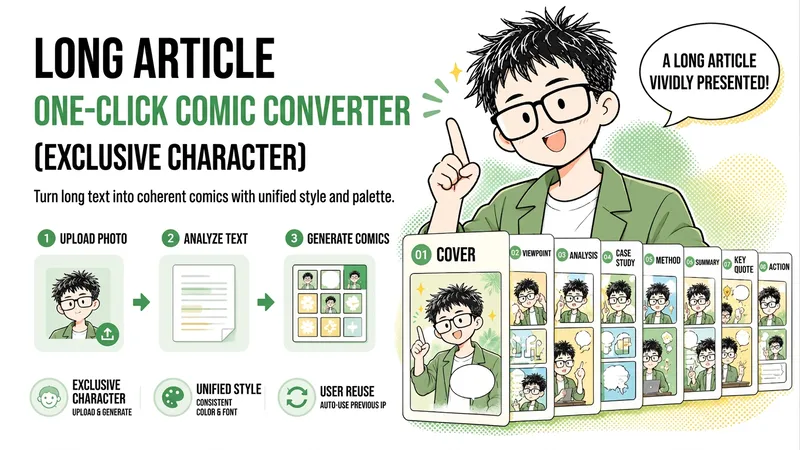 Image
WeChat Article to Comic Sticker
Convert long WeChat Official Account articles into a set of 3:4 comic carousel images featuring a consistent IP persona, allowing readers to quickly grasp the pain points, arguments, data, twists, and conclusions through minimal text and sequential panels. Upon first use, you can customize an exclusive hand-drawn line-art protagonist based on your photo or character description, choose from multiple style drafts, and lock in the character's hairstyle, glasses, clothing colors, and common expressions. For future content, you can directly reuse the confirmed IP image and visual style. You can provide a file, link, or pasted text of a long WeChat Official Account article to first receive a complete set of 7 to 9 comic outlines, including the title, short copy, composition, and protagonist actions and expressions for each page. After confirming the outline, you can select or modify cover title candidates, and uniformly determine the color palette, fonts, and title styles. Finally, a cover and multiple body comic images are generated in batches, making it ideal for content breakdown, image carousels, and personal brand content repurposing. Once generated, character consistency, text accuracy, visual standard uniformity, and overall narrative completeness are checked, with individual pages adjusted when necessary. This is suitable for Official Account creators who want to make deep articles more intuitive and memorable while long-term managing an exclusive comic IP.
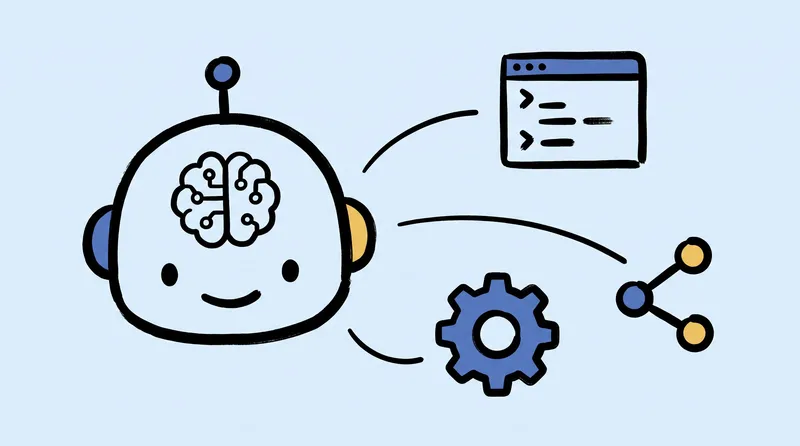
Minimal Hand-Drawn Illustration
Turn articles, summaries, viewpoints, or creative ideas into minimal hand-drawn illustrations. The Skill first confirms the aspect ratio, then distills 3–5 key visual elements, automatically designs the color palette and spatial layout, and uses GPT Image 2 to complete the illustration. It places special emphasis on efficient canvas use and visual hierarchy, avoiding elements that are squeezed into a single line or large areas of empty space. Ideal for blog headers, WeChat Official Account covers, social media graphics, presentations, knowledge diagrams, and conceptual visuals.
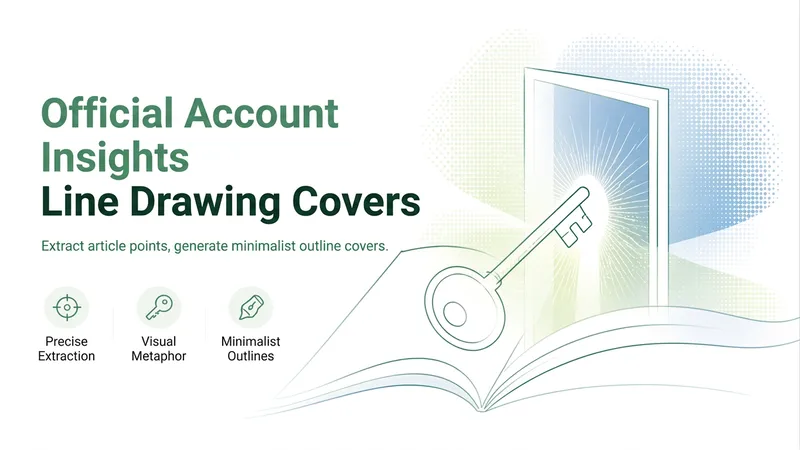
WeChat Line Art Cover
Transforms your article title, theme, core perspective, or text into an accurate and compelling visual metaphor, generating a minimalist line-art concept cover suitable for publication. Rather than simply drawing nouns from the title, it captures the real judgment, conflict, or paradox of the article, presenting a thought-provoking idea through a single core imagery. By default, it outputs an editorial-style illustration with a dark background, fine white lines, and a landscape wide format. The composition is restrained, clear, and retains ample negative space, making it ideal for article covers and mobile browsing. You can directly provide the title or text without describing the visual style; the skill selects object metaphors, character actions, or spatial relationships based on the content, avoiding complex scenes, clichés, and irrelevant decoration. It directly generates one cover by default, and also supports outputting complete prompts for image generation when needed. If you want to change the concept, adjust the aspect ratio, add color, or modify the visual style, you can also specify your requirements directly.
Information
- Version
- v5
- Last updated
- Runtime credits
- Usage-based
- Models
- Auto
