我們已發佈一個新的 Claude Code 外掛程式,名為 playground,它能幫助 Claude 生成 HTML 遊樂場。這些是獨立的 HTML 檔案,讓你可以透過 Claude 視覺化問題、與之互動,並獲得一個輸出提示,方便你貼回 Claude Code。
我發現這對於那些不適合用文字互動的場景特別有用,例如:
- 視覺化程式碼庫的架構
- 調整元件的設計
- 腦力激盪版面與設計
- 微調遊戲的平衡
要開始使用,請在 Claude Code 中執行以下指令來安裝外掛程式:
**/plugin marketplace update claude-plugins-official
/plugin install playground@claude-plugins-official**
以下是我最喜歡的幾個遊樂場範例:
**
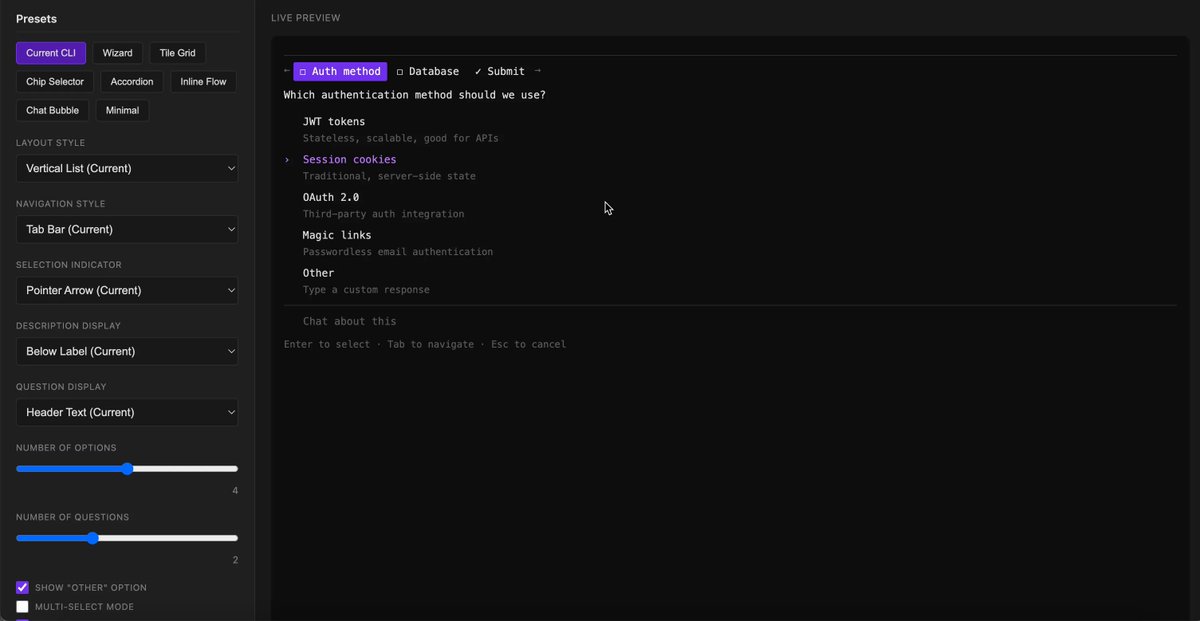
在 Claude Code 中修改 AskUserQuestion Tool 的設計
提示:「Use the playground skill to create an playground that helps me explore new layout changes to the AskUserQuestion Tool」
**
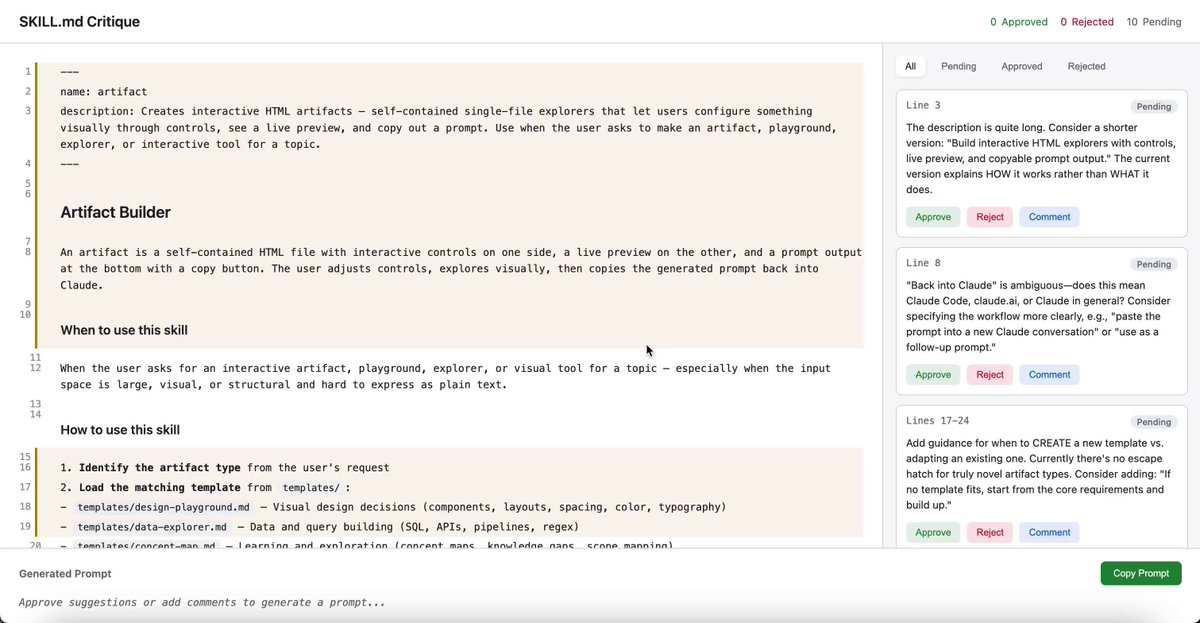
評論你的寫作並獲得回應
提示:「Use the playground skill to review my [技能.md](https://skill.md/) and give me inline suggestions I can approve, reject or comment」
**
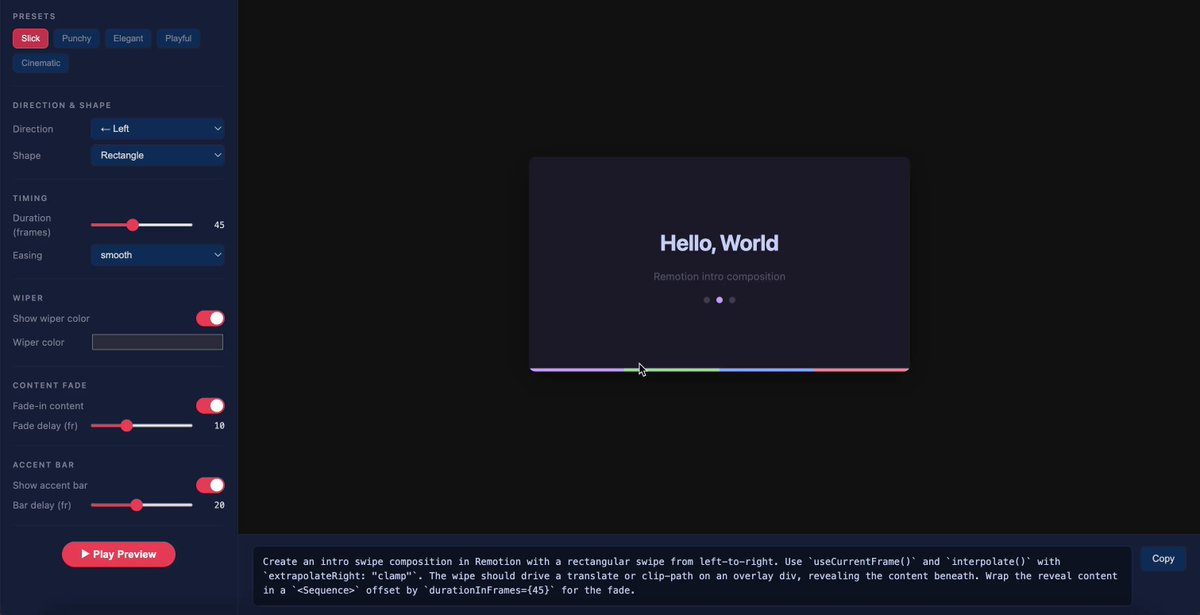
調整 Remotion 影片開場
提示:「Use the playground skill to tweak my intro screen to be more interesting and delightful」
**
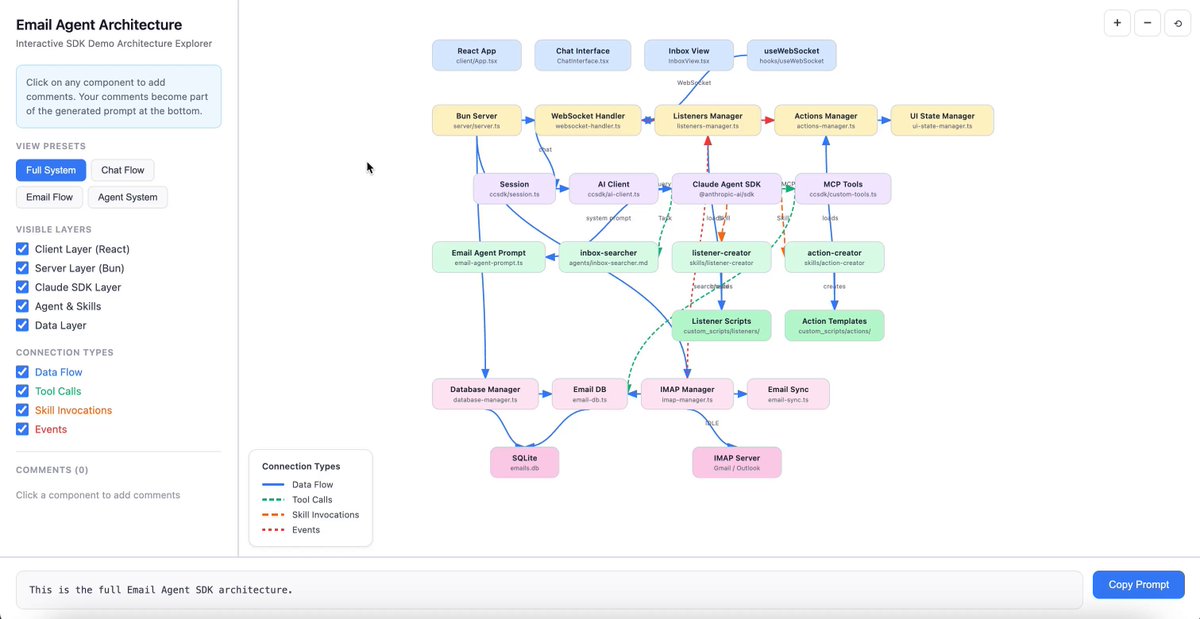
檢視架構圖並讓使用者留言
提示:「Use the playground skill to show how this email agent codebase works and let me comment on particular nodes in the architecture to ask questions, make edits, etc」
**
平衡我正在製作的超級英雄 Roguelike 遊戲
提示:「Use the playground skill to help me balance the 'Inferno' hero's deck」
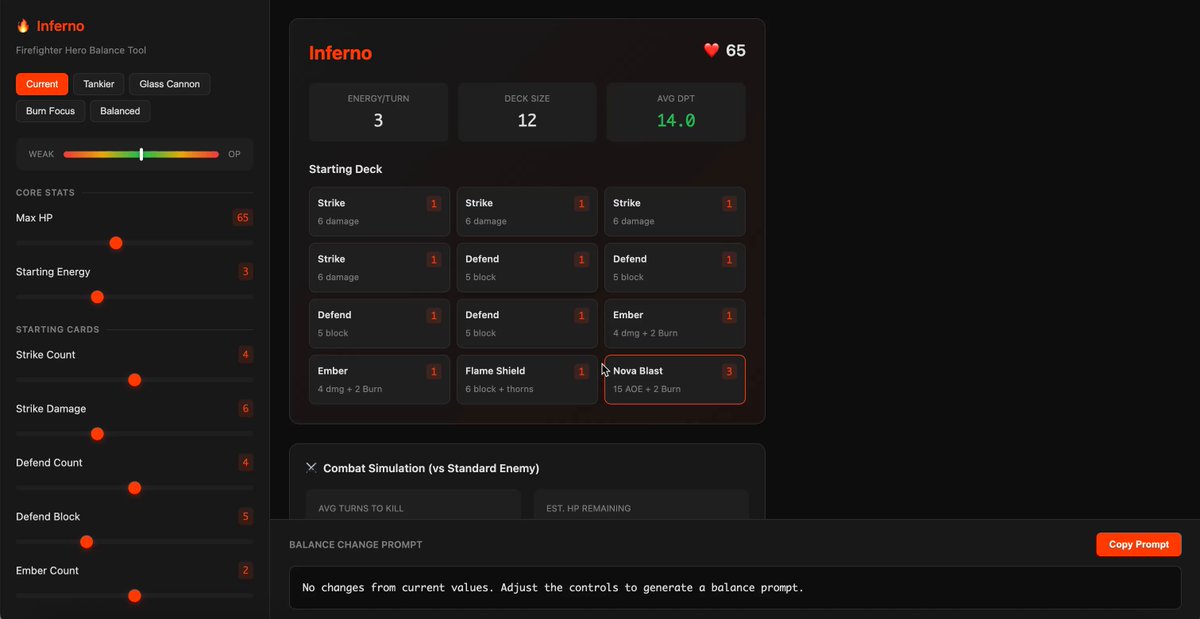
0:24
很期待看到大家怎麼玩這個功能!
我的建議:想要創造有趣的遊樂場,就想一個與模型互動的獨特方式,然後請它把那個方式呈現出來。我覺得你可能會對結果感到驚訝。
如果你做出了很酷的東西,歡迎分享!


![因無知損失 600 萬:房地產界區分「肥羊」與「受尊重客戶」的關鍵一問 [附真實案例]](/cdn-cgi/image/width=1920,quality=90,format=auto,metadata=none/https%3A%2F%2Fcms-assets.youmind.com%2Fmedia%2F1783878130911_13t77j_HM6aCr4b0AAhope.jpg)