
One-Click Courseware to Web
Courseware or article links to scrolling site
Description
Why we love this skill
One-click conversion of courseware or articles into beautiful web pages, supporting scroll or PPT mode, easily visualizing content and making professional knowledge accessible.
Turn your courseware into a viewable website. Whether you have a Markdown note, a PDF paper, a PPT slides, or a plain text script, or even a public account link, One-Click Courseware to Web can automatically convert it into a clear, beautifully designed online course display webpage. You don't need to write a single line of code—just provide the content. Two display styles: - Course training content → generates a scrolling long page, like flipping through a book. - Paper/report content → generates a PPT-style page-turning website, like browsing slides one by one. Responsive design adapts to mobile and desktop. What you need to do: Just one step: provide your courseware content. Supported formats: .md Markdown files, .pdf PDF documents, .pptx PPT presentations, .txt plain text. You can also paste course content directly in the conversation. Example commands: "Turn these lecture notes into a webpage" "Make this PDF paper into a PPT-style website" "Here is my courseware content, generate an online display page" What you get: A directly accessible online course display website, with the display mode automatically determined. Your content automatically selects the effect: - Course outlines, training handouts, textbooks → scrolling long pages, modules naturally connected, scroll to browse. - Academic papers, research reports → PPT-style slide flipping, each page focuses on one point. - Speeches, meeting reports → PPT-style page-by-page display, supports keyboard/click navigation. If you explicitly request "scrolling" or "PPT", your request is respected. Content extraction capability: For information-dense papers and long texts, the skill automatically performs: - Structure decomposition: splits continuous discourse into independent chapters/slides. - Information condensation: condenses three paragraphs into three key points, each within 20 characters. - Thesis-first: each page gives the conclusion first, then supporting arguments. - Framework visualization: models and classification systems are presented with charts instead of plain text. - Data highlighting: key numbers and metrics are displayed on separate pages prominently. Subsequent modifications: After the website is generated, you can request adjustments at any time: "Update the content of module three" "Change the color scheme to warm tones" "Add a course roadmap" "Change this module to a timeline layout" Modifications only affect the corresponding part; you don't need to regenerate the entire website. What it does not do: This skill currently focuses on course content display and does not include the following LMS (Learning Management System) features: - User login/registration - Learning progress tracking - File download - Online quizzes/practice If you need these features, they are separate extensions.
Related Skills
View all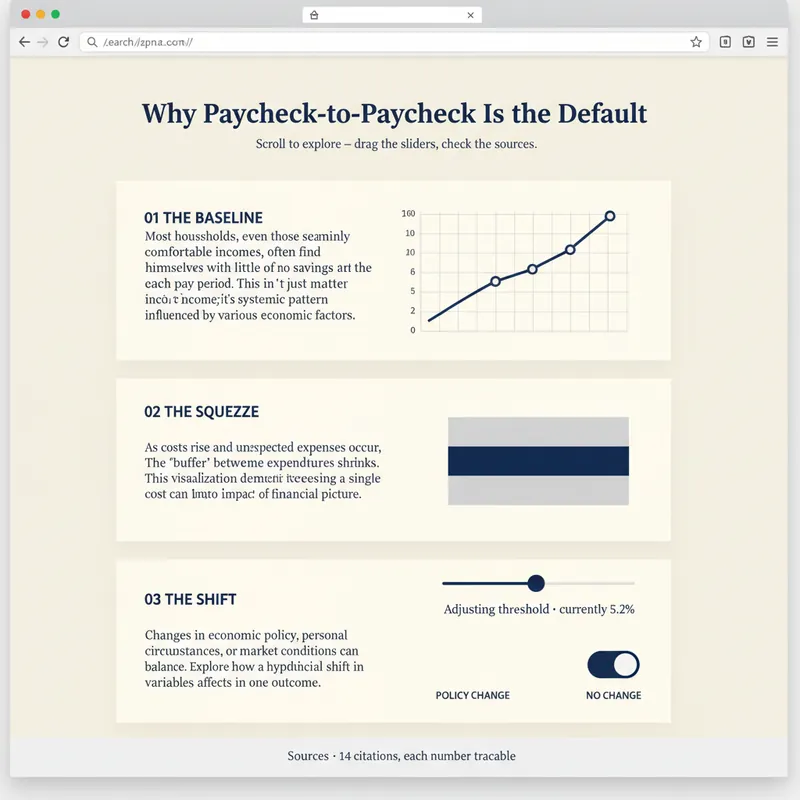 Webpage
Explorable Explainer Page Builder
A report explains. A page lets people find out for themselves. YouMind can already build webpages. Explorable Explainer decides what to build — it turns a piece of research, a dataset or a topic into a single interactive page in the tradition of newsroom graphics and explorable explanations: scroll-driven narrative, real charts, controls you can move, sources you can check. It plans before it codes. You approve a build plan first: the one question the page answers, the reveal — the moment the reader should feel "oh" — a five to eight section scroll spine, two to four interactions each justified by what the reader learns from moving it, and a data contract listing every number and where it came from. Then it builds one self-contained HTML file with no build step. Semantic markup. All numbers in a single editable DATA constant at the top. Scroll reveals that do not break on a phone. Every control a real, keyboard-operable form element with live text describing its current value. Accessibility is built in rather than bolted on: 4.5:1 contrast, visible focus rings, alt text everywhere, no meaning carried by colour alone, reduced-motion respected, responsive from 360px. Before handing over, it runs a five-point self-review and reports the results honestly: does the reveal actually land, does the page still read with JavaScript off, is the tab order sane, is every number traceable, is anything animating that a reader would want to stop. Two rules it will not break: it never invents data to make a chart look good, and it tells you when your numbers contradict your draft. For researchers, analysts, journalists, educators, indie founders and consultants who want their work to be explored rather than skimmed.
 Webpage
Soft Daylight Floating Web
Soft daylight style web design system: light sky-blue canvas (#ebf5ff), oversized display text with a fixed font weight of 500 (responsive up to 148px), 32px rounded cards + 9999px pills, near-black #181d27 solid CTA buttons, pastel color blocks, and floating 3D clay-style illustrations. Depth is achieved solely through tonal shifts from canvas to cards; content cards have zero shadow. Suitable for 'soft daylight style', '3D illustration landing pages', 'light blue canvas', 'rounded card style', 'SaaS homepage', 'Linear/Framer style', etc., with built-in accessibility and responsive constraints.
 Webpage
Fashion Creative Design Page
A web design system with a fashion-editorial poster style: warm cream paper canvas (#fffef7), 300-weight oversized headlines (64–84px), full-bleed photography, zero shadows, square-corner cards + pill buttons with a 1440px radius. Suitable for needs such as "fashion design style", "magazine layout", "poster style", "art portfolio webpage", "studio portfolio", "gallery page". It can rewrite any content into a high-end fashion editorial style page.
One-Click Courseware to Web
Courseware or article links to scrolling site
Description
Why we love this skill
One-click conversion of courseware or articles into beautiful web pages, supporting scroll or PPT mode, easily visualizing content and making professional knowledge accessible.
Turn your courseware into a viewable website. Whether you have a Markdown note, a PDF paper, a PPT slides, or a plain text script, or even a public account link, One-Click Courseware to Web can automatically convert it into a clear, beautifully designed online course display webpage. You don't need to write a single line of code—just provide the content. Two display styles: - Course training content → generates a scrolling long page, like flipping through a book. - Paper/report content → generates a PPT-style page-turning website, like browsing slides one by one. Responsive design adapts to mobile and desktop. What you need to do: Just one step: provide your courseware content. Supported formats: .md Markdown files, .pdf PDF documents, .pptx PPT presentations, .txt plain text. You can also paste course content directly in the conversation. Example commands: "Turn these lecture notes into a webpage" "Make this PDF paper into a PPT-style website" "Here is my courseware content, generate an online display page" What you get: A directly accessible online course display website, with the display mode automatically determined. Your content automatically selects the effect: - Course outlines, training handouts, textbooks → scrolling long pages, modules naturally connected, scroll to browse. - Academic papers, research reports → PPT-style slide flipping, each page focuses on one point. - Speeches, meeting reports → PPT-style page-by-page display, supports keyboard/click navigation. If you explicitly request "scrolling" or "PPT", your request is respected. Content extraction capability: For information-dense papers and long texts, the skill automatically performs: - Structure decomposition: splits continuous discourse into independent chapters/slides. - Information condensation: condenses three paragraphs into three key points, each within 20 characters. - Thesis-first: each page gives the conclusion first, then supporting arguments. - Framework visualization: models and classification systems are presented with charts instead of plain text. - Data highlighting: key numbers and metrics are displayed on separate pages prominently. Subsequent modifications: After the website is generated, you can request adjustments at any time: "Update the content of module three" "Change the color scheme to warm tones" "Add a course roadmap" "Change this module to a timeline layout" Modifications only affect the corresponding part; you don't need to regenerate the entire website. What it does not do: This skill currently focuses on course content display and does not include the following LMS (Learning Management System) features: - User login/registration - Learning progress tracking - File download - Online quizzes/practice If you need these features, they are separate extensions.
Related Skills
View allWebpageExplorable Explainer Page Builder
A report explains. A page lets people find out for themselves. YouMind can already build webpages. Explorable Explainer decides what to build — it turns a piece of research, a dataset or a topic into a single interactive page in the tradition of newsroom graphics and explorable explanations: scroll-driven narrative, real charts, controls you can move, sources you can check. It plans before it codes. You approve a build plan first: the one question the page answers, the reveal — the moment the reader should feel "oh" — a five to eight section scroll spine, two to four interactions each justified by what the reader learns from moving it, and a data contract listing every number and where it came from. Then it builds one self-contained HTML file with no build step. Semantic markup. All numbers in a single editable DATA constant at the top. Scroll reveals that do not break on a phone. Every control a real, keyboard-operable form element with live text describing its current value. Accessibility is built in rather than bolted on: 4.5:1 contrast, visible focus rings, alt text everywhere, no meaning carried by colour alone, reduced-motion respected, responsive from 360px. Before handing over, it runs a five-point self-review and reports the results honestly: does the reveal actually land, does the page still read with JavaScript off, is the tab order sane, is every number traceable, is anything animating that a reader would want to stop. Two rules it will not break: it never invents data to make a chart look good, and it tells you when your numbers contradict your draft. For researchers, analysts, journalists, educators, indie founders and consultants who want their work to be explored rather than skimmed.
WebpageSoft Daylight Floating Web
Soft daylight style web design system: light sky-blue canvas (#ebf5ff), oversized display text with a fixed font weight of 500 (responsive up to 148px), 32px rounded cards + 9999px pills, near-black #181d27 solid CTA buttons, pastel color blocks, and floating 3D clay-style illustrations. Depth is achieved solely through tonal shifts from canvas to cards; content cards have zero shadow. Suitable for 'soft daylight style', '3D illustration landing pages', 'light blue canvas', 'rounded card style', 'SaaS homepage', 'Linear/Framer style', etc., with built-in accessibility and responsive constraints.
WebpageFashion Creative Design Page
A web design system with a fashion-editorial poster style: warm cream paper canvas (#fffef7), 300-weight oversized headlines (64–84px), full-bleed photography, zero shadows, square-corner cards + pill buttons with a 1440px radius. Suitable for needs such as "fashion design style", "magazine layout", "poster style", "art portfolio webpage", "studio portfolio", "gallery page". It can rewrite any content into a high-end fashion editorial style page.
Find your next favorite skill
Explore more curated AI skills for research, creation, and everyday work.