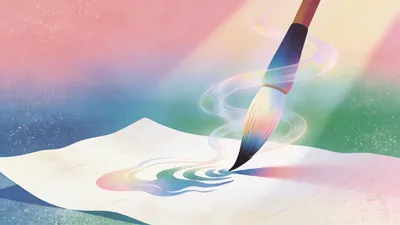
Poem Screen -Ancient Wallpaper
You name a poem, get prompts & guide.
Description
Why we love this skill
This skill transforms your poems and words into personalized wallpapers, offering multi-platform compatibility and detailed AI generation guidance, perfectly blending classical aesthetics with modern screens.
"Your poem, your words, your wallpaper." Transform poems into custom wallpapers. Conversational requirement gathering, outputs four versions of prompts (phone lock screen/home screen + computer lock screen/desktop) in Chinese and English, including safety zone guidelines. Supports ancient painting style library (Ode to the Goddess of the Luo River, A Thousand Li of Rivers and Mountains, Dwelling in the Fuchun Mountains, etc.). Provides image selection (seven-dimension evaluation), feedback analysis, modification iteration, and full installation guide service. Converts poems, mottos, to-do reminders into custom wallpapers. Supports four versions: phone lock screen, phone home screen, computer lock screen, computer desktop. Bilingual Chinese-English prompts, compatible with Doubao, Jimeng, Kling, Midjourney, Stable Diffusion. What can Poem Screen do? In one sentence: You tell me the poem name and what words to write, I provide four versions of prompts plus installation guide, you generate, screenshot, I revise until satisfied. What can you input? - Ancient poems (e.g., "Spring River in the Flower Moon Night") - Mottos (e.g., "A straw cloak, a bamboo staff, and a pair of sandals—through the rain, I stroll") - Work task reminders (e.g., "Today's work must be done today") - Scene descriptions (e.g., "Bamboo grove in the rain, a cup of tea") - Festivals and solar terms (e.g., "Mid-Autumn Moon") What will you get? - Four bilingual prompts (phone lock screen, phone home screen, computer lock screen, computer desktop) - Text embedding plan (what text to write, where to place it, color, font size, font suggestions) - Safety zone guide (where system time/icons are, where to place main elements and text) - Installation guide (step-by-step for iPhone, Android, Windows, Mac) - Feedback analysis (screenshot diagnosis for overlap issues, provide revised prompts, revise until satisfied) - Other formats (long scroll version, tablet version, image-only sharing version, print framing version available on demand) Core logic: poetic imagery → emotional color temperature → ancient painting school → style matching → text position recommendation → four prompts → installation guide → feedback analysis. You decide what to write, I handle the painting, the text, and after-sales. Text strategy note: 💡 Tip: AI tends to garble precise text, so we use a "reserve area + overlay" approach. The image will leave a clean space for you to add text later with system fonts or photo editing apps. Can't decide? Let me help! - "Landscape pastoral, want tranquility" → ink wash painting style, light ochre with negative space, text in seal stamp style at bottom right - "Nostalgic epic, want grandeur" → heavy blue-green, gold line drawing, text on scroll unfolding at the bottom - "Work task reminder" → minimalist dark, centered horizontal text at top, clear high contrast - "Not sure" → I'll recommend based on the poem's emotional color temperature: warm tones use heavy color, cold tones use ink wash, neutral use minimalist Now, tell me your poem and your words. I'll help turn them into a reflection on your screen.
Related Skills
View all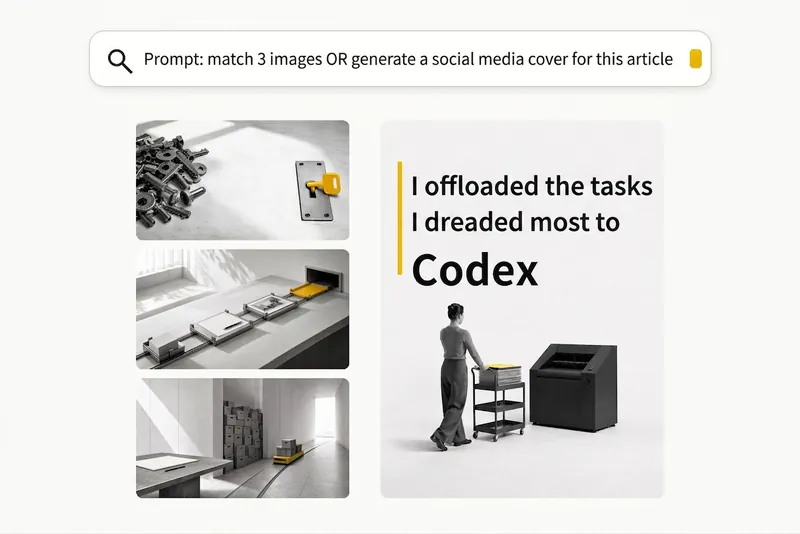 Image
ImageBlack-and-White Visuals
Create black, white, and gray visuals with small accents of yellow for WeChat Official Accounts, Zhihu, Xiaohongshu, Moments, profile pictures, and other platforms. Choose your preferred dimensions and generate 1–3 separate images per request. Images are text-free by default, with support for text-based Xiaohongshu covers. You can use it to: - Create three 16:9 text-free images for the article below: [paste article] - Turn “independent, calm, with a touch of loneliness” into a 1:1 profile picture. - Use this photo as a reference to generate a 3:4 refined black-and-white visual. - Generate a 3:4 Xiaohongshu cover with text titled: “At What Age Did Children in Ancient China Start School?”
 Image
ImageCinematic Quote Posters
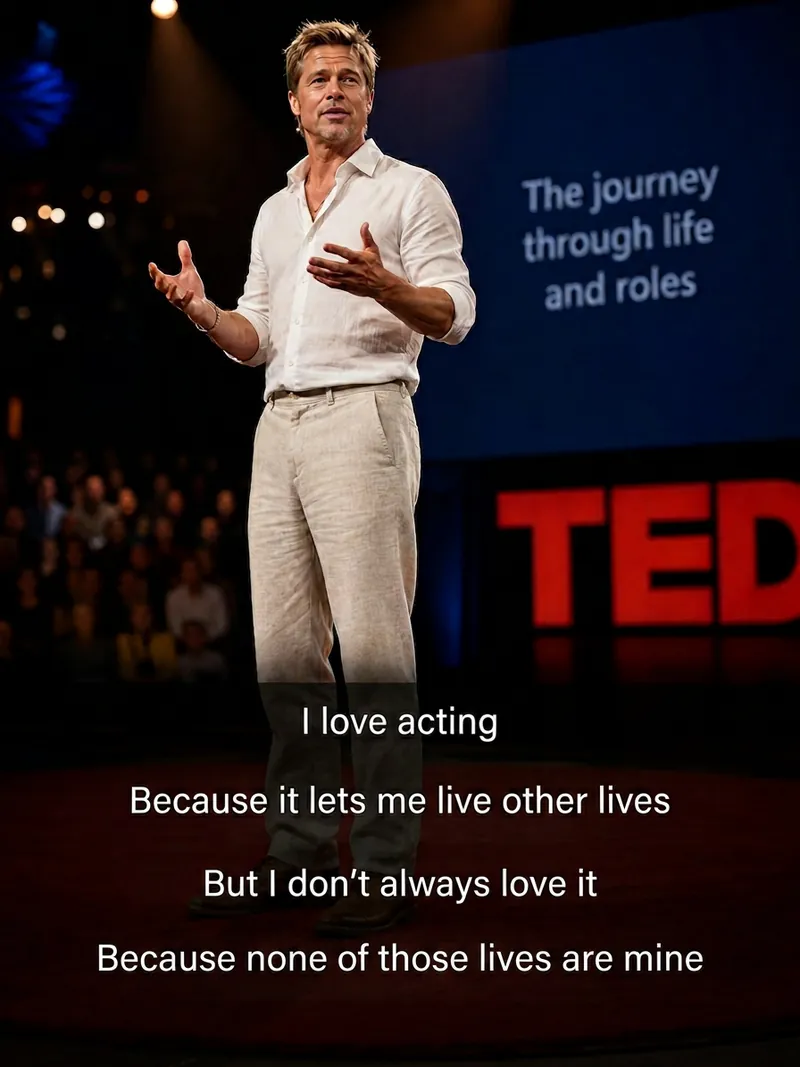
Turn a portrait and a quote into a vertical quote poster with a cinematic narrative feel. The person’s facial features, hairstyle, and identity are kept as consistent as possible with the reference photo, while the quote’s mood shapes scenes such as an interview, at-home conversation, courtroom statement, seaside monologue, rainy-night street, or retro Hong Kong style. Ideal for character quote graphics, mood posters, and social media content. Choose a preset template or customize the scene, clothing, pose, and atmosphere. You can also use speaking lip shapes, Chinese-English bilingual text, classic layouts, subtitle styles, minimalist styling, and Hong Kong-inspired color tones, with output in 3:4, 9:16, or 1:1 ratios. Longer quotes are condensed and line-broken for poster presentation, keeping the text concentrated near the bottom of the image, away from the person’s face, and clear and readable. The final deliverable is an AI-generated cinematic quote poster, with the selected scene, text style, and aspect ratio noted. Because the text is rendered directly by AI, complex or lengthy quotes may occasionally contain incorrect characters. If the text is inaccurate, try shortening the quote or request a new generation.
 Image
ImageYour Custom Cartoon Avatar
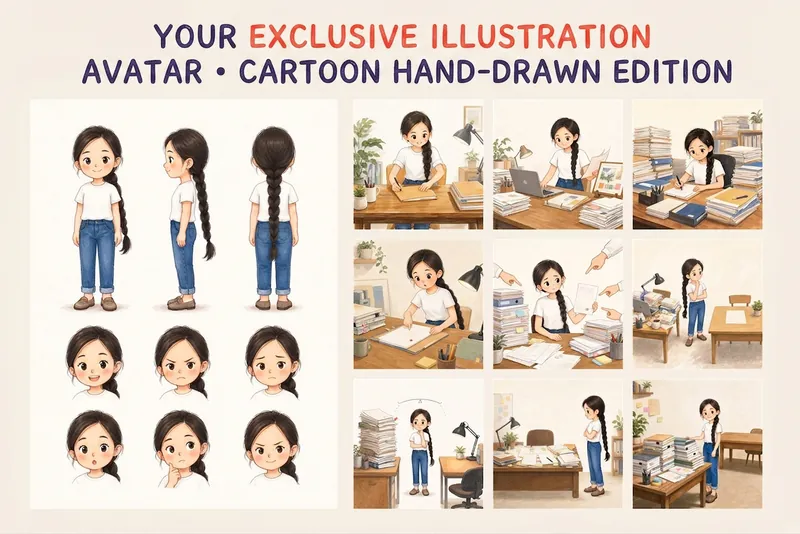
Turn a photo of a person into a custom hand-drawn cartoon character. Choose your favorite from 4 candidates with different poses and expressions, then finalize the design using one of 3 standard reference sets, each featuring three views and 6 commonly used expressions. You can download and save the reference images, or continue using them for article illustrations, Xiaohongshu posts, profile pictures, covers, sticker packs, nine-grid WeChat Moments posts, and custom scenes. Each task is linked to one character; when switching to a different person, we recommend creating a new task to avoid mixing up characters.
Poem Screen -Ancient Wallpaper
You name a poem, get prompts & guide.
Description
Why we love this skill
This skill transforms your poems and words into personalized wallpapers, offering multi-platform compatibility and detailed AI generation guidance, perfectly blending classical aesthetics with modern screens.
"Your poem, your words, your wallpaper." Transform poems into custom wallpapers. Conversational requirement gathering, outputs four versions of prompts (phone lock screen/home screen + computer lock screen/desktop) in Chinese and English, including safety zone guidelines. Supports ancient painting style library (Ode to the Goddess of the Luo River, A Thousand Li of Rivers and Mountains, Dwelling in the Fuchun Mountains, etc.). Provides image selection (seven-dimension evaluation), feedback analysis, modification iteration, and full installation guide service. Converts poems, mottos, to-do reminders into custom wallpapers. Supports four versions: phone lock screen, phone home screen, computer lock screen, computer desktop. Bilingual Chinese-English prompts, compatible with Doubao, Jimeng, Kling, Midjourney, Stable Diffusion. What can Poem Screen do? In one sentence: You tell me the poem name and what words to write, I provide four versions of prompts plus installation guide, you generate, screenshot, I revise until satisfied. What can you input? - Ancient poems (e.g., "Spring River in the Flower Moon Night") - Mottos (e.g., "A straw cloak, a bamboo staff, and a pair of sandals—through the rain, I stroll") - Work task reminders (e.g., "Today's work must be done today") - Scene descriptions (e.g., "Bamboo grove in the rain, a cup of tea") - Festivals and solar terms (e.g., "Mid-Autumn Moon") What will you get? - Four bilingual prompts (phone lock screen, phone home screen, computer lock screen, computer desktop) - Text embedding plan (what text to write, where to place it, color, font size, font suggestions) - Safety zone guide (where system time/icons are, where to place main elements and text) - Installation guide (step-by-step for iPhone, Android, Windows, Mac) - Feedback analysis (screenshot diagnosis for overlap issues, provide revised prompts, revise until satisfied) - Other formats (long scroll version, tablet version, image-only sharing version, print framing version available on demand) Core logic: poetic imagery → emotional color temperature → ancient painting school → style matching → text position recommendation → four prompts → installation guide → feedback analysis. You decide what to write, I handle the painting, the text, and after-sales. Text strategy note: 💡 Tip: AI tends to garble precise text, so we use a "reserve area + overlay" approach. The image will leave a clean space for you to add text later with system fonts or photo editing apps. Can't decide? Let me help! - "Landscape pastoral, want tranquility" → ink wash painting style, light ochre with negative space, text in seal stamp style at bottom right - "Nostalgic epic, want grandeur" → heavy blue-green, gold line drawing, text on scroll unfolding at the bottom - "Work task reminder" → minimalist dark, centered horizontal text at top, clear high contrast - "Not sure" → I'll recommend based on the poem's emotional color temperature: warm tones use heavy color, cold tones use ink wash, neutral use minimalist Now, tell me your poem and your words. I'll help turn them into a reflection on your screen.
Related Skills
View allImageBlack-and-White Visuals
Create black, white, and gray visuals with small accents of yellow for WeChat Official Accounts, Zhihu, Xiaohongshu, Moments, profile pictures, and other platforms. Choose your preferred dimensions and generate 1–3 separate images per request. Images are text-free by default, with support for text-based Xiaohongshu covers. You can use it to: - Create three 16:9 text-free images for the article below: [paste article] - Turn “independent, calm, with a touch of loneliness” into a 1:1 profile picture. - Use this photo as a reference to generate a 3:4 refined black-and-white visual. - Generate a 3:4 Xiaohongshu cover with text titled: “At What Age Did Children in Ancient China Start School?”
ImageCinematic Quote Posters
Turn a portrait and a quote into a vertical quote poster with a cinematic narrative feel. The person’s facial features, hairstyle, and identity are kept as consistent as possible with the reference photo, while the quote’s mood shapes scenes such as an interview, at-home conversation, courtroom statement, seaside monologue, rainy-night street, or retro Hong Kong style. Ideal for character quote graphics, mood posters, and social media content. Choose a preset template or customize the scene, clothing, pose, and atmosphere. You can also use speaking lip shapes, Chinese-English bilingual text, classic layouts, subtitle styles, minimalist styling, and Hong Kong-inspired color tones, with output in 3:4, 9:16, or 1:1 ratios. Longer quotes are condensed and line-broken for poster presentation, keeping the text concentrated near the bottom of the image, away from the person’s face, and clear and readable. The final deliverable is an AI-generated cinematic quote poster, with the selected scene, text style, and aspect ratio noted. Because the text is rendered directly by AI, complex or lengthy quotes may occasionally contain incorrect characters. If the text is inaccurate, try shortening the quote or request a new generation.
ImageYour Custom Cartoon Avatar
Turn a photo of a person into a custom hand-drawn cartoon character. Choose your favorite from 4 candidates with different poses and expressions, then finalize the design using one of 3 standard reference sets, each featuring three views and 6 commonly used expressions. You can download and save the reference images, or continue using them for article illustrations, Xiaohongshu posts, profile pictures, covers, sticker packs, nine-grid WeChat Moments posts, and custom scenes. Each task is linked to one character; when switching to a different person, we recommend creating a new task to avoid mixing up characters.
Find your next favorite skill
Explore more curated AI skills for research, creation, and everyday work.