Wuxia Ink Quote Art
Turn text into 16:9 ink-wash art
Description
Recommended by
淡苍
Why we love this skill
Transforms text into Jianghu quote art through emotional and narrative analysis, approved copy and imagery, and cinematic ink aesthetics that blend martial-arts grandeur with poetic negative space.
Turn any text or article into high-quality 16:9 quote art inspired by the new Chinese ink-wash wuxia style, including slide count confirmation, visual concept planning, and high-quality image generation with image2.0.
Related Skills
View all Image
ImageChalkboard Hand-Drawn Posters
Transform any text you provide into classic hand-drawn chalk posters with a natural wood frame and a deep forest-green frosted chalkboard style. The Skill intelligently assesses the content length and proactively asks you to confirm the number of images. It consistently uses a high-quality 16:9 widescreen image model, with hand-drawn chalk lettering and themed illustration elements, keeping the visuals clean and completely free of people.
 Image
ImageClassical Lit to Painting AI
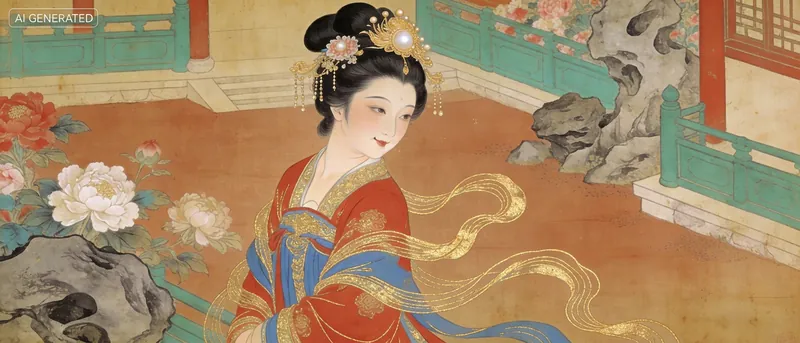
Turn your thoughts, stories, emotions, ancient poems, and classical texts into AI painting prompts in the style of ancient Chinese paintings. Currently supports seven classic styles including Along the River During the Qingming Festival, A Thousand Li of Rivers and Mountains, Dwelling in the Fuchun Mountains, The Nymph of the Luo River, and Tang Yin's Beauties. Provides four output formats: long scroll, single painting, series, and storyboard. Bilingual in Chinese and English, compatible with mainstream AI painting platforms such as Midjourney, Kling, Jimeng, etc. You can also generate images directly via YouMind—tested and works well, especially with Doubao for stable performance. What can Poetry and Painting do? In one sentence: you provide the text, and you get an ancient painting that matches it. What can you input? - A line of ancient poetry (e.g., 'When will the moon be clear and bright?') - The name of an ancient text (e.g., 'The Red Cliffs') - Your own poem or essay (the 'Eloquence' skill is also available) - A scene description (e.g., 'A person watching the sunset by the river') - An emotion or story (e.g., 'Very lonely, but don't want anyone to know') - Directly specify a style (e.g., 'Use A Thousand Li of Rivers and Mountains for this') What will you get? - An ancient painting style that matches the mood of your text (one of seven: The Nymph of the Luo River, A Thousand Li of Rivers and Mountains, Dwelling in the Fuchun Mountains, etc.) - A bilingual Chinese-English Prompt that you can copy directly to any AI painting platform like Midjourney, Doubao, Kling, or Jimeng - The image includes: main theme, spatial composition, color scheme, technique explanation, blank space ratio, and emotional tone - Core logic: Text → Emotion → Visual Imagery → Classical Painting Style → Prompt. Whether you're reciting ancient poems, writing new ones, or describing a scene in your mind, everything becomes a well-grounded classical Chinese painting. Can't choose? Let me choose for you! Not sure which style suits your text? Tell me the text or emotion, and I'll analyze: - 'Very lonely' → might suit Bada Shanren's splashed ink indignation, or the reclusive tranquility of Dwelling in the Fuchun Mountains - 'Very majestic' → might suit the grand blue-green of A Thousand Li of Rivers and Mountains, or the delicate lines of The Nymph of the Luo River - 'Seeing off a friend' → might suit the narrative heavy colors of The Night Revels of Han Xizai, or the bustling life of Along the River During the Qingming Festival Analysis logic: Text emotion → Visual imagery → Classical painting style matching. You feel, I translate.
 Image
ImagePoem Screen -Ancient Wallpaper
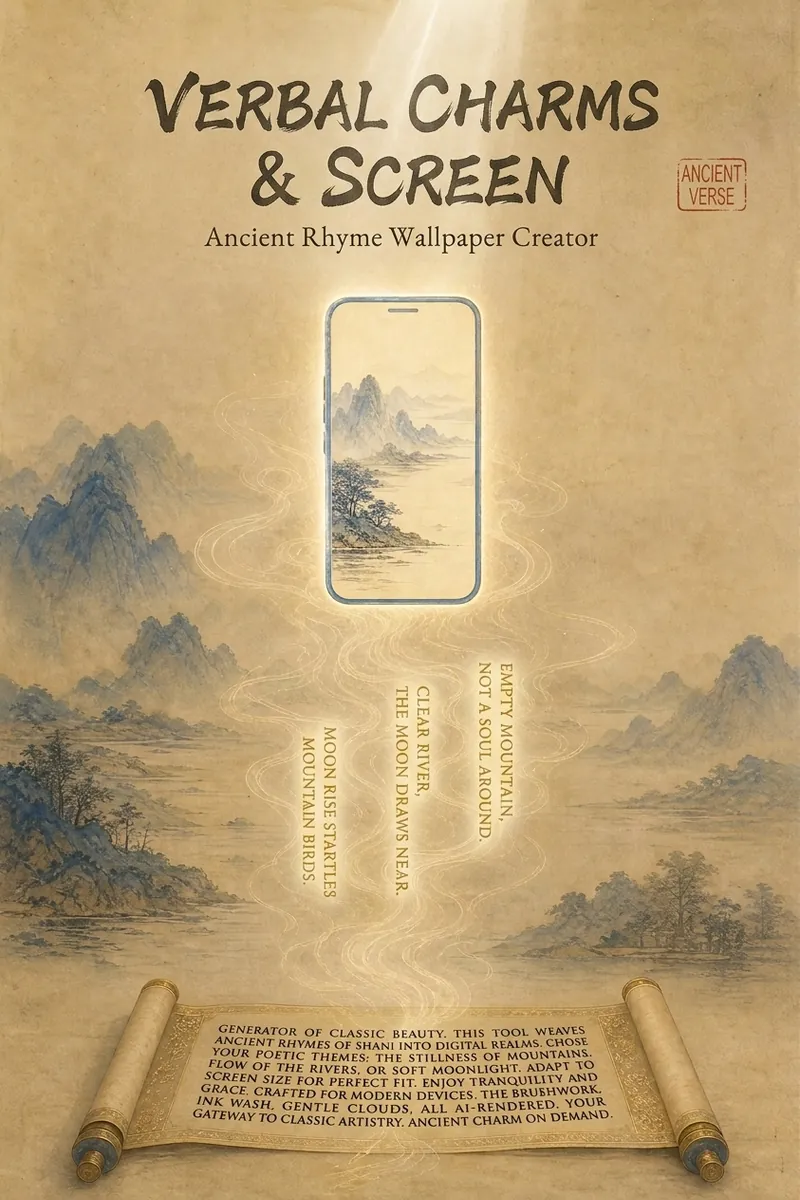
"Your poem, your words, your wallpaper." Transform poems into custom wallpapers. Conversational requirement gathering, outputs four versions of prompts (phone lock screen/home screen + computer lock screen/desktop) in Chinese and English, including safety zone guidelines. Supports ancient painting style library (Ode to the Goddess of the Luo River, A Thousand Li of Rivers and Mountains, Dwelling in the Fuchun Mountains, etc.). Provides image selection (seven-dimension evaluation), feedback analysis, modification iteration, and full installation guide service. Converts poems, mottos, to-do reminders into custom wallpapers. Supports four versions: phone lock screen, phone home screen, computer lock screen, computer desktop. Bilingual Chinese-English prompts, compatible with Doubao, Jimeng, Kling, Midjourney, Stable Diffusion. What can Poem Screen do? In one sentence: You tell me the poem name and what words to write, I provide four versions of prompts plus installation guide, you generate, screenshot, I revise until satisfied. What can you input? - Ancient poems (e.g., "Spring River in the Flower Moon Night") - Mottos (e.g., "A straw cloak, a bamboo staff, and a pair of sandals—through the rain, I stroll") - Work task reminders (e.g., "Today's work must be done today") - Scene descriptions (e.g., "Bamboo grove in the rain, a cup of tea") - Festivals and solar terms (e.g., "Mid-Autumn Moon") What will you get? - Four bilingual prompts (phone lock screen, phone home screen, computer lock screen, computer desktop) - Text embedding plan (what text to write, where to place it, color, font size, font suggestions) - Safety zone guide (where system time/icons are, where to place main elements and text) - Installation guide (step-by-step for iPhone, Android, Windows, Mac) - Feedback analysis (screenshot diagnosis for overlap issues, provide revised prompts, revise until satisfied) - Other formats (long scroll version, tablet version, image-only sharing version, print framing version available on demand) Core logic: poetic imagery → emotional color temperature → ancient painting school → style matching → text position recommendation → four prompts → installation guide → feedback analysis. You decide what to write, I handle the painting, the text, and after-sales. Text strategy note: 💡 Tip: AI tends to garble precise text, so we use a "reserve area + overlay" approach. The image will leave a clean space for you to add text later with system fonts or photo editing apps. Can't decide? Let me help! - "Landscape pastoral, want tranquility" → ink wash painting style, light ochre with negative space, text in seal stamp style at bottom right - "Nostalgic epic, want grandeur" → heavy blue-green, gold line drawing, text on scroll unfolding at the bottom - "Work task reminder" → minimalist dark, centered horizontal text at top, clear high contrast - "Not sure" → I'll recommend based on the poem's emotional color temperature: warm tones use heavy color, cold tones use ink wash, neutral use minimalist Now, tell me your poem and your words. I'll help turn them into a reflection on your screen.
Wuxia Ink Quote Art
Turn text into 16:9 ink-wash art
Description
Recommended by
淡苍
Why we love this skill
Transforms text into Jianghu quote art through emotional and narrative analysis, approved copy and imagery, and cinematic ink aesthetics that blend martial-arts grandeur with poetic negative space.
Turn any text or article into high-quality 16:9 quote art inspired by the new Chinese ink-wash wuxia style, including slide count confirmation, visual concept planning, and high-quality image generation with image2.0.
Related Skills
View allImageChalkboard Hand-Drawn Posters
Transform any text you provide into classic hand-drawn chalk posters with a natural wood frame and a deep forest-green frosted chalkboard style. The Skill intelligently assesses the content length and proactively asks you to confirm the number of images. It consistently uses a high-quality 16:9 widescreen image model, with hand-drawn chalk lettering and themed illustration elements, keeping the visuals clean and completely free of people.
ImageClassical Lit to Painting AI
Turn your thoughts, stories, emotions, ancient poems, and classical texts into AI painting prompts in the style of ancient Chinese paintings. Currently supports seven classic styles including Along the River During the Qingming Festival, A Thousand Li of Rivers and Mountains, Dwelling in the Fuchun Mountains, The Nymph of the Luo River, and Tang Yin's Beauties. Provides four output formats: long scroll, single painting, series, and storyboard. Bilingual in Chinese and English, compatible with mainstream AI painting platforms such as Midjourney, Kling, Jimeng, etc. You can also generate images directly via YouMind—tested and works well, especially with Doubao for stable performance. What can Poetry and Painting do? In one sentence: you provide the text, and you get an ancient painting that matches it. What can you input? - A line of ancient poetry (e.g., 'When will the moon be clear and bright?') - The name of an ancient text (e.g., 'The Red Cliffs') - Your own poem or essay (the 'Eloquence' skill is also available) - A scene description (e.g., 'A person watching the sunset by the river') - An emotion or story (e.g., 'Very lonely, but don't want anyone to know') - Directly specify a style (e.g., 'Use A Thousand Li of Rivers and Mountains for this') What will you get? - An ancient painting style that matches the mood of your text (one of seven: The Nymph of the Luo River, A Thousand Li of Rivers and Mountains, Dwelling in the Fuchun Mountains, etc.) - A bilingual Chinese-English Prompt that you can copy directly to any AI painting platform like Midjourney, Doubao, Kling, or Jimeng - The image includes: main theme, spatial composition, color scheme, technique explanation, blank space ratio, and emotional tone - Core logic: Text → Emotion → Visual Imagery → Classical Painting Style → Prompt. Whether you're reciting ancient poems, writing new ones, or describing a scene in your mind, everything becomes a well-grounded classical Chinese painting. Can't choose? Let me choose for you! Not sure which style suits your text? Tell me the text or emotion, and I'll analyze: - 'Very lonely' → might suit Bada Shanren's splashed ink indignation, or the reclusive tranquility of Dwelling in the Fuchun Mountains - 'Very majestic' → might suit the grand blue-green of A Thousand Li of Rivers and Mountains, or the delicate lines of The Nymph of the Luo River - 'Seeing off a friend' → might suit the narrative heavy colors of The Night Revels of Han Xizai, or the bustling life of Along the River During the Qingming Festival Analysis logic: Text emotion → Visual imagery → Classical painting style matching. You feel, I translate.
ImagePoem Screen -Ancient Wallpaper
"Your poem, your words, your wallpaper." Transform poems into custom wallpapers. Conversational requirement gathering, outputs four versions of prompts (phone lock screen/home screen + computer lock screen/desktop) in Chinese and English, including safety zone guidelines. Supports ancient painting style library (Ode to the Goddess of the Luo River, A Thousand Li of Rivers and Mountains, Dwelling in the Fuchun Mountains, etc.). Provides image selection (seven-dimension evaluation), feedback analysis, modification iteration, and full installation guide service. Converts poems, mottos, to-do reminders into custom wallpapers. Supports four versions: phone lock screen, phone home screen, computer lock screen, computer desktop. Bilingual Chinese-English prompts, compatible with Doubao, Jimeng, Kling, Midjourney, Stable Diffusion. What can Poem Screen do? In one sentence: You tell me the poem name and what words to write, I provide four versions of prompts plus installation guide, you generate, screenshot, I revise until satisfied. What can you input? - Ancient poems (e.g., "Spring River in the Flower Moon Night") - Mottos (e.g., "A straw cloak, a bamboo staff, and a pair of sandals—through the rain, I stroll") - Work task reminders (e.g., "Today's work must be done today") - Scene descriptions (e.g., "Bamboo grove in the rain, a cup of tea") - Festivals and solar terms (e.g., "Mid-Autumn Moon") What will you get? - Four bilingual prompts (phone lock screen, phone home screen, computer lock screen, computer desktop) - Text embedding plan (what text to write, where to place it, color, font size, font suggestions) - Safety zone guide (where system time/icons are, where to place main elements and text) - Installation guide (step-by-step for iPhone, Android, Windows, Mac) - Feedback analysis (screenshot diagnosis for overlap issues, provide revised prompts, revise until satisfied) - Other formats (long scroll version, tablet version, image-only sharing version, print framing version available on demand) Core logic: poetic imagery → emotional color temperature → ancient painting school → style matching → text position recommendation → four prompts → installation guide → feedback analysis. You decide what to write, I handle the painting, the text, and after-sales. Text strategy note: 💡 Tip: AI tends to garble precise text, so we use a "reserve area + overlay" approach. The image will leave a clean space for you to add text later with system fonts or photo editing apps. Can't decide? Let me help! - "Landscape pastoral, want tranquility" → ink wash painting style, light ochre with negative space, text in seal stamp style at bottom right - "Nostalgic epic, want grandeur" → heavy blue-green, gold line drawing, text on scroll unfolding at the bottom - "Work task reminder" → minimalist dark, centered horizontal text at top, clear high contrast - "Not sure" → I'll recommend based on the poem's emotional color temperature: warm tones use heavy color, cold tones use ink wash, neutral use minimalist Now, tell me your poem and your words. I'll help turn them into a reflection on your screen.
Find your next favorite skill
Explore more curated AI skills for research, creation, and everyday work.