
One Line to X Carousel
Turn ideas or images into a four-panel swipe
Description
Recommended by
淡苍
Why we love this skill
Plans ideas or images into swipeable four-panel stories for X, combining visual creation with carousel pacing, precise image splitting, and publishing guidance.
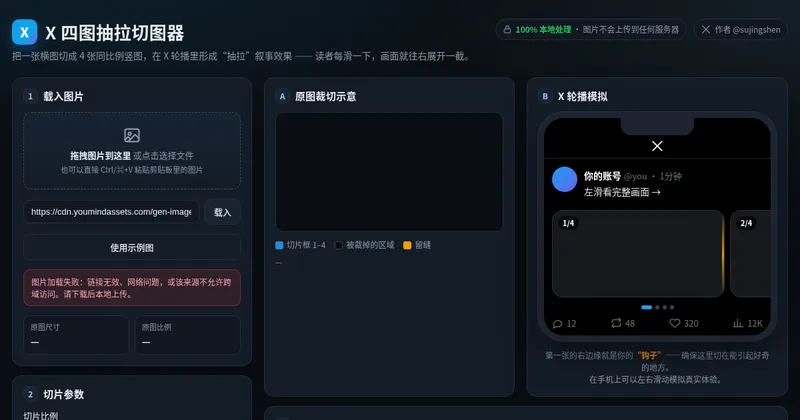
X multi-image posts now scroll horizontally: the first image appears in full, while only part of the second is visible, prompting readers to swipe left to see what follows. This skill helps you create a “pull-apart” continuous four-image sequence—four vertical images combine into one complete landscape image, and each swipe reveals another section to the right. The right edge of the first image becomes the hook that makes readers want to swipe. Three input types are supported: · One-line idea → text-to-image generation, creating a continuous four-section wide image from scratch · One image → crop it directly if possible; otherwise, use it as a reference to reconstruct four continuous scenes · 2–4 images → automatically arrange the narrative order and blend them into one stylistically consistent continuous wide image Workflow: First, you’ll review a four-panel narrative script (hook → reveal → twist → ending). Then the skill generates a 21:9 wide image and uses the companion free public image slicer to precisely cut it into 4 PNGs locally in your browser (your images are never uploaded to any server). Finally, it provides the posting order and tweet copy. The default output ratio is 4:5, with 9:16 and 1:1 also supported. No text is placed inside the images. Ideal for creators who want their X multi-image posts to inspire more “page-turning” curiosity, as well as teams creating product, story, educational, or travel content. Only want to slice an image without generating one? Send in a wide image directly, or open the slicer: https://youmind.com/a/dlJ7lVfZ9ZVqFi
Related Skills
View all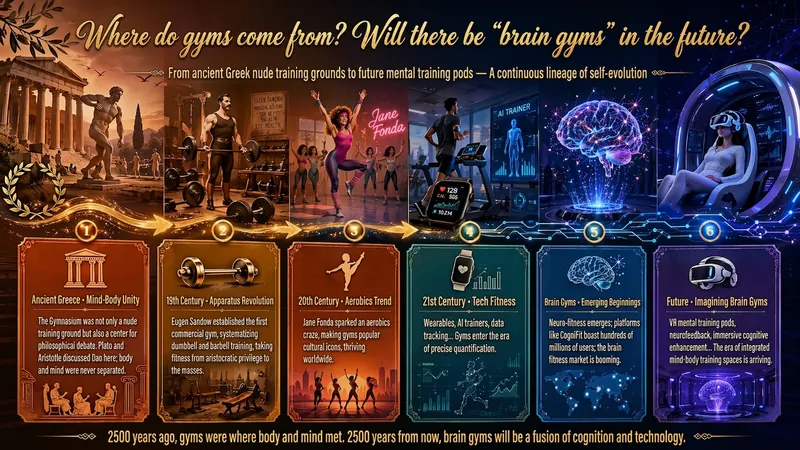
Idea to Infographic
A single image, a single sentence is all it takes. Have you ever had this experience—you have a great idea and want to turn it into an infographic like the ones big accounts post, but: - Open an AI image tool, rewrite prompts over and over, and the result either has terrible layout or completely mismatched style. - Tried several prompt templates, each requiring three or four adjustments, and half an hour later you're still not done. - Want styles like financial literacy, Chinese classic, science, tech... each time you have to research colors and layouts from scratch. Now you don't have to. 「Idea to Infographic」automates all of this: You say "make an emotion management infographic," and it decides whether to use a warm Chinese style or a healing scientific style, searches and organizes core knowledge points, breaks them into 6-8 module cards, assembles the optimal prompt, and quality-checks—if it fails, it automatically redoes; if it passes, it hands it right to you. Four killer capabilities, all built-in: 🧠 **Style Engine** — Not a rigid four-choice. If your topic matches financial literacy, it automatically goes with deep blue gold; if it matches Chinese classics, it uses rice paper and ink; if it matches technology, it uses cyan neon. For topics outside these four? It automatically synthesizes a new style. Coffee encyclopedia → food warm tones; exercise and fitness → vibrant orange gray. No style it can't handle. 🔍 **Content Brain** — You give a word, it searches the web to fill out content; you give a paragraph, it extracts the core; you give nothing but a topic, it organizes everything clearly. All three input methods are supported—the simpler, the more effortless. 📐 **Layout Adviser** — Progressive ladders, side-by-side comparisons, causal chains, overarching-subcategory radiation... Five logical patterns automatically matched. Not just stuffing text into an image, but actually designing an infographic. ✅ **Self-Inspection** — After generating, it automatically checks layout, text density, image-to-text ratio, and style match. If there's an issue, it adjusts and regenerates, up to two times. You don't need to know how to write prompts; you just need to know how to speak. **Who is this Skill for?** - Social media creators who need to produce images daily but don't want to learn design. - Knowledge commerce creators who want to visualize course content but lack a designer. - Corporate trainers who need professional infographics but lack budget for outsourcing. 🔍 - Anyone who wants to turn an idea into a great image. In a word: You have the idea, it has the image. All the hassle in between, it handles for you.
 Image
Imagexiaoxiaodong P107 Image Verse
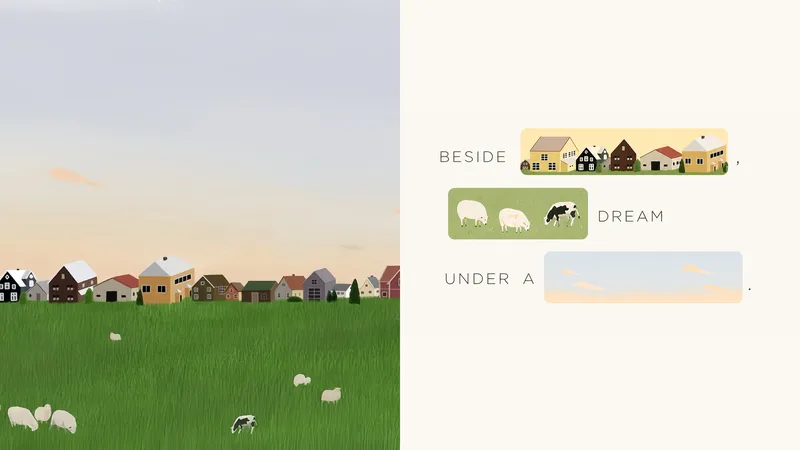
Some photos carry emotions that are difficult to express in a single caption—and those emotions should not be overshadowed by a few decorative images. Panel 107 places the original photo on one side and turns the other into a visual sentence that can genuinely be read: when the text mentions a flower, window, road, or action, that word is directly replaced by a hand-drawn image from the photo. Remove either the words or the images, and the sentence is incomplete. Best for these situations When one caption cannot express the feeling in a photo: Let the subjects, actions, and imagery from the original image truly enter the syntax and take the place of omitted words. When you do not want a “complete title plus a few small pictures” layout: The image must occupy the original position of the word, so readers complete the sentence by following the text and images together. When you want a light, fresh, yet sophisticated visual design: Organize visual poetry with bright, soft color blocks, modern hand-drawn editorial illustrations, and generous negative space. When you need flexible delivery in one consistent style: Support top-and-bottom comparisons, side-by-side comparisons, design-only layouts, multiple aspect ratios, four-sided wallpapers, and batch processing for image catalogs. What it solves for you Turns “the image is merely an illustration” into “the image is the word,” solving the problem of text and visuals telling separate stories. Automatically generates short phrases from a photo’s mood, actions, relationships, setting, or memories, then selects the words best suited for visualization. Uses a clear reading path to avoid sticker walls, card grids, and cluttered collages while preserving a light, elevated sense of space. Get started quickly Use XXD Panel 107 to process this image, and first recommend the most suitable composition and dimensions.
 Image
ImageProgrammer Comic Generator
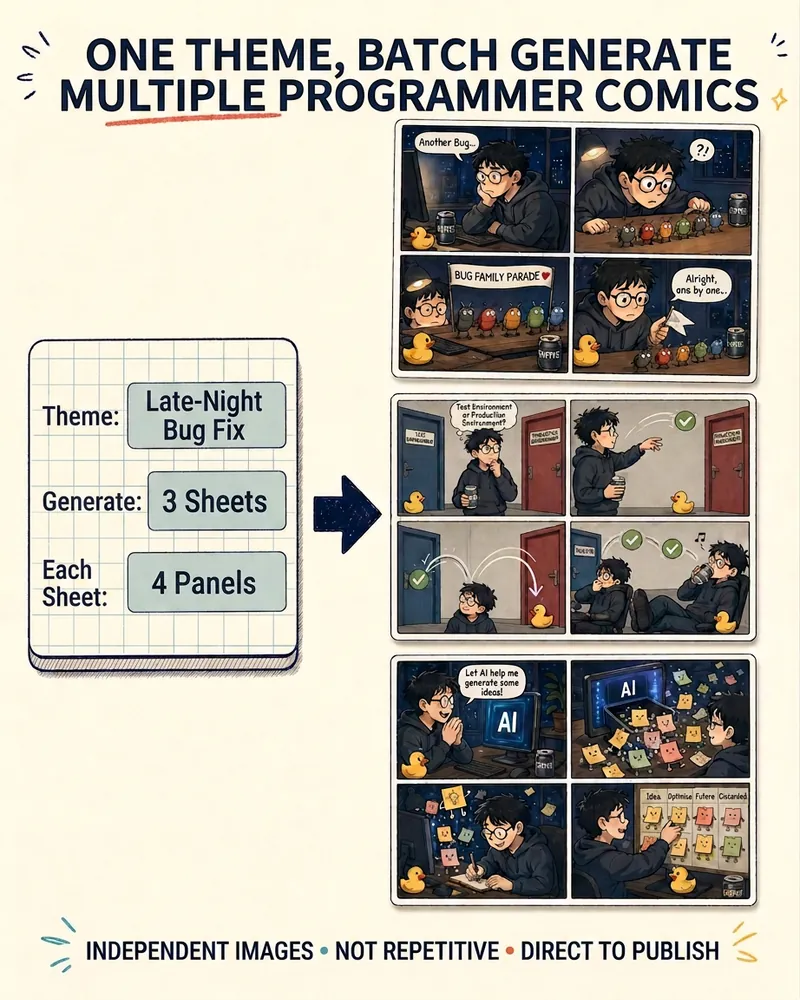
Turn a technical topic into multiple shareable programmer comics. Just tell me the “topic, number of comics, and panels per comic” to get several standalone stories: different errors, different absurd metaphors, and different twists—not collages or repeated content with only the title changed. Supports 3-, 4-, 6-, and 8-panel comics; by default, the same main character appears across the series, but you can also switch characters for each comic. No need to upload code or internal screenshots—just leave a single de-identified workplace moment.
One Line to X Carousel
Turn ideas or images into a four-panel swipe
Description
Recommended by
淡苍
Why we love this skill
Plans ideas or images into swipeable four-panel stories for X, combining visual creation with carousel pacing, precise image splitting, and publishing guidance.
X multi-image posts now scroll horizontally: the first image appears in full, while only part of the second is visible, prompting readers to swipe left to see what follows. This skill helps you create a “pull-apart” continuous four-image sequence—four vertical images combine into one complete landscape image, and each swipe reveals another section to the right. The right edge of the first image becomes the hook that makes readers want to swipe. Three input types are supported: · One-line idea → text-to-image generation, creating a continuous four-section wide image from scratch · One image → crop it directly if possible; otherwise, use it as a reference to reconstruct four continuous scenes · 2–4 images → automatically arrange the narrative order and blend them into one stylistically consistent continuous wide image Workflow: First, you’ll review a four-panel narrative script (hook → reveal → twist → ending). Then the skill generates a 21:9 wide image and uses the companion free public image slicer to precisely cut it into 4 PNGs locally in your browser (your images are never uploaded to any server). Finally, it provides the posting order and tweet copy. The default output ratio is 4:5, with 9:16 and 1:1 also supported. No text is placed inside the images. Ideal for creators who want their X multi-image posts to inspire more “page-turning” curiosity, as well as teams creating product, story, educational, or travel content. Only want to slice an image without generating one? Send in a wide image directly, or open the slicer: https://youmind.com/a/dlJ7lVfZ9ZVqFi
Related Skills
View allIdea to Infographic
A single image, a single sentence is all it takes. Have you ever had this experience—you have a great idea and want to turn it into an infographic like the ones big accounts post, but: - Open an AI image tool, rewrite prompts over and over, and the result either has terrible layout or completely mismatched style. - Tried several prompt templates, each requiring three or four adjustments, and half an hour later you're still not done. - Want styles like financial literacy, Chinese classic, science, tech... each time you have to research colors and layouts from scratch. Now you don't have to. 「Idea to Infographic」automates all of this: You say "make an emotion management infographic," and it decides whether to use a warm Chinese style or a healing scientific style, searches and organizes core knowledge points, breaks them into 6-8 module cards, assembles the optimal prompt, and quality-checks—if it fails, it automatically redoes; if it passes, it hands it right to you. Four killer capabilities, all built-in: 🧠 **Style Engine** — Not a rigid four-choice. If your topic matches financial literacy, it automatically goes with deep blue gold; if it matches Chinese classics, it uses rice paper and ink; if it matches technology, it uses cyan neon. For topics outside these four? It automatically synthesizes a new style. Coffee encyclopedia → food warm tones; exercise and fitness → vibrant orange gray. No style it can't handle. 🔍 **Content Brain** — You give a word, it searches the web to fill out content; you give a paragraph, it extracts the core; you give nothing but a topic, it organizes everything clearly. All three input methods are supported—the simpler, the more effortless. 📐 **Layout Adviser** — Progressive ladders, side-by-side comparisons, causal chains, overarching-subcategory radiation... Five logical patterns automatically matched. Not just stuffing text into an image, but actually designing an infographic. ✅ **Self-Inspection** — After generating, it automatically checks layout, text density, image-to-text ratio, and style match. If there's an issue, it adjusts and regenerates, up to two times. You don't need to know how to write prompts; you just need to know how to speak. **Who is this Skill for?** - Social media creators who need to produce images daily but don't want to learn design. - Knowledge commerce creators who want to visualize course content but lack a designer. - Corporate trainers who need professional infographics but lack budget for outsourcing. 🔍 - Anyone who wants to turn an idea into a great image. In a word: You have the idea, it has the image. All the hassle in between, it handles for you.
Imagexiaoxiaodong P107 Image Verse
Some photos carry emotions that are difficult to express in a single caption—and those emotions should not be overshadowed by a few decorative images. Panel 107 places the original photo on one side and turns the other into a visual sentence that can genuinely be read: when the text mentions a flower, window, road, or action, that word is directly replaced by a hand-drawn image from the photo. Remove either the words or the images, and the sentence is incomplete. Best for these situations When one caption cannot express the feeling in a photo: Let the subjects, actions, and imagery from the original image truly enter the syntax and take the place of omitted words. When you do not want a “complete title plus a few small pictures” layout: The image must occupy the original position of the word, so readers complete the sentence by following the text and images together. When you want a light, fresh, yet sophisticated visual design: Organize visual poetry with bright, soft color blocks, modern hand-drawn editorial illustrations, and generous negative space. When you need flexible delivery in one consistent style: Support top-and-bottom comparisons, side-by-side comparisons, design-only layouts, multiple aspect ratios, four-sided wallpapers, and batch processing for image catalogs. What it solves for you Turns “the image is merely an illustration” into “the image is the word,” solving the problem of text and visuals telling separate stories. Automatically generates short phrases from a photo’s mood, actions, relationships, setting, or memories, then selects the words best suited for visualization. Uses a clear reading path to avoid sticker walls, card grids, and cluttered collages while preserving a light, elevated sense of space. Get started quickly Use XXD Panel 107 to process this image, and first recommend the most suitable composition and dimensions.
ImageProgrammer Comic Generator
Turn a technical topic into multiple shareable programmer comics. Just tell me the “topic, number of comics, and panels per comic” to get several standalone stories: different errors, different absurd metaphors, and different twists—not collages or repeated content with only the title changed. Supports 3-, 4-, 6-, and 8-panel comics; by default, the same main character appears across the series, but you can also switch characters for each comic. No need to upload code or internal screenshots—just leave a single de-identified workplace moment.
Find your next favorite skill
Explore more curated AI skills for research, creation, and everyday work.