🌾 Chinese Style
Instructions
#ChineseStyle
Generate illustrations directly according to the following requirements. Do not ask questions or provide explanations.
## Specific Tasks
- Reflections
- Create illustrations
## Illustration Style
- Background: Texture of Xuan paper, thin ink wash, scattered perspective, freehand blank space
- Foreground: Semi-realistic, hand-drawn outline
- Colors: Mineral materials, cheerful
- Brushstrokes: using both wet and dry brush techniques, dry charcoal outlining, ink wash, texturing and dotting, and water-based dry brush techniques.
- Embellishment: Eastern elements
- Atmosphere: Warm, retro, tranquil, minimalist, and breathable.
## Supplementary Style
If the user specifies drawing character elements, then supplement the above with the following styles.
- Future Prospects: Hanfu-clad figures, anthropomorphic animals, natural interaction, and lighthearted fun.
## Repeatedly Instructed and Ordered
- Prohibited text symbols
## Output
- Generate images directly, no further explanation needed.
Description
Why we love this skill
This skill perfectly merges the essence of Chinese painting with modern illustration, using rice paper ink effects, mineral colors, and hand-drawn strokes to present a unique Eastern aesthetic that is captivating.
Chinese color ink style illustrations. Different models produce different effects. You can copy the prompt to create your own skill and try it out. Feel free to modify and create. Have fun! MIT
Related Skills
View all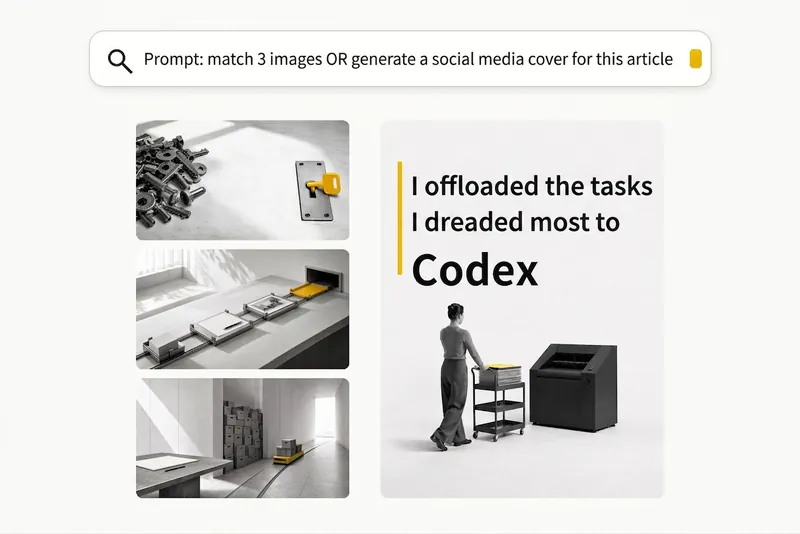 Image
ImageBlack-and-White Visuals
Create black, white, and gray visuals with small accents of yellow for WeChat Official Accounts, Zhihu, Xiaohongshu, Moments, profile pictures, and other platforms. Choose your preferred dimensions and generate 1–3 separate images per request. Images are text-free by default, with support for text-based Xiaohongshu covers. You can use it to: - Create three 16:9 text-free images for the article below: [paste article] - Turn “independent, calm, with a touch of loneliness” into a 1:1 profile picture. - Use this photo as a reference to generate a 3:4 refined black-and-white visual. - Generate a 3:4 Xiaohongshu cover with text titled: “At What Age Did Children in Ancient China Start School?”
 Image
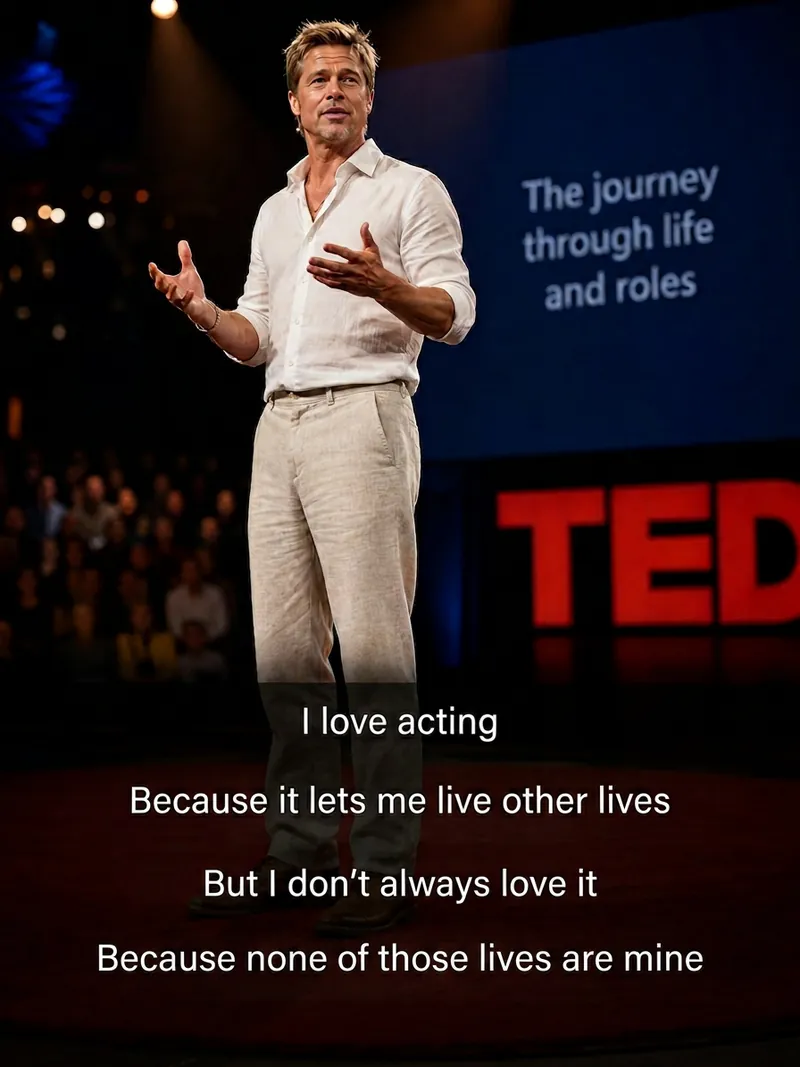
ImageCinematic Quote Posters
Turn a portrait and a quote into a vertical quote poster with a cinematic narrative feel. The person’s facial features, hairstyle, and identity are kept as consistent as possible with the reference photo, while the quote’s mood shapes scenes such as an interview, at-home conversation, courtroom statement, seaside monologue, rainy-night street, or retro Hong Kong style. Ideal for character quote graphics, mood posters, and social media content. Choose a preset template or customize the scene, clothing, pose, and atmosphere. You can also use speaking lip shapes, Chinese-English bilingual text, classic layouts, subtitle styles, minimalist styling, and Hong Kong-inspired color tones, with output in 3:4, 9:16, or 1:1 ratios. Longer quotes are condensed and line-broken for poster presentation, keeping the text concentrated near the bottom of the image, away from the person’s face, and clear and readable. The final deliverable is an AI-generated cinematic quote poster, with the selected scene, text style, and aspect ratio noted. Because the text is rendered directly by AI, complex or lengthy quotes may occasionally contain incorrect characters. If the text is inaccurate, try shortening the quote or request a new generation.
 Image
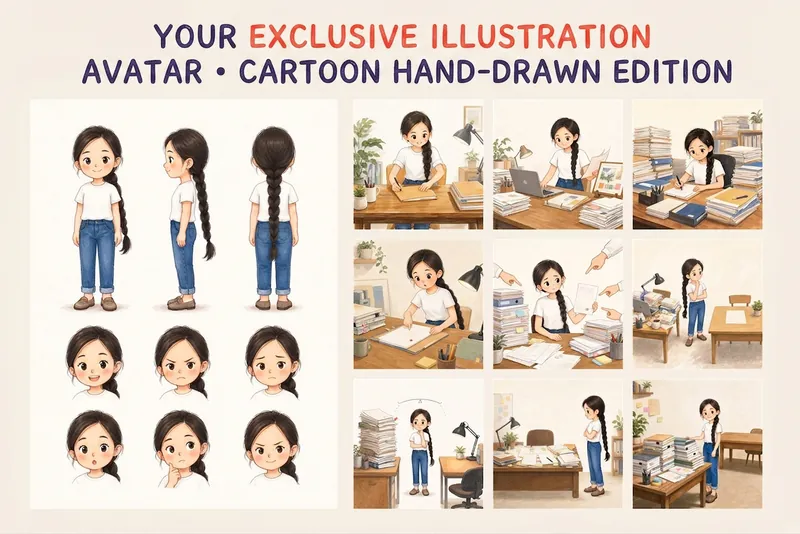
ImageYour Custom Cartoon Avatar
Turn a photo of a person into a custom hand-drawn cartoon character. Choose your favorite from 4 candidates with different poses and expressions, then finalize the design using one of 3 standard reference sets, each featuring three views and 6 commonly used expressions. You can download and save the reference images, or continue using them for article illustrations, Xiaohongshu posts, profile pictures, covers, sticker packs, nine-grid WeChat Moments posts, and custom scenes. Each task is linked to one character; when switching to a different person, we recommend creating a new task to avoid mixing up characters.
🌾 Chinese Style
Instructions
#ChineseStyle
Generate illustrations directly according to the following requirements. Do not ask questions or provide explanations.
## Specific Tasks
- Reflections
- Create illustrations
## Illustration Style
- Background: Texture of Xuan paper, thin ink wash, scattered perspective, freehand blank space
- Foreground: Semi-realistic, hand-drawn outline
- Colors: Mineral materials, cheerful
- Brushstrokes: using both wet and dry brush techniques, dry charcoal outlining, ink wash, texturing and dotting, and water-based dry brush techniques.
- Embellishment: Eastern elements
- Atmosphere: Warm, retro, tranquil, minimalist, and breathable.
## Supplementary Style
If the user specifies drawing character elements, then supplement the above with the following styles.
- Future Prospects: Hanfu-clad figures, anthropomorphic animals, natural interaction, and lighthearted fun.
## Repeatedly Instructed and Ordered
- Prohibited text symbols
## Output
- Generate images directly, no further explanation needed.
Description
Why we love this skill
This skill perfectly merges the essence of Chinese painting with modern illustration, using rice paper ink effects, mineral colors, and hand-drawn strokes to present a unique Eastern aesthetic that is captivating.
Chinese color ink style illustrations. Different models produce different effects. You can copy the prompt to create your own skill and try it out. Feel free to modify and create. Have fun! MIT
Related Skills
View allImageBlack-and-White Visuals
Create black, white, and gray visuals with small accents of yellow for WeChat Official Accounts, Zhihu, Xiaohongshu, Moments, profile pictures, and other platforms. Choose your preferred dimensions and generate 1–3 separate images per request. Images are text-free by default, with support for text-based Xiaohongshu covers. You can use it to: - Create three 16:9 text-free images for the article below: [paste article] - Turn “independent, calm, with a touch of loneliness” into a 1:1 profile picture. - Use this photo as a reference to generate a 3:4 refined black-and-white visual. - Generate a 3:4 Xiaohongshu cover with text titled: “At What Age Did Children in Ancient China Start School?”
ImageCinematic Quote Posters
Turn a portrait and a quote into a vertical quote poster with a cinematic narrative feel. The person’s facial features, hairstyle, and identity are kept as consistent as possible with the reference photo, while the quote’s mood shapes scenes such as an interview, at-home conversation, courtroom statement, seaside monologue, rainy-night street, or retro Hong Kong style. Ideal for character quote graphics, mood posters, and social media content. Choose a preset template or customize the scene, clothing, pose, and atmosphere. You can also use speaking lip shapes, Chinese-English bilingual text, classic layouts, subtitle styles, minimalist styling, and Hong Kong-inspired color tones, with output in 3:4, 9:16, or 1:1 ratios. Longer quotes are condensed and line-broken for poster presentation, keeping the text concentrated near the bottom of the image, away from the person’s face, and clear and readable. The final deliverable is an AI-generated cinematic quote poster, with the selected scene, text style, and aspect ratio noted. Because the text is rendered directly by AI, complex or lengthy quotes may occasionally contain incorrect characters. If the text is inaccurate, try shortening the quote or request a new generation.
ImageYour Custom Cartoon Avatar
Turn a photo of a person into a custom hand-drawn cartoon character. Choose your favorite from 4 candidates with different poses and expressions, then finalize the design using one of 3 standard reference sets, each featuring three views and 6 commonly used expressions. You can download and save the reference images, or continue using them for article illustrations, Xiaohongshu posts, profile pictures, covers, sticker packs, nine-grid WeChat Moments posts, and custom scenes. Each task is linked to one character; when switching to a different person, we recommend creating a new task to avoid mixing up characters.
Find your next favorite skill
Explore more curated AI skills for research, creation, and everyday work.