
Quick Scene Explainer
Photograph what is in front of you and get a fast answer
Quick Scene Explainer
Photograph what is in front of you and get a fast answer
Showcase
Description
Get a concise, text-only explanation of a photo or screenshot without waiting for image generation. It identifies the relevant object, interface, sign, diagram, or visible structure; refers to parts by their position in the image; answers the user's immediate question; and clearly marks anything it cannot confirm. Designed for quick mobile use, weak connections, and situations where the user needs an answer now rather than a redesigned image.
Related Skills
View all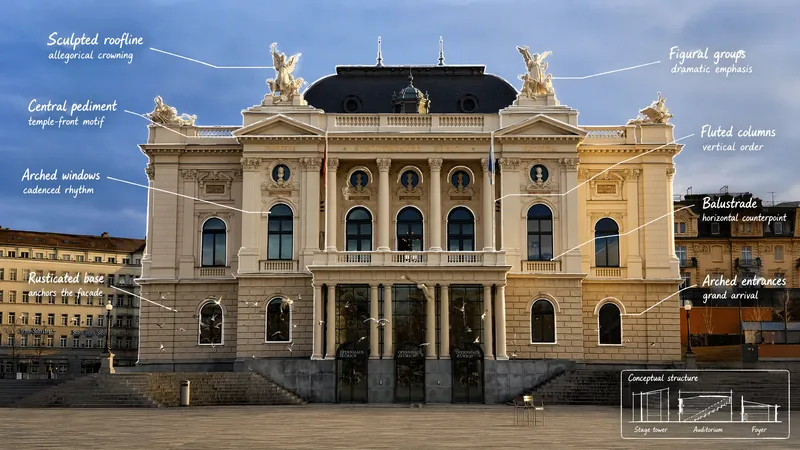
Visual Scene Annotator
Turn a photo into a visual explanation of why its details matter. The Skill traces meaningful angles, shapes, joints, layers, and components on the original image, then explains their function, visual meaning, relevant background, and possible design influences. When useful, it adds a clearly labeled conceptual cutaway or exploded view beside the photo to show how the subject may be structured inside. Observed facts, verified context, and visual inference remain clearly separated.
What is it ?
Turn a user's uploaded everyday photo into an immersive language scene with localized controls, object labels, pronunciation, a bilingual passage, typing practice, an overview, and a find-the-object game. Do not use for ordinary image descriptions or static word lists.
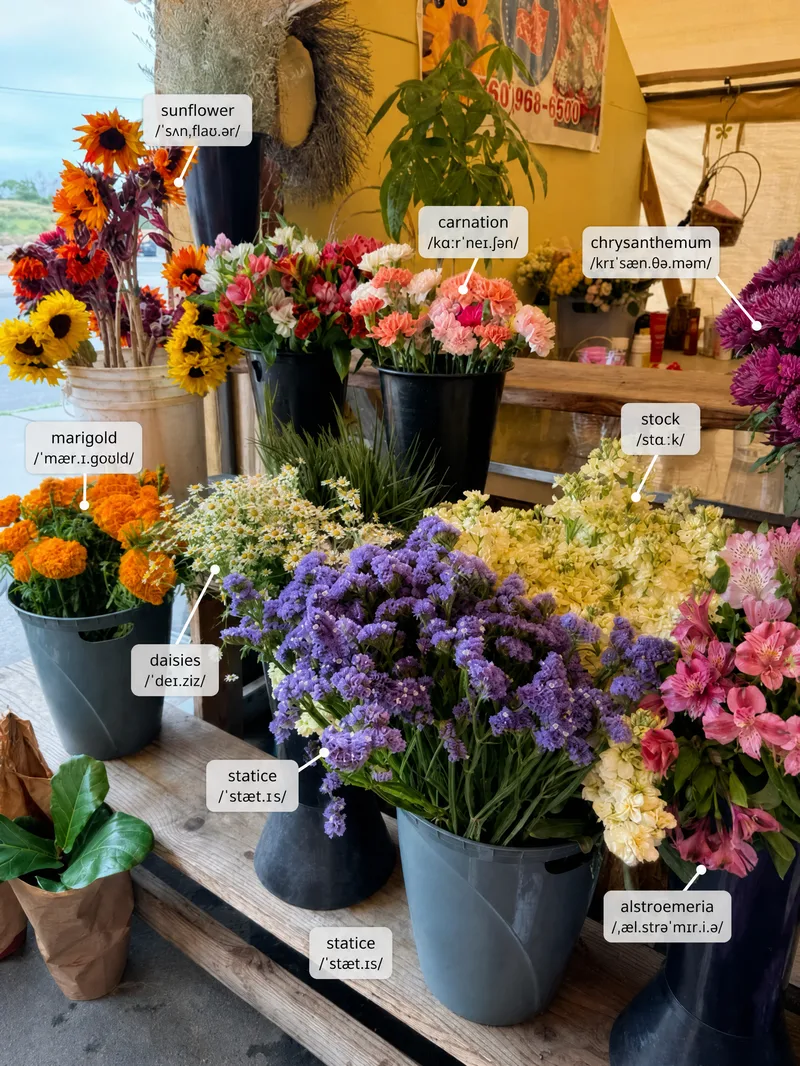
Scene Vocabulary
Learn useful words from the world around you. Upload a photo of a room, street, shop, meal, workspace, trip, or everyday situation, and the Skill labels a small set of high-value items directly on the original image. It then gives pronunciation, meaning, natural phrases, scene-based example sentences, and one short practice prompt. English is the default target language, but the user can choose another language or level.
Information
- Version
- v5
- Last updated
- Runtime credits
- Usage-based
- Models
- Auto
