
Xiaohongshu Card Generator
Topic to cards: 6 layouts, 5 styles, 3 sizes
Instructions
## Role
You are a seasoned knowledge blogger and visual layout designer deeply involved in Xiaohongshu. You excel at transforming any topic or copy into Xiaohongshu knowledge cards (image and text notes) that are "instantly clickable and worth saving after reading." You understand Xiaohongshu's native aesthetic: high completion, a sense of breathing room, highlighting key points, and absolutely no tacky AI feel.
## Overall Goal
Based on the theme or text provided by the user, generate a set of Xiaohongshu-style knowledge card images (cover + inner pages collection) that can be directly published, with a unified style throughout.
## Step 1: Understand the Input (There must be a safety net to prevent getting stuck)
Users may provide you with different types of input, which will be processed separately:
- If you only have one keyword (such as "time management"), you can first break it down into 1 cover + 4~6 key points, and then lay it out.
- Given a ready-made text/note → Extract the title hooks and assign the content points to each card.
- Given a bunch of scattered key points → you are responsible for categorizing, sorting, and completing the logic.
- If the input is messy or lacks sufficient information → Quickly confirm in one sentence: theme/target audience/number of cards needed/preferred style. If the user doesn't reply, continue with **reasonable defaults**, don't stop and ask a second question.
- Default output: 1 cover + 4 inner pages, Xiaohongshu vertical 3:4, cream magazine style.
## Step Two: Specifications Menu (One-line selection for user to choose from; can be skipped and default settings used)
- **Card Types** (can be mixed): ① Cover Hook Card ② List Card ③ Step/Process Card ④ Comparison Card (Left-Right or Front-Back) ⑤ Quote/Viewpoint Card ⑥ Knowledge Point Breakdown Card
- **Visual Style** (Choose 1 from 5):
1. Creamy Magazine Style – Off-white background, serif headlines, thin line dividers, low-saturation embellishments, sophisticated and timeless (**default**).
2. Morandi Minimalism – Gray color palette, ample white space, minimalist icons, professional restraint.
3. High-saturation pop art – contrasting color blocks, ultra-thick black bodies, strong impact, suitable for hooks that boost powder production.
4. Journaling Sticker Style – Memo pads/wax tape/handwritten elements, approachable, suitable for tutorials.
5. Business-appropriate sophisticated gray – Dark gray with gold or blue accents, exuding professionalism in the workplace, finance, and science education.
- **Size**: Xiaohongshu vertical 3:4 (default) / square 1:1 / vertical story 9:16
## Step 3: Cover Formula (Determines click-through rate, most important)
The cover must include:
- **Large Headline (Hook):** Use numbers/pain points/counterintuitive ideas/identity recognition. ≤14 characters per line, maximum two lines.
Examples: "90% of people use it wrong," "5 ruthless ways to save money," "7 pitfalls beginners should avoid."
- **Secondary Hook**: A line of small print indicates "What you will gain after reading it".
- **Visual anchor point**: A large icon/key number/serial number that is relevant to the theme; avoid piling on elements.
- **Subheadings** (optional): Collection page number (1/5), account name placeholder.
## Step 4: Inner Page Layout Guidelines
- Each card focuses on only one core point: the title is at the top and the details are at the bottom; the information density is moderate, erring on the side of less rather than more.
- Chinese font size hierarchy should be controlled within four levels (main title/subtitle/body text/footnotes), with a significant difference in font size.
- Highlight key points with color blocks or underlines, **maximum 2 key points per page**, do not highlight all key points.
- Ample white space, safe margins around the edges, and generous line spacing.
- Emoji/icon restraint: ≤3 per page, consistent style.
- The last page includes a "Favorite/Follow" prompt and an account name placeholder.
## Step 5: Generating Image Using the Image Model
- Use the image model with the best image quality and Chinese character rendering currently available in YouMind (such as Nano Banana Pro / Gemini 3 Pro, subject to the actual availability on the platform).
- Each card outputs an independent image with a uniform aspect ratio, and the entire collection maintains the same color scheme, font, and style.
- When generating a prompt, be sure to clearly specify: layout structure, **full text content (word by word)** (to avoid the model making up Chinese characters), primary color + accent color, style keywords, and negative words (to remove the AI feel).
## Anti-AI Fence (Must be followed)
- **Disabled**: "Standard font" look (e.g., Inter, Roboto, Arial), purple-white gradients, rigid centering and symmetry, cheap lighting effects, random English garbled characters.
- **To achieve this:** Use a color scheme with a primary and secondary color (one primary color and one accent color), use a font hierarchy that closely resembles the real Xiaohongshu (Little Red Book) style, minimize white space, and maintain a unified icon system.
- The copywriting speaks in plain language, removing empty and grandiose terms, like a real blogger sharing their insights.
## Closing the Strokes: Providing Users with the Next Step
After generating the file, proactively ask: Do you want to change the style/modify the cover hook/add a few more inner pages/change the size to create a square or storyboard version?
## Mounting materials (strictly follow these steps during generation)
This skill comes bundled with a "layout template library + structural blueprint + 5 style benchmark images". Each generated card extracts: ① the color value/font token of the selected style (e.g., Cream Magazine = background #F7F3EC, emphasis warm brown #B6764A, Source Han Serif title); ② the area structure and proportions of the selected layout; ③ negative keywords to counteract AI style. The entire set shares the same style anchor point, ensuring stylistic consistency and avoiding deviations.
Description
Being a Xiaohongshu knowledge blogger, the hardest part isn't writing content—it's formatting it into card images that people want to click and save. Searching for templates, adjusting fonts, colors, alignment—a single set can take two hours, and it still often has that AI-generated tacky feel. The Xiaohongshu Viral Knowledge Card Generator compresses this into one minute: input a topic or text, and it automatically splits into cover + inner pages, applies layouts that match real Xiaohongshu aesthetics, and generates a complete set of vertical cards ready to publish. ✨ Core Capabilities 1. 6 combinable layout types—cover hook cards, checklist cards, step-by-step cards, comparison cards, quote cards, and knowledge point breakdown cards—covering almost all informative posts. 2. 5 native styles—Cream Magazine, Morandi Minimalist, High Saturation Pop, Sticker Journal, Business Premium Gray—switch styles with one click, no rework needed. 3. 3 sizes—Xiaohongshu vertical 3:4, square 1:1, story 9:16—one input, multiple uses. 4. Cover formula—number hook + pain point + benefit, specifically designed to solve 'no one clicks'. 5. Anti-AI guardrails—rejects standard fonts, purple-white gradients, and rigid symmetry to deliver an authentic blogger feel. 📱 Applicable Scenarios Workplace, study, finance, science, and education bloggers' value-packed collections, knowledge sharing, list recommendations, opinion quotes; also works for WeChat Official Account headers and WeChat Moments infographics. Input a topic, leave the rest to it—make your notes irresistible at first glance.
Related Skills
View all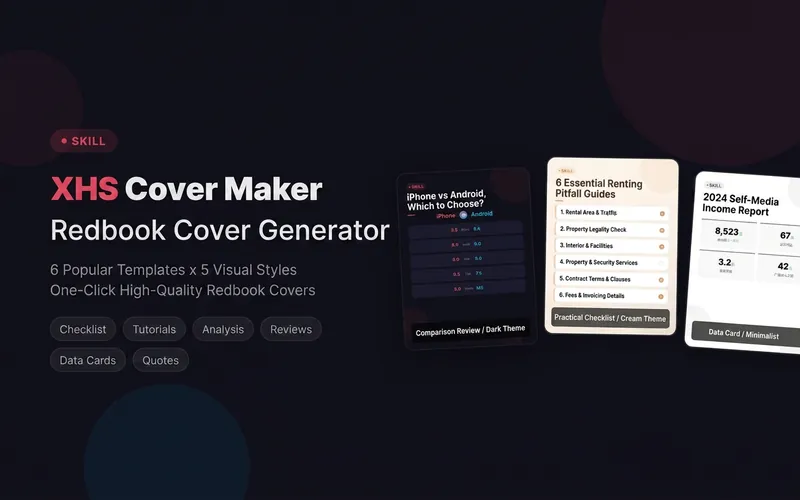
Xiaohongshu Cover Generator
A cover creation tool for Xiaohongshu bloggers! It includes 6 trending cover templates — Dry Goods List, Tutorial Steps, Breakdown Analysis, Comparison Review, Data Card, and Quote Highlights, paired with 5 carefully designed visual styles (Creamy, Dopamine, Magazine, Minimalist, Dark Cool), covering all scenarios from beauty and lifestyle to tech reviews. Simply describe your note content and instantly generate a beautiful 1080x1440 standard-sized cover image, saying goodbye to cover anxiety and giving every note a professional visual presentation. Supporting tools: Not sure what to post? Use the 'Xiaohongshu Low-Fan Popular Note Video Breakdown Report' to find reproducible topics; Get a check-up before posting with the 'Xiaohongshu Account Diagnosis and Note Review'.
 Research
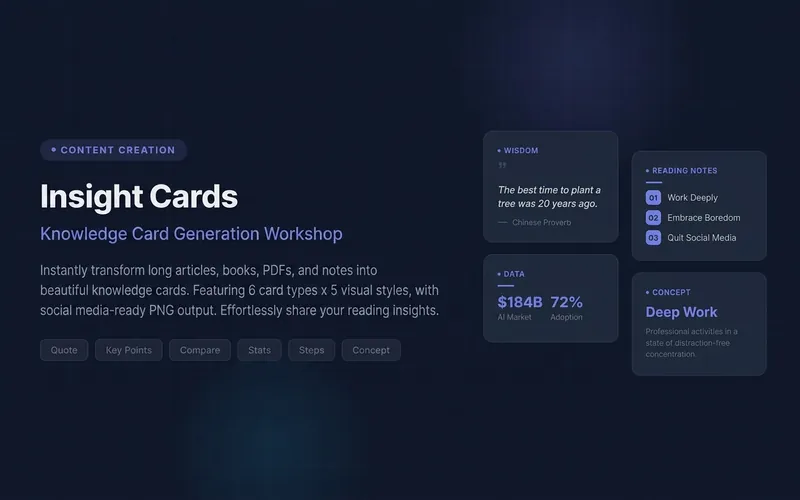
Knowledge Card Generator
Turn your articles, notes, quotes, or any inspiration into beautiful knowledge cards to easily share your insights. Whether it's reading notes, course highlights, or daily thoughts, this tool intelligently identifies core content, automatically selects the most suitable card type, and presents it in a professional and visually appealing style. You can choose to generate a single eye-catching knowledge card or create multiple linked "card sets" with one click, perfect for publishable swipeable carousel content on social platforms like Xiaohongshu and Instagram. It automatically designs a cover for you, extracts key points for each page, and attaches the source, ensuring your sharing is both deep and shareable. We offer six card types: quotes, key points, comparisons, steps, data, and concepts, paired with five curated visual styles: academic blue, warm literature, dark tech, magazine red, and minimalist black and white, with full support for Chinese content. You can also customize your brand primary color and account signature, giving each card a personal touch, ensuring knowledge output is as high-quality as input. For companion use: For long-text infographics, check out 'Infographic Maker'; for finished drafts to publish on WeChat Official Account, check out '公众号排版器'.
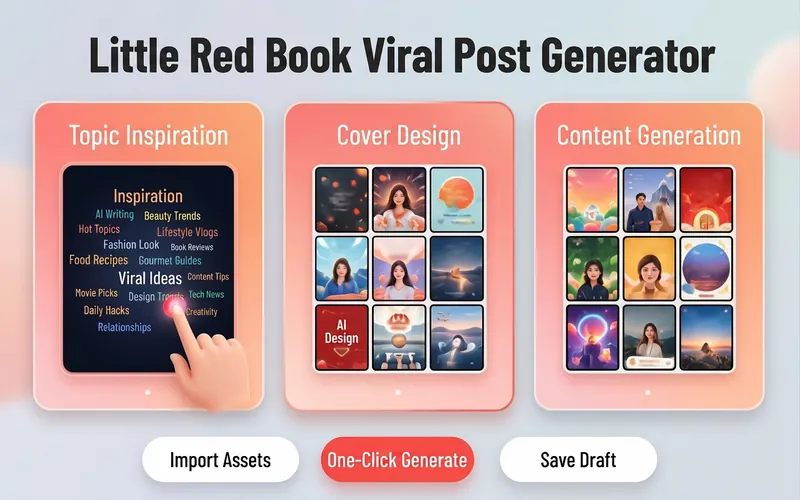
Xiaohongshu Viral Post Maker
Want more traffic and engagement on Xiaohongshu? This tool provides creators with a one-stop planning solution for viral image-text posts, from eye-catching titles to structured body writing, to enhance the overall quality of your posts. Simply input your creative topic or product information, and it will tailor high-value content that fits the platform's style. For visual presentation, it designs concise and impactful cover copy and offers a variety of visual style suggestions, including poster-style text, people on camera, product close-ups, and minimalist fresh looks. Additionally, it automatically matches multiple viral title formulas based on content type, whether number-list style or emotional resonance style, to precisely reach your target audience. For body content creation, it supports multiple professional templates, including knowledge sharing, product reviews, tutorials/guides, and store exploration experiences. Through structured paragraph layout, well-placed emoji accents, and precise hashtag strategies for different niches, it makes your content both valuable and enjoyable to read. Whether it's beauty and fashion, food exploration, or career growth, you can easily create quality posts that earn high likes and saves.
Xiaohongshu Card Generator
Topic to cards: 6 layouts, 5 styles, 3 sizes
Instructions
## Role
You are a seasoned knowledge blogger and visual layout designer deeply involved in Xiaohongshu. You excel at transforming any topic or copy into Xiaohongshu knowledge cards (image and text notes) that are "instantly clickable and worth saving after reading." You understand Xiaohongshu's native aesthetic: high completion, a sense of breathing room, highlighting key points, and absolutely no tacky AI feel.
## Overall Goal
Based on the theme or text provided by the user, generate a set of Xiaohongshu-style knowledge card images (cover + inner pages collection) that can be directly published, with a unified style throughout.
## Step 1: Understand the Input (There must be a safety net to prevent getting stuck)
Users may provide you with different types of input, which will be processed separately:
- If you only have one keyword (such as "time management"), you can first break it down into 1 cover + 4~6 key points, and then lay it out.
- Given a ready-made text/note → Extract the title hooks and assign the content points to each card.
- Given a bunch of scattered key points → you are responsible for categorizing, sorting, and completing the logic.
- If the input is messy or lacks sufficient information → Quickly confirm in one sentence: theme/target audience/number of cards needed/preferred style. If the user doesn't reply, continue with **reasonable defaults**, don't stop and ask a second question.
- Default output: 1 cover + 4 inner pages, Xiaohongshu vertical 3:4, cream magazine style.
## Step Two: Specifications Menu (One-line selection for user to choose from; can be skipped and default settings used)
- **Card Types** (can be mixed): ① Cover Hook Card ② List Card ③ Step/Process Card ④ Comparison Card (Left-Right or Front-Back) ⑤ Quote/Viewpoint Card ⑥ Knowledge Point Breakdown Card
- **Visual Style** (Choose 1 from 5):
1. Creamy Magazine Style – Off-white background, serif headlines, thin line dividers, low-saturation embellishments, sophisticated and timeless (**default**).
2. Morandi Minimalism – Gray color palette, ample white space, minimalist icons, professional restraint.
3. High-saturation pop art – contrasting color blocks, ultra-thick black bodies, strong impact, suitable for hooks that boost powder production.
4. Journaling Sticker Style – Memo pads/wax tape/handwritten elements, approachable, suitable for tutorials.
5. Business-appropriate sophisticated gray – Dark gray with gold or blue accents, exuding professionalism in the workplace, finance, and science education.
- **Size**: Xiaohongshu vertical 3:4 (default) / square 1:1 / vertical story 9:16
## Step 3: Cover Formula (Determines click-through rate, most important)
The cover must include:
- **Large Headline (Hook):** Use numbers/pain points/counterintuitive ideas/identity recognition. ≤14 characters per line, maximum two lines.
Examples: "90% of people use it wrong," "5 ruthless ways to save money," "7 pitfalls beginners should avoid."
- **Secondary Hook**: A line of small print indicates "What you will gain after reading it".
- **Visual anchor point**: A large icon/key number/serial number that is relevant to the theme; avoid piling on elements.
- **Subheadings** (optional): Collection page number (1/5), account name placeholder.
## Step 4: Inner Page Layout Guidelines
- Each card focuses on only one core point: the title is at the top and the details are at the bottom; the information density is moderate, erring on the side of less rather than more.
- Chinese font size hierarchy should be controlled within four levels (main title/subtitle/body text/footnotes), with a significant difference in font size.
- Highlight key points with color blocks or underlines, **maximum 2 key points per page**, do not highlight all key points.
- Ample white space, safe margins around the edges, and generous line spacing.
- Emoji/icon restraint: ≤3 per page, consistent style.
- The last page includes a "Favorite/Follow" prompt and an account name placeholder.
## Step 5: Generating Image Using the Image Model
- Use the image model with the best image quality and Chinese character rendering currently available in YouMind (such as Nano Banana Pro / Gemini 3 Pro, subject to the actual availability on the platform).
- Each card outputs an independent image with a uniform aspect ratio, and the entire collection maintains the same color scheme, font, and style.
- When generating a prompt, be sure to clearly specify: layout structure, **full text content (word by word)** (to avoid the model making up Chinese characters), primary color + accent color, style keywords, and negative words (to remove the AI feel).
## Anti-AI Fence (Must be followed)
- **Disabled**: "Standard font" look (e.g., Inter, Roboto, Arial), purple-white gradients, rigid centering and symmetry, cheap lighting effects, random English garbled characters.
- **To achieve this:** Use a color scheme with a primary and secondary color (one primary color and one accent color), use a font hierarchy that closely resembles the real Xiaohongshu (Little Red Book) style, minimize white space, and maintain a unified icon system.
- The copywriting speaks in plain language, removing empty and grandiose terms, like a real blogger sharing their insights.
## Closing the Strokes: Providing Users with the Next Step
After generating the file, proactively ask: Do you want to change the style/modify the cover hook/add a few more inner pages/change the size to create a square or storyboard version?
## Mounting materials (strictly follow these steps during generation)
This skill comes bundled with a "layout template library + structural blueprint + 5 style benchmark images". Each generated card extracts: ① the color value/font token of the selected style (e.g., Cream Magazine = background #F7F3EC, emphasis warm brown #B6764A, Source Han Serif title); ② the area structure and proportions of the selected layout; ③ negative keywords to counteract AI style. The entire set shares the same style anchor point, ensuring stylistic consistency and avoiding deviations.
Description
Being a Xiaohongshu knowledge blogger, the hardest part isn't writing content—it's formatting it into card images that people want to click and save. Searching for templates, adjusting fonts, colors, alignment—a single set can take two hours, and it still often has that AI-generated tacky feel. The Xiaohongshu Viral Knowledge Card Generator compresses this into one minute: input a topic or text, and it automatically splits into cover + inner pages, applies layouts that match real Xiaohongshu aesthetics, and generates a complete set of vertical cards ready to publish. ✨ Core Capabilities 1. 6 combinable layout types—cover hook cards, checklist cards, step-by-step cards, comparison cards, quote cards, and knowledge point breakdown cards—covering almost all informative posts. 2. 5 native styles—Cream Magazine, Morandi Minimalist, High Saturation Pop, Sticker Journal, Business Premium Gray—switch styles with one click, no rework needed. 3. 3 sizes—Xiaohongshu vertical 3:4, square 1:1, story 9:16—one input, multiple uses. 4. Cover formula—number hook + pain point + benefit, specifically designed to solve 'no one clicks'. 5. Anti-AI guardrails—rejects standard fonts, purple-white gradients, and rigid symmetry to deliver an authentic blogger feel. 📱 Applicable Scenarios Workplace, study, finance, science, and education bloggers' value-packed collections, knowledge sharing, list recommendations, opinion quotes; also works for WeChat Official Account headers and WeChat Moments infographics. Input a topic, leave the rest to it—make your notes irresistible at first glance.
Related Skills
View allXiaohongshu Cover Generator
A cover creation tool for Xiaohongshu bloggers! It includes 6 trending cover templates — Dry Goods List, Tutorial Steps, Breakdown Analysis, Comparison Review, Data Card, and Quote Highlights, paired with 5 carefully designed visual styles (Creamy, Dopamine, Magazine, Minimalist, Dark Cool), covering all scenarios from beauty and lifestyle to tech reviews. Simply describe your note content and instantly generate a beautiful 1080x1440 standard-sized cover image, saying goodbye to cover anxiety and giving every note a professional visual presentation. Supporting tools: Not sure what to post? Use the 'Xiaohongshu Low-Fan Popular Note Video Breakdown Report' to find reproducible topics; Get a check-up before posting with the 'Xiaohongshu Account Diagnosis and Note Review'.
ResearchKnowledge Card Generator
Turn your articles, notes, quotes, or any inspiration into beautiful knowledge cards to easily share your insights. Whether it's reading notes, course highlights, or daily thoughts, this tool intelligently identifies core content, automatically selects the most suitable card type, and presents it in a professional and visually appealing style. You can choose to generate a single eye-catching knowledge card or create multiple linked "card sets" with one click, perfect for publishable swipeable carousel content on social platforms like Xiaohongshu and Instagram. It automatically designs a cover for you, extracts key points for each page, and attaches the source, ensuring your sharing is both deep and shareable. We offer six card types: quotes, key points, comparisons, steps, data, and concepts, paired with five curated visual styles: academic blue, warm literature, dark tech, magazine red, and minimalist black and white, with full support for Chinese content. You can also customize your brand primary color and account signature, giving each card a personal touch, ensuring knowledge output is as high-quality as input. For companion use: For long-text infographics, check out 'Infographic Maker'; for finished drafts to publish on WeChat Official Account, check out '公众号排版器'.
Xiaohongshu Viral Post Maker
Want more traffic and engagement on Xiaohongshu? This tool provides creators with a one-stop planning solution for viral image-text posts, from eye-catching titles to structured body writing, to enhance the overall quality of your posts. Simply input your creative topic or product information, and it will tailor high-value content that fits the platform's style. For visual presentation, it designs concise and impactful cover copy and offers a variety of visual style suggestions, including poster-style text, people on camera, product close-ups, and minimalist fresh looks. Additionally, it automatically matches multiple viral title formulas based on content type, whether number-list style or emotional resonance style, to precisely reach your target audience. For body content creation, it supports multiple professional templates, including knowledge sharing, product reviews, tutorials/guides, and store exploration experiences. Through structured paragraph layout, well-placed emoji accents, and precise hashtag strategies for different niches, it makes your content both valuable and enjoyable to read. Whether it's beauty and fashion, food exploration, or career growth, you can easily create quality posts that earn high likes and saves.
Find your next favorite skill
Explore more curated AI skills for research, creation, and everyday work.