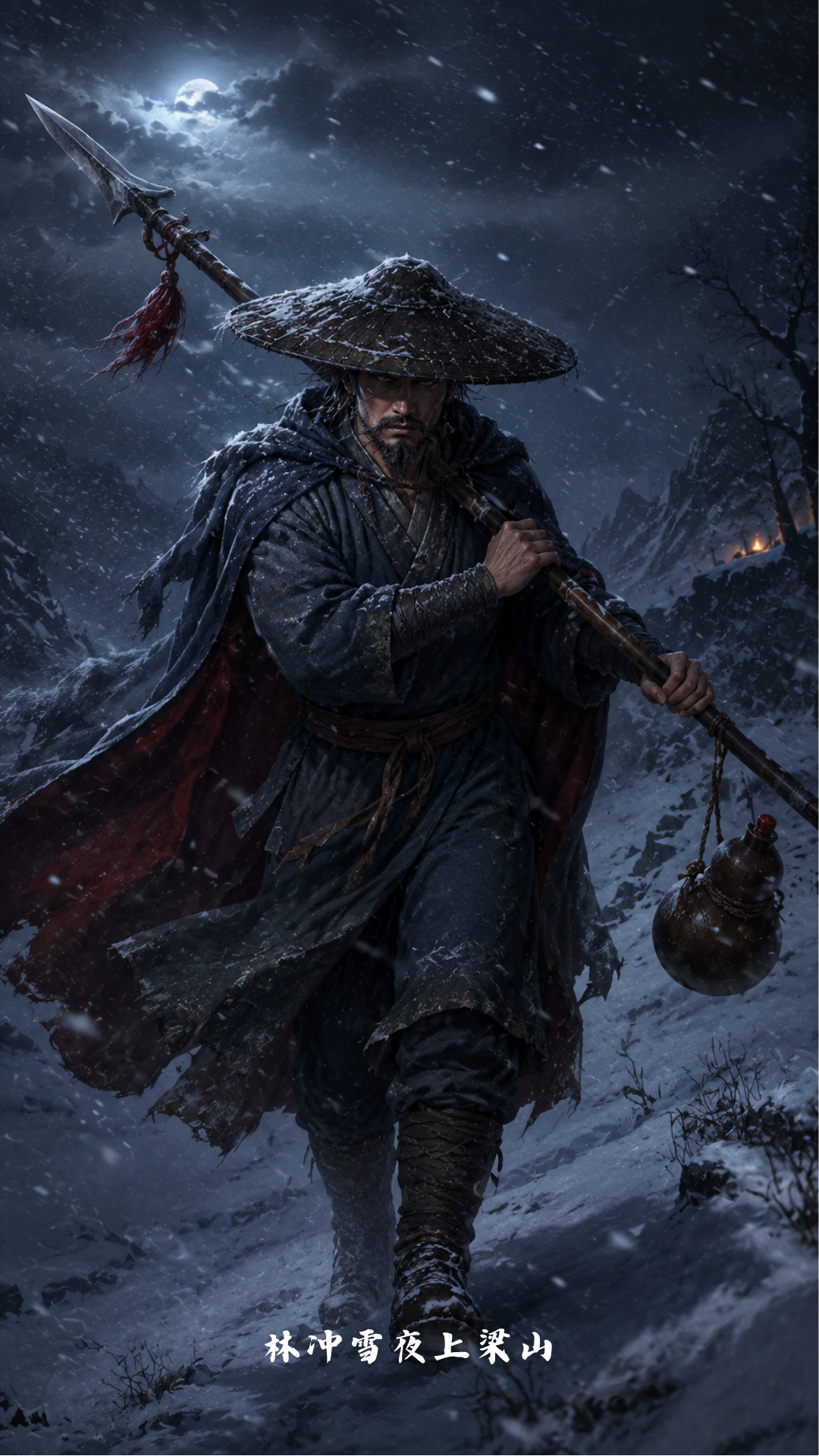
Dark 3D Literary Characters
Historically grounded 3D game character art
Description
Recommended by
淡苍
Why we love this skill
Combines classical character research, silhouette recognition, and game-quality 3D visual design, with rigorous pre-generation checks and post-generation validation.
Transform characters from *Romance of the Three Kingdoms*, *Water Margin*, *Journey to the West*, *Dream of the Red Chamber*, and other Chinese classical works into polished 3D cartoon game characters that remain recognizable without written labels. Whether depicting generals, warriors, monks, scholars, women, immortals, or monsters, the skill combines each character’s identity, stage of life, and defining experiences with visual designs grounded in the historical setting—reducing timeline errors, lookalike characters, and cultural mismatches. You’ll receive a complete character-recognition-focused design plan covering silhouette, signature weapons and accessories, clothing materials, color palettes, pose and expression, environmental mood, and differentiation from similar characters. It also accounts for common image-generation inaccuracies involving ancient Chinese clothing, weapons, and character types. When the source material is uncertain, references are checked first to determine the appropriate period and visual direction. The skill supports both character illustration and scene-based requests. It can produce reusable, copyable image-generation Prompts, specify image dimensions, and review the result for period accuracy, key symbols, colors, cultural traits, pose and structure, and overall recognizability—making corrections and iterations when needed. It is suitable for classical literature character concepts, game character development, visual design, and Chinese-style AI image generation.
Related Skills
View all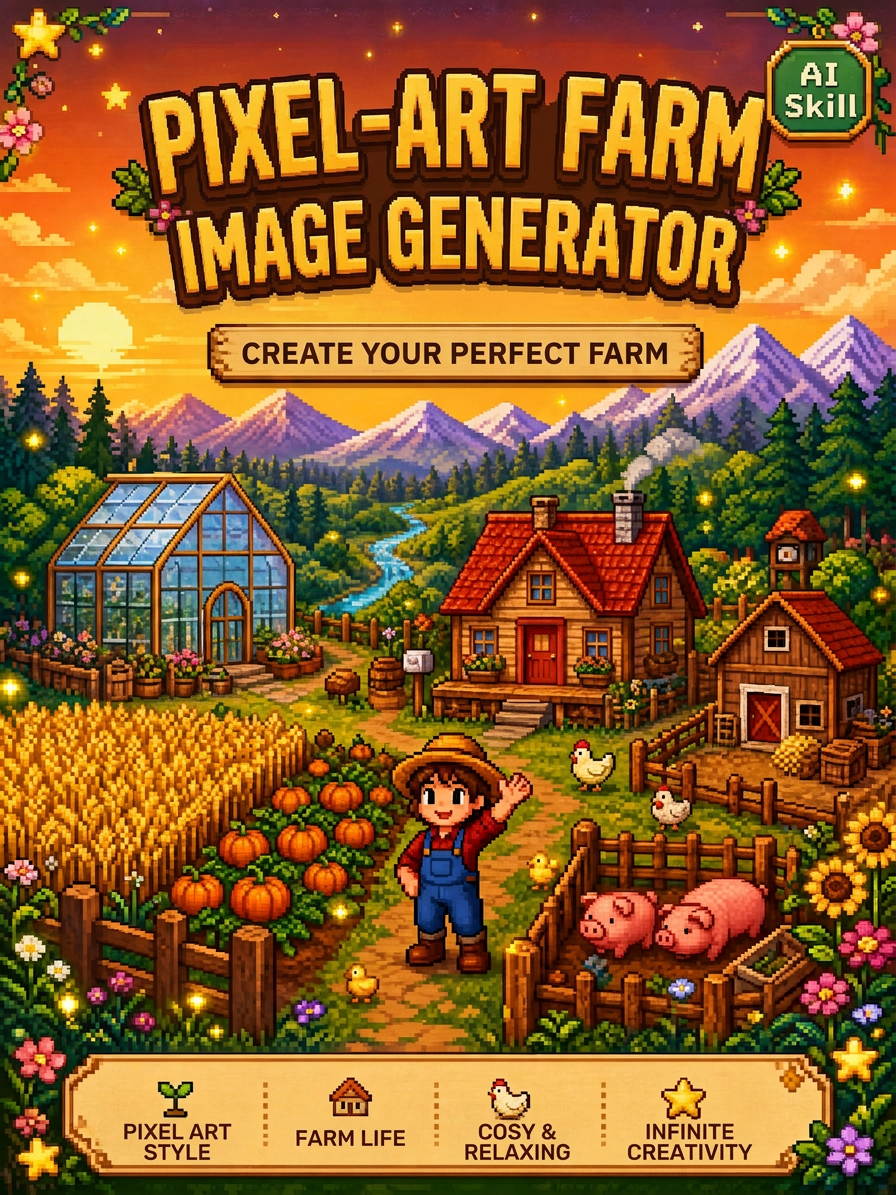 Image
ImageStardew Valley Image Maker
Upload an image to quickly generate pixel-art images in the Stardew Valley style. Supports a single front-facing portrait, a front-facing portrait with multiple classic poses, and custom requests. Choose a solid-color background or a pastoral Stardew Valley scene.
 Image
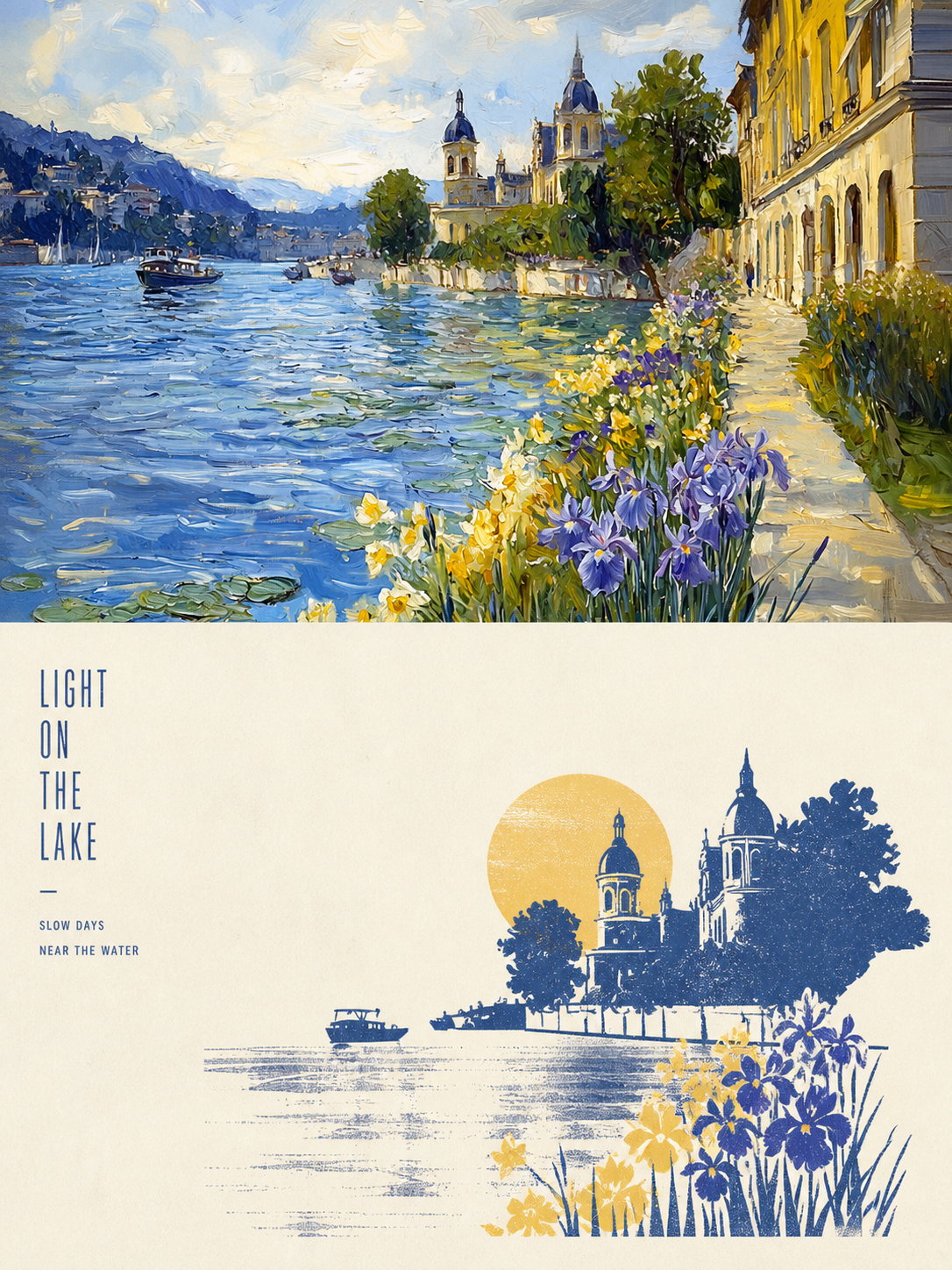
ImageXiaoxiaodong x P086
Panel 086 keeps only the 3–5 visual cues that make an image work. It reshapes the subject with silhouettes, geometric forms, and simple color blocks, then uses 2–4 spot colors drawn from the photo, along with dry-brush, brayer texture, dragged ink, broken ink, and uneven coverage to create a medieval modernist screenprint. The composition always seeks one clear focal point, one primary direction, and one meaningful area of negative space. Best for When you want more visual order in a photo: Keep only 3–5 key visual cues, using silhouettes, geometric forms, and color blocks to establish a clear focal point. When you want an authentic printmaking texture: Let dry-brush, brayer texture, dragged ink, broken ink, and uneven coverage become part of the visual language. When you want vivid but restrained color: Compress the most dynamic relationships in the original image into 2–4 spot colors, allowing the paper base and negative space to actively shape the composition. When you need flexible output: Supports top-to-bottom, left-to-right, pure design, multiple aspect ratios, and four-edge wallpapers, as well as batch processing for image directories.
 Image
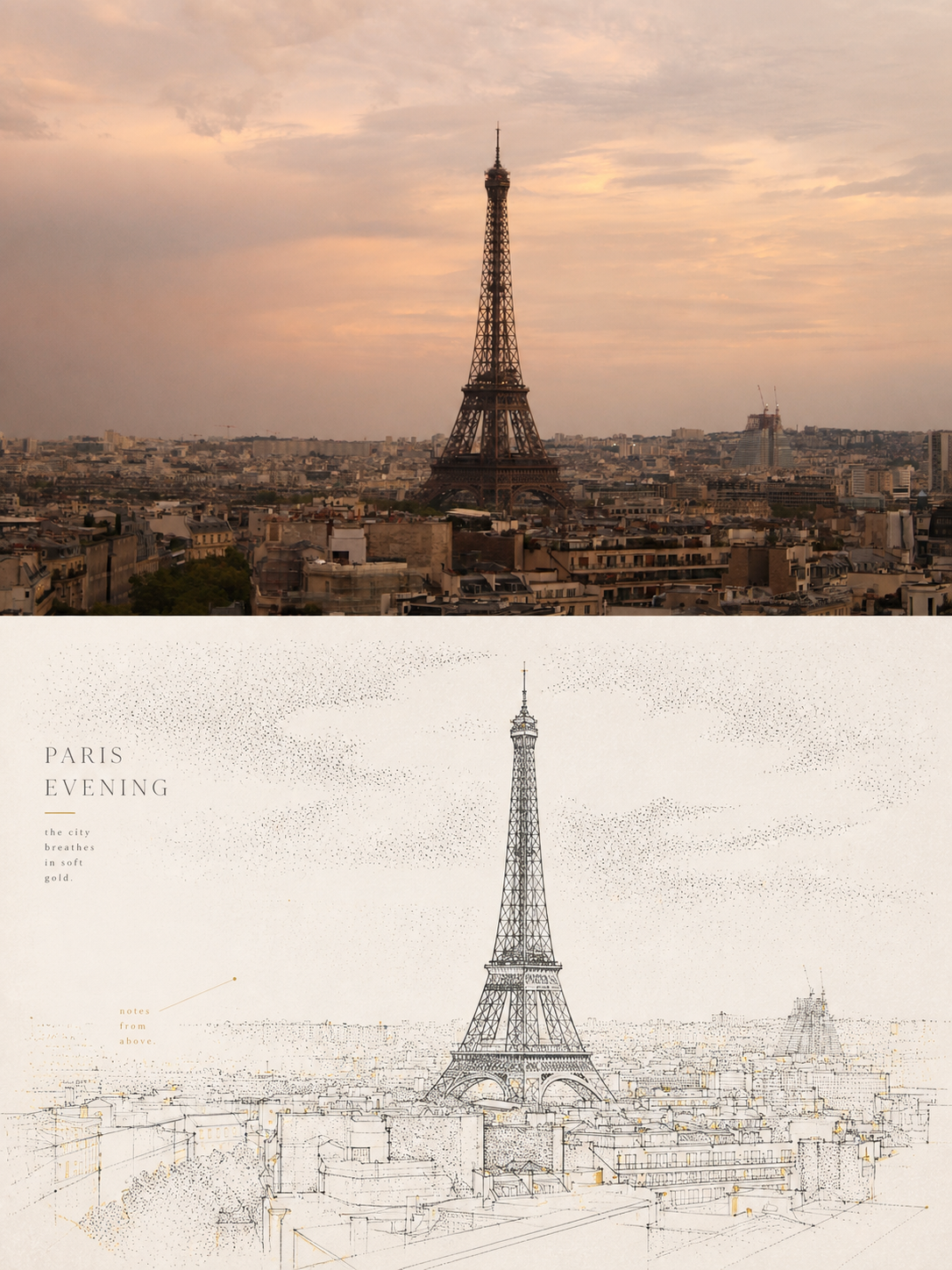
ImageXiaoxiaodong x Line x Dot P084
Panel 084 uses fine black or dark lines to distill the subject, buildings, roads, and spatial relationships. Vertical, horizontal, angled, curved, and perspective guide lines establish the geometric structure. Stippling/dotted texture then uses shifts in density to shape the sky, ground, distant scenery, tree shadows, lighting, and the atmospheric layers around the subject. Complex backgrounds are intentionally reduced, leaving a clear focal point, generous negative space, and a few accent colors with clear sources. Ideal for these situations When cities, architecture, and spatial relationships need to read clearly: Use geometric linework, perspective guide lines, and key contours to refine roads, buildings, and scene structures. When you want to show air, light, and depth without covering the image in texture: Use gradients in stippling/dotted texture density to create quiet layers. When you prefer a restrained color palette: Use blue-gray, off-white, and warm white as the main colors, with only a few spot color accents from the original image to highlight the focal point. When you need flexible delivery: Supports top/bottom, left/right, design-only, multiple aspect ratios, and four-sided wallpaper, and can also process image directories in batches.
Dark 3D Literary Characters
Historically grounded 3D game character art
Description
Recommended by
淡苍
Why we love this skill
Combines classical character research, silhouette recognition, and game-quality 3D visual design, with rigorous pre-generation checks and post-generation validation.
Transform characters from *Romance of the Three Kingdoms*, *Water Margin*, *Journey to the West*, *Dream of the Red Chamber*, and other Chinese classical works into polished 3D cartoon game characters that remain recognizable without written labels. Whether depicting generals, warriors, monks, scholars, women, immortals, or monsters, the skill combines each character’s identity, stage of life, and defining experiences with visual designs grounded in the historical setting—reducing timeline errors, lookalike characters, and cultural mismatches. You’ll receive a complete character-recognition-focused design plan covering silhouette, signature weapons and accessories, clothing materials, color palettes, pose and expression, environmental mood, and differentiation from similar characters. It also accounts for common image-generation inaccuracies involving ancient Chinese clothing, weapons, and character types. When the source material is uncertain, references are checked first to determine the appropriate period and visual direction. The skill supports both character illustration and scene-based requests. It can produce reusable, copyable image-generation Prompts, specify image dimensions, and review the result for period accuracy, key symbols, colors, cultural traits, pose and structure, and overall recognizability—making corrections and iterations when needed. It is suitable for classical literature character concepts, game character development, visual design, and Chinese-style AI image generation.
Related Skills
View allImageStardew Valley Image Maker
Upload an image to quickly generate pixel-art images in the Stardew Valley style. Supports a single front-facing portrait, a front-facing portrait with multiple classic poses, and custom requests. Choose a solid-color background or a pastoral Stardew Valley scene.
ImageXiaoxiaodong x P086
Panel 086 keeps only the 3–5 visual cues that make an image work. It reshapes the subject with silhouettes, geometric forms, and simple color blocks, then uses 2–4 spot colors drawn from the photo, along with dry-brush, brayer texture, dragged ink, broken ink, and uneven coverage to create a medieval modernist screenprint. The composition always seeks one clear focal point, one primary direction, and one meaningful area of negative space. Best for When you want more visual order in a photo: Keep only 3–5 key visual cues, using silhouettes, geometric forms, and color blocks to establish a clear focal point. When you want an authentic printmaking texture: Let dry-brush, brayer texture, dragged ink, broken ink, and uneven coverage become part of the visual language. When you want vivid but restrained color: Compress the most dynamic relationships in the original image into 2–4 spot colors, allowing the paper base and negative space to actively shape the composition. When you need flexible output: Supports top-to-bottom, left-to-right, pure design, multiple aspect ratios, and four-edge wallpapers, as well as batch processing for image directories.
ImageXiaoxiaodong x Line x Dot P084
Panel 084 uses fine black or dark lines to distill the subject, buildings, roads, and spatial relationships. Vertical, horizontal, angled, curved, and perspective guide lines establish the geometric structure. Stippling/dotted texture then uses shifts in density to shape the sky, ground, distant scenery, tree shadows, lighting, and the atmospheric layers around the subject. Complex backgrounds are intentionally reduced, leaving a clear focal point, generous negative space, and a few accent colors with clear sources. Ideal for these situations When cities, architecture, and spatial relationships need to read clearly: Use geometric linework, perspective guide lines, and key contours to refine roads, buildings, and scene structures. When you want to show air, light, and depth without covering the image in texture: Use gradients in stippling/dotted texture density to create quiet layers. When you prefer a restrained color palette: Use blue-gray, off-white, and warm white as the main colors, with only a few spot color accents from the original image to highlight the focal point. When you need flexible delivery: Supports top/bottom, left/right, design-only, multiple aspect ratios, and four-sided wallpaper, and can also process image directories in batches.
Find your next favorite skill
Explore more curated AI skills for research, creation, and everyday work.