


(Viral) Scenic Portrait Guide
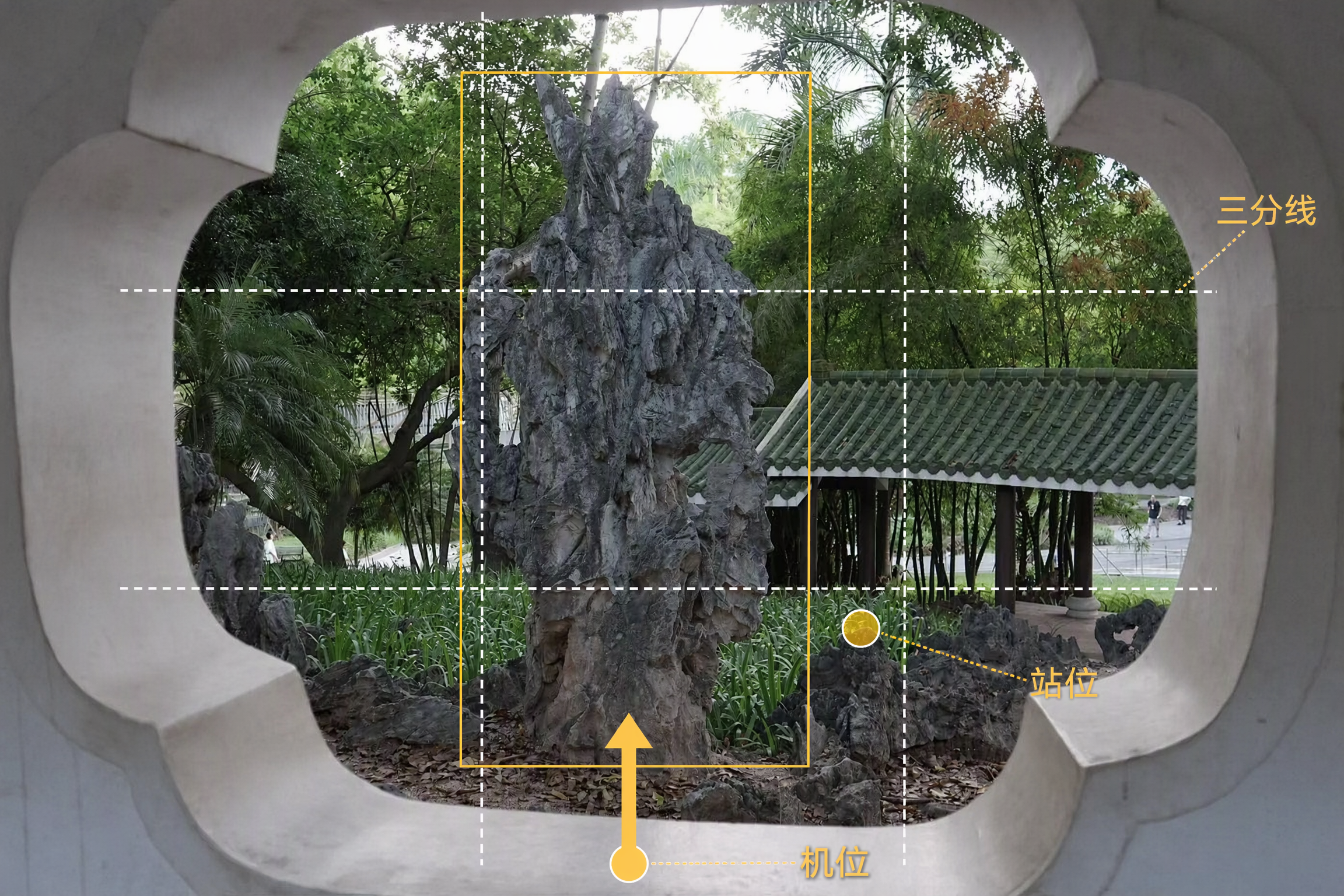
Upload a landscape photo to get a scenic portrait shoot plan tailored to the environment. The person being photographed will know how to pose, while the photographer will know where to stand and how to compose the shot. With a phone or camera, you can more easily capture natural-looking, flattering travel portraits. Even without details about the number of people, style, or equipment, the Skill makes reasonable judgments from the image and provides phone settings by default. The Skill analyzes the lighting, colors, foreground, leading lines, and negative space in settings such as beaches, mountains, flower fields, forests, cities, and historic architecture. It then designs poses for individuals, couples, or groups, explaining body orientation, hand placement, gaze direction, and interaction with the surroundings, while also flagging stiff poses to avoid. For the photographer, it provides suggestions for camera height, shooting angle, composition, focal length, and shooting distance. Based on the lighting and equipment, the settings section provides adjustment ranges for aperture, shutter speed, ISO, white balance, and exposure compensation, along with the reasons they apply and ways to fine-tune them on location. In addition to written plans, it can generate previews showing people naturally placed in the original landscape, as well as camera-position diagrams marked with where to stand, shooting direction, and composition references—so you can follow the guidance directly while traveling.
Common Questions
Ready to create with
GPT Image 1.5?
Experience GPT Image 1.5's Precise Editing & Fast Generation
LET YOUR IMAGINATION SOAR