


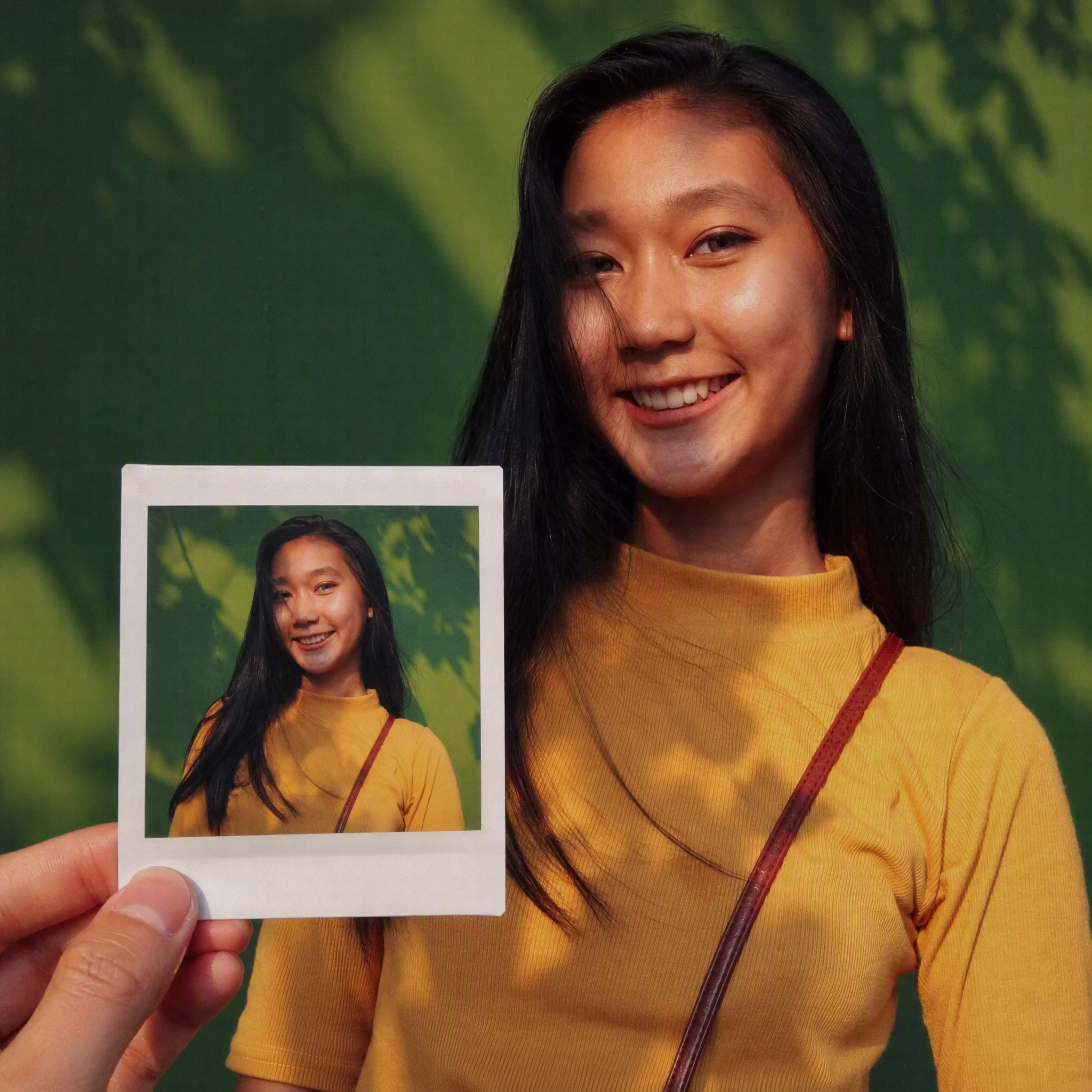
Same-Scene Instant Photo
Turn an image or natural-language scene description into a realistic, natural-looking handheld instant photo: a hand holds a physical white-bordered instant print in the foreground, while the real scene from the same place and moment appears in the background, creating a coherent picture-within-picture effect. Whether the subject is a landscape, urban architecture, person, animal, car, product, or everyday object, the image preserves its key appearance and places it in a plausible real-world setting—not simply pasted into a frame. The results emphasize authentic photographic qualities, including natural perspective, paper texture, contact shadows, hand details, moderate depth of field, and the casual feel of a phone snapshot. Mountains, buildings, people, animals, and other subjects in the instant photo correspond to the background, allowing viewers to directly compare the image inside the print with the real scene outside it. Unnatural elements such as floating cards, digital collages, design lines, and excess text are avoided. The composition automatically adapts to landscape, portrait, or square formats based on the original image or your specified aspect ratio, while keeping the instant photo in your hand aligned with the final image. You can also use natural language to adjust the photo’s position, tilt, size, background clarity, lighting, and overall style. It’s suitable for travel photography, life documentation, and scene images with a convincing realistic illusion.


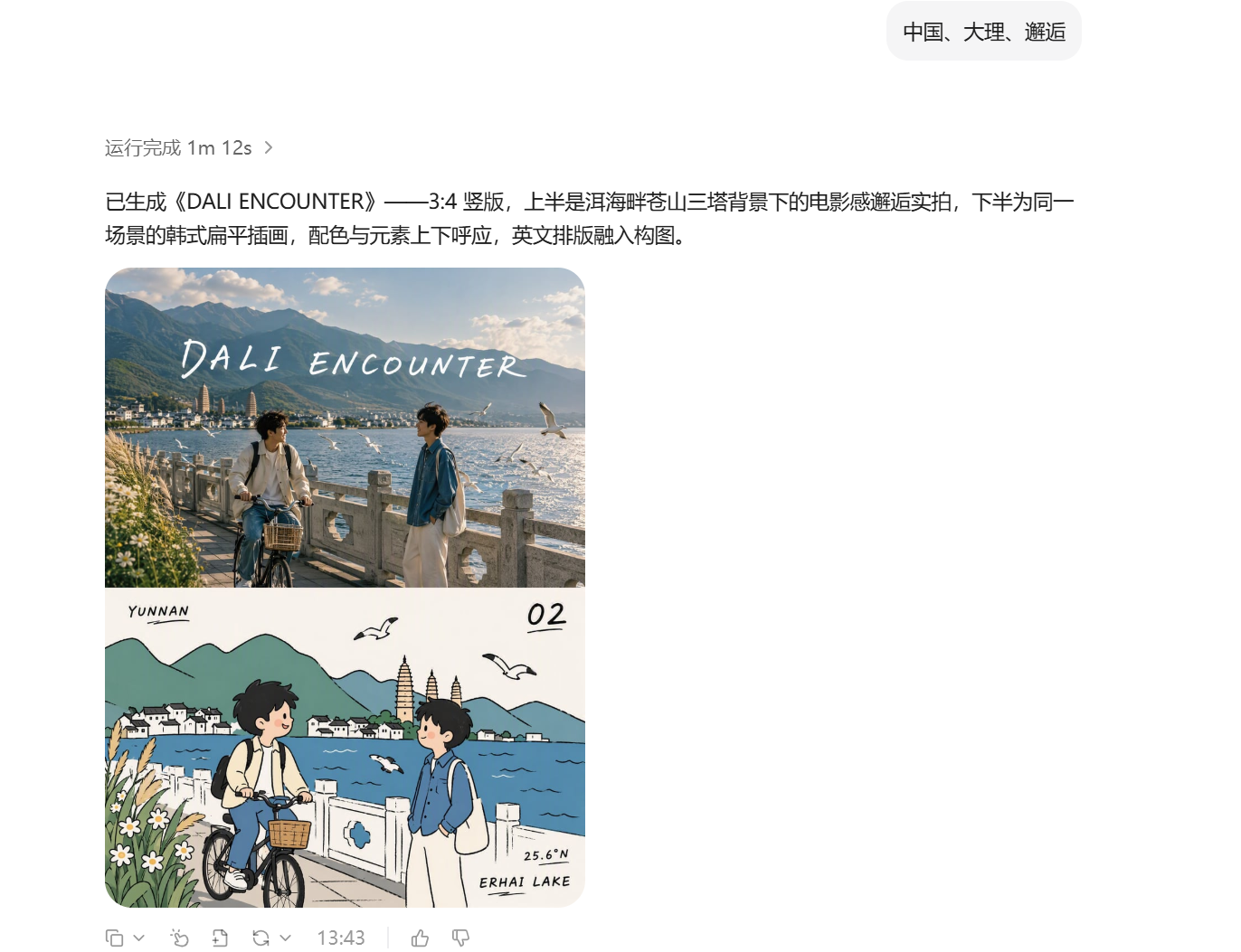
Turn Your Theme into Art
Input a country, location, or theme to automatically create a sophisticated 3:4 portrait artwork with an exact 50/50 top-and-bottom split: the upper half is a highly realistic, cinematic photographic scene, while the lower half is a playful Korean-style flat editorial illustration of the same theme, featuring rounded geometry, solid color blocks, hand-drawn wobbly black outlines, and English typography integrated into the composition. The theme name is the only input required. Creation is fully automatic, with no additional visual assets needed.


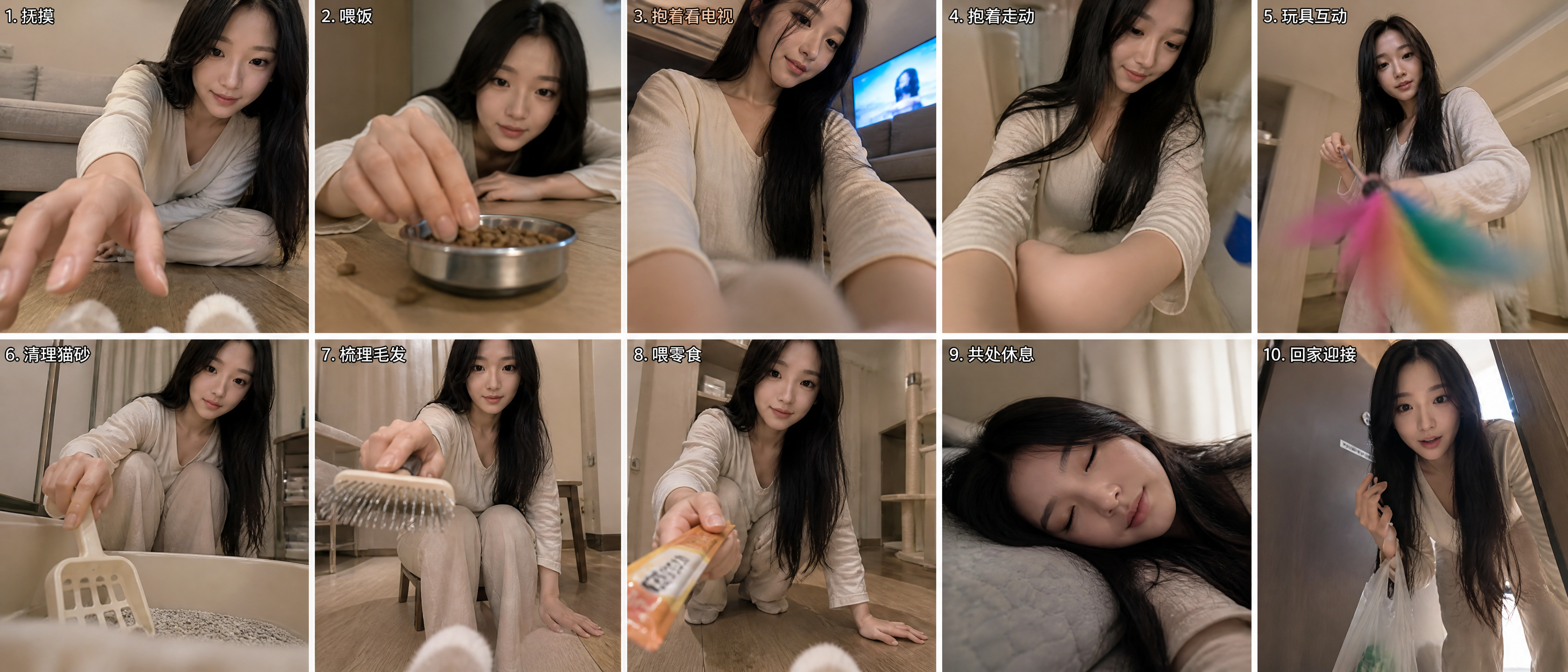
Cat's-Eye Interaction Photos
Using the uploaded reference photo, the tool uses the cat's eye level as the camera position to automatically combine ten different everyday human-cat interaction scenes while avoiding repetitive compositions, creating a set of human-cat interaction photos from a cat's perspective. By default, it outputs a composite image with two rows and five columns for a total of ten panels. You can also request a nine-panel grid or a single image.


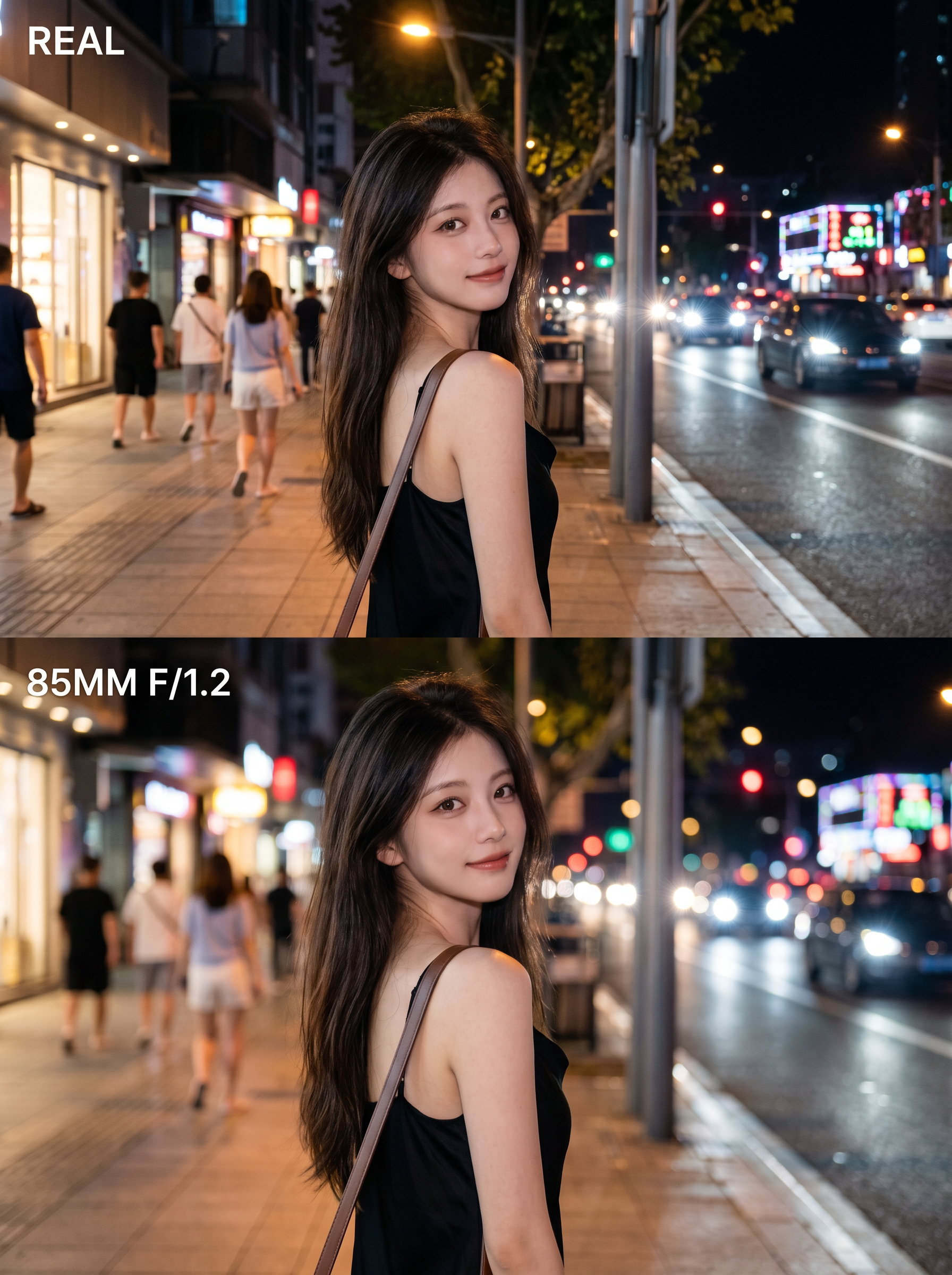
Pro Lens Portrait Maker
Turn an ordinary photo into a 3:4 vertical poster with a polished, high-end look. The top half fully preserves the photo’s original, authentic appearance. In the bottom half, create the feel of a professional portrait photo using the same face, pose, and setting—with the subject sharply defined, the background softly blurred, and the lighting transformed into gentle circles of bokeh. No face swapping, pose changes, or cutouts—the result feels like the photo was retaken with a better lens. Ideal for portrait photography, social media covers, and before-and-after comparisons.


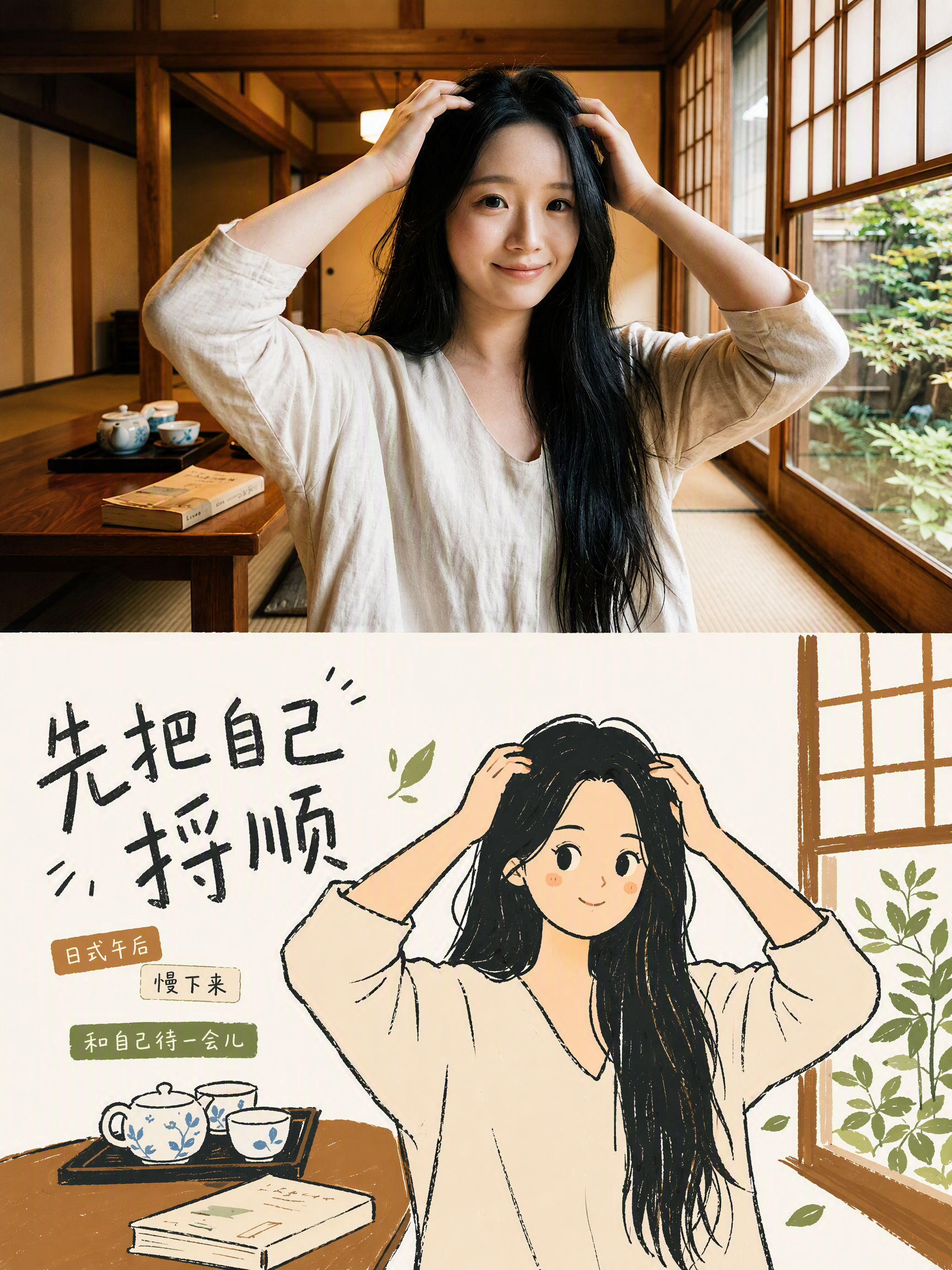
Xiaohongshu Korean Posters
Turn one or more uploaded photos into premium 3:4 design posters, one photo at a time: preserve realistic photographic texture in the upper half, translate the lower half into a Korean-style editorial flat illustration, and add Chinese, English, or bilingual editorial typography.


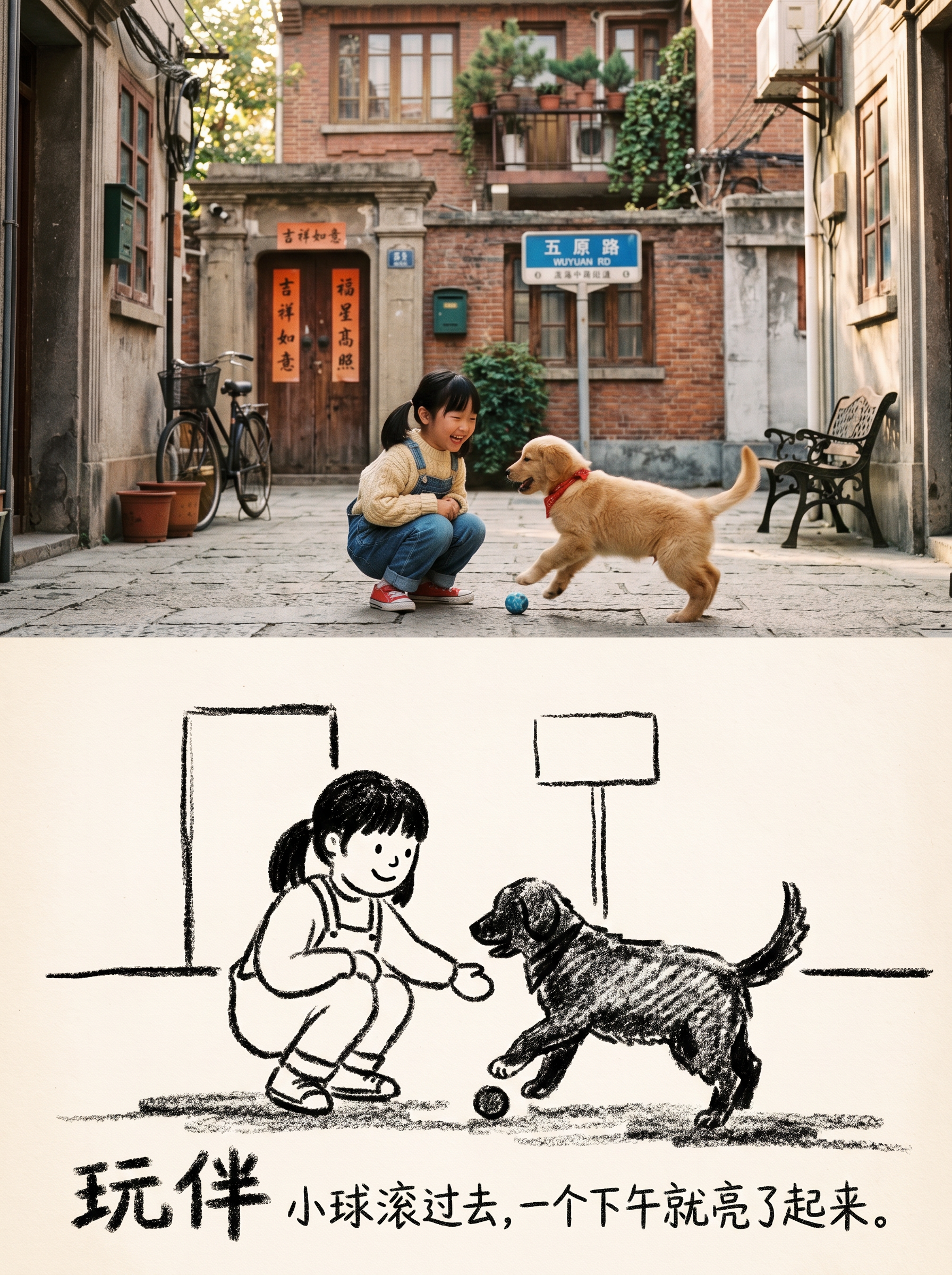
Storyful Sketch Photo
Turn one or more photos into 3:4 editorial posters with a premium design: the upper half preserves the original photography, while the lower half becomes a black-and-white crayon sketch illustration. Each poster includes a restrained title and short line of text, with the language following your input. Ideal for turning everyday photos into magazine-style or vintage picture-book-inspired cover images. Each photo becomes its own poster; multiple photos are never combined into one scene.


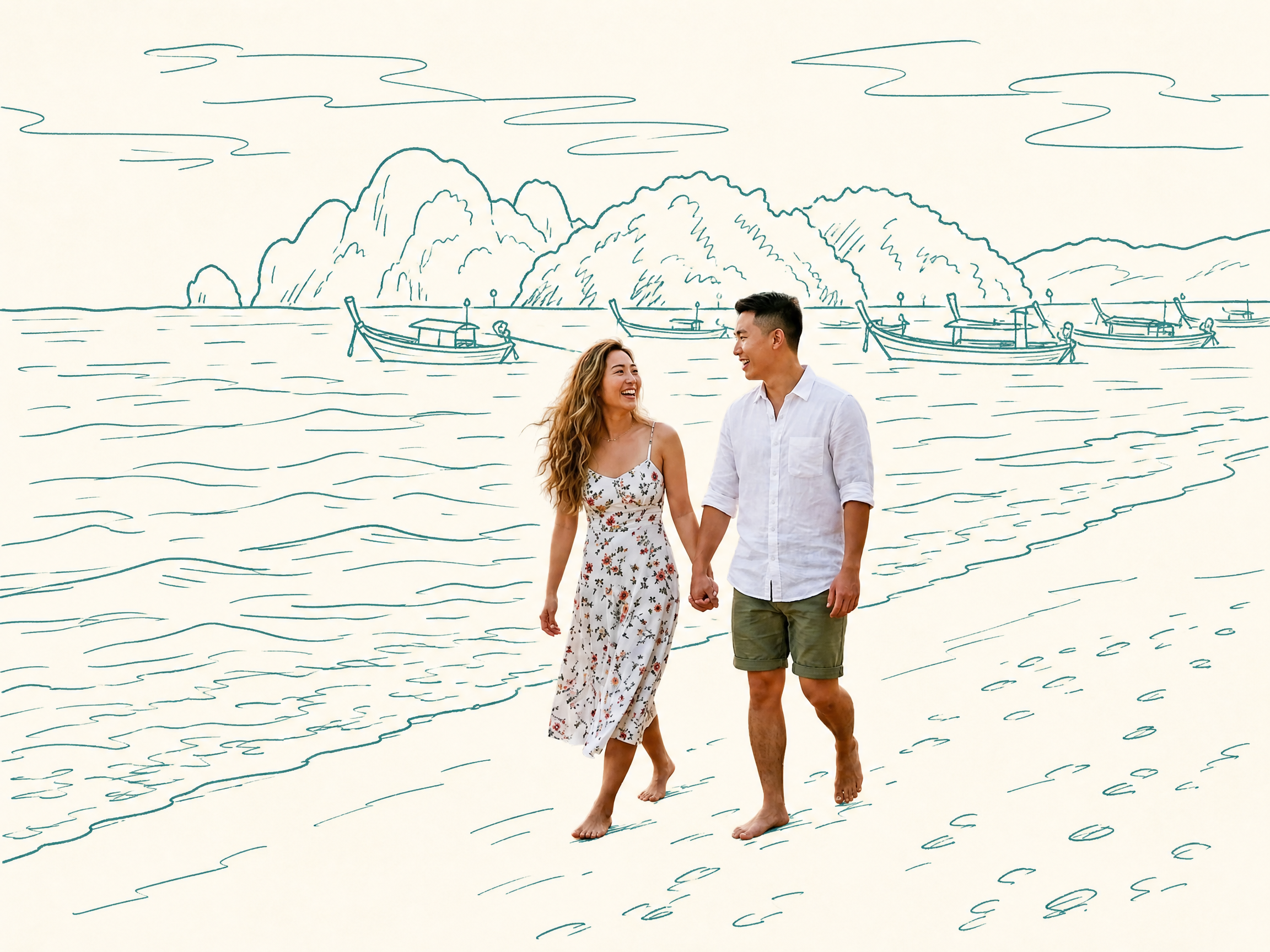
Photo Meets Hand-Drawn
Turn any photo into a contrast-style poster featuring a photo-realistic subject set against a monochrome, hand-drawn line-art environment: people or other subjects are preserved 100% from the original image—no redrawing, outfit changes, or pose changes—while the surrounding scene and background are translated into casual sketch lines on warm white paper in a single ink color. The default output is a 3:4 portrait layout, with other aspect ratios available on request. Supports single-person photos, group shots, pets, still life, and other non-human subjects, as well as pure landscapes with automatic fallback processing. You can also fine-tune the line-art color, paper background color, amount of whitespace, and line weight while preserving the core structure.


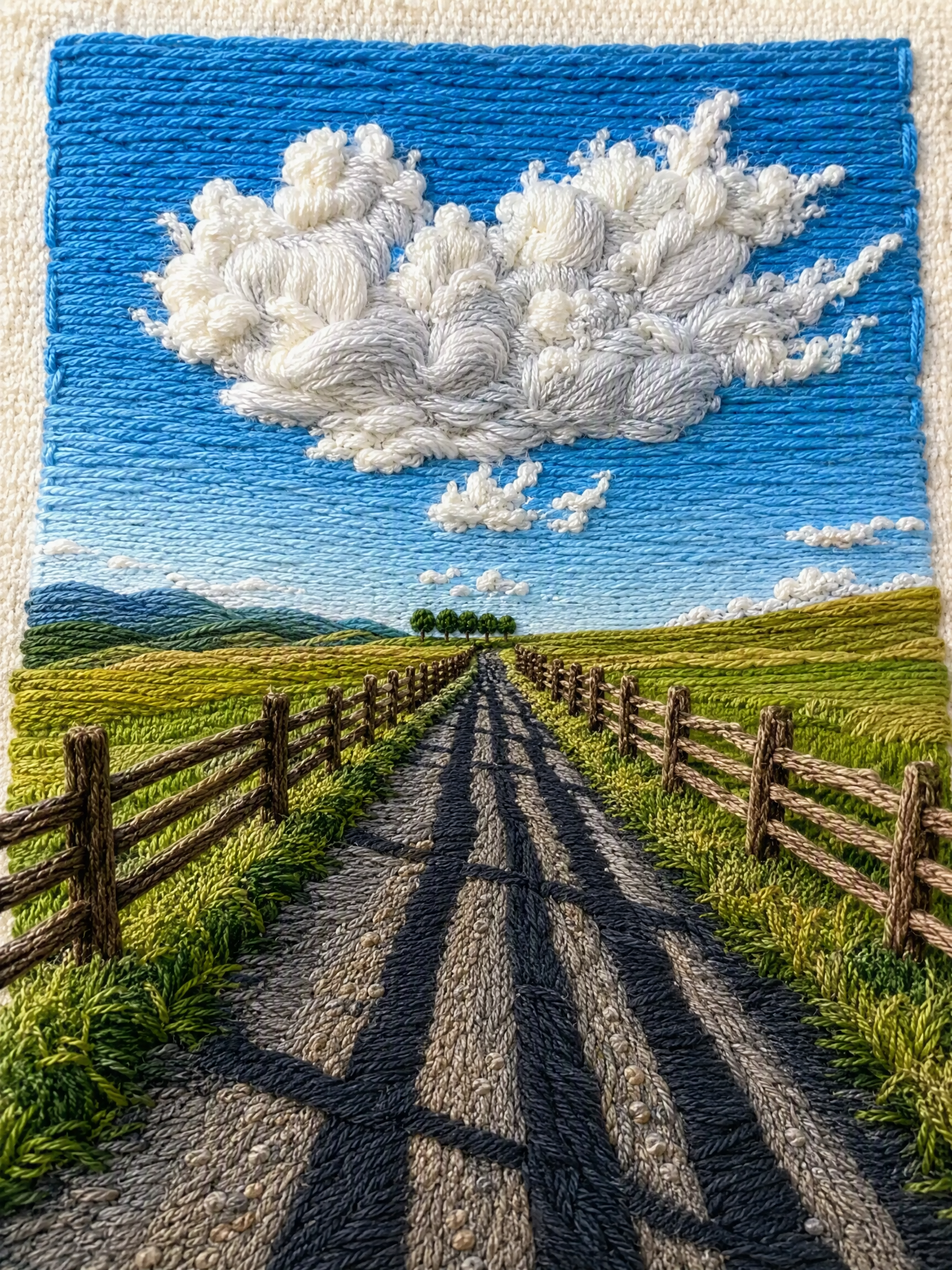
One-Click Yarn Embroidery
Turn a single photo into a vertical, top-and-bottom comparison image: the top half is a pixel-level reproduction of the original, while the bottom half is a three-dimensional embroidered recreation made from physical yarn. The two sections are equal in width and height and joined seamlessly. Supports two modes: embroidery with three lines of text, or pure embroidery without text. You can also override the craft, material, and visual style as needed. (If you need to fit the Skill field length limit, you can use this existing sentence: Upload one image to generate a vertical, seamless comparison image with an exact recreation of the original on top and a three-dimensional yarn-embroidery recreation below; supports embroidery with three lines of text or pure embroidery without text, and allows the craft, material, and visual style to be overridden as needed.) Suitable for launching a Xiaohongshu account with visual posts, sharing images on WeChat Moments, and adding images to WeChat Official Account posts.


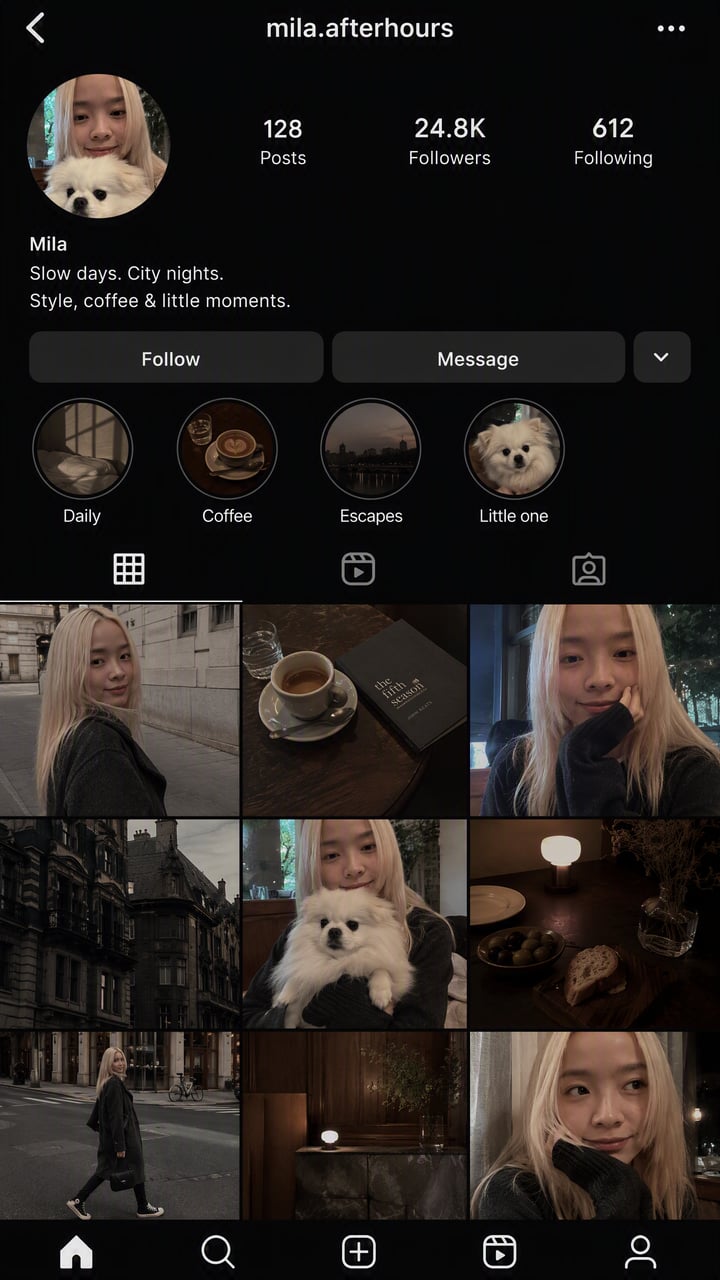


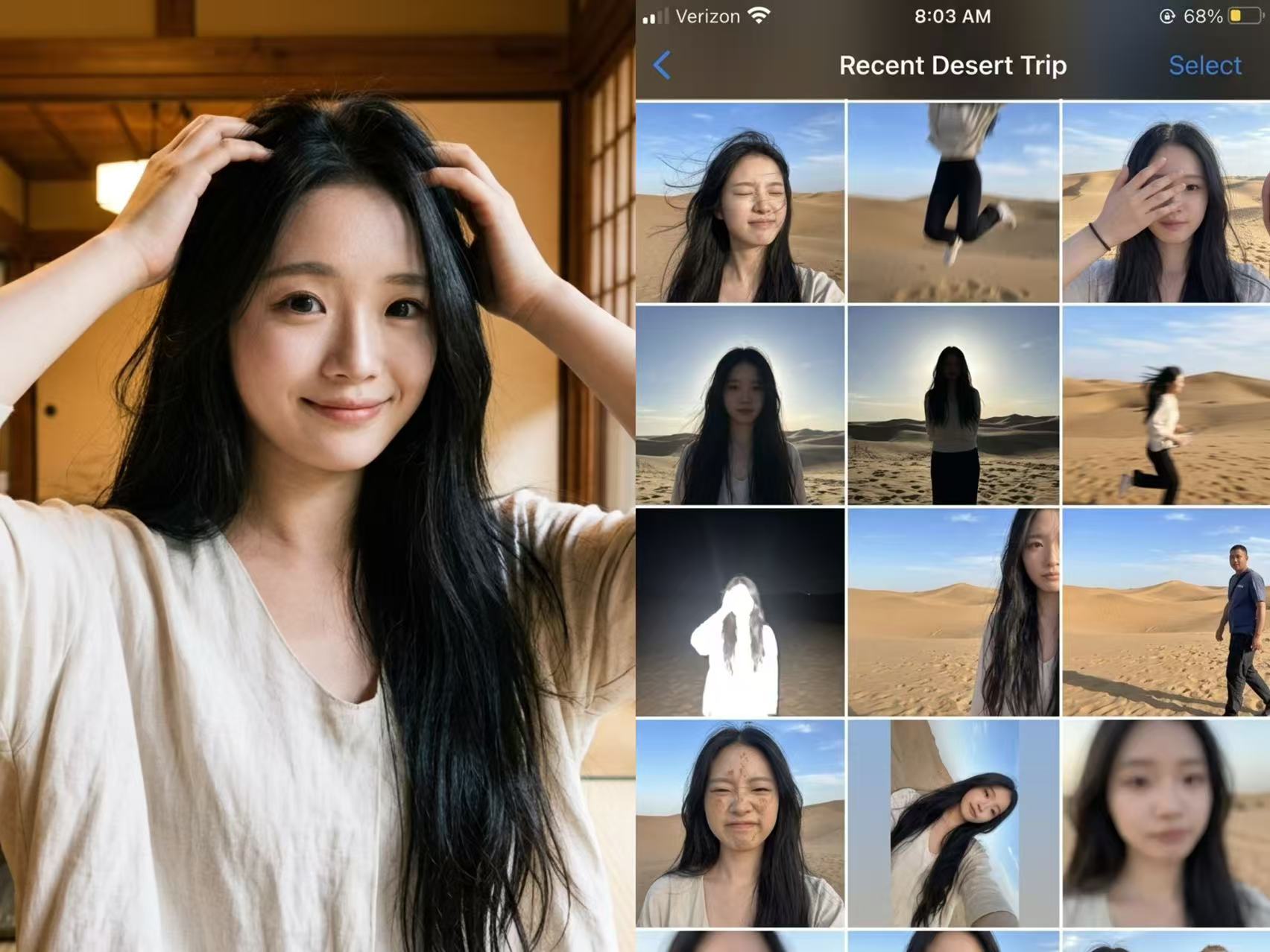
Photo Fail Roll
Not a polished nine-grid collage, but a collection of those throwaway shots on your phone that are too hard to delete yet too embarrassing to share. Upload one photo, enter the scene you want, and let AI “capture” an entire day—motion blur, harsh backlit shadows, awkward expressions, crooked framing, and all. The more realistic, the funnier, and the more believable. Best for: pranking friends, creating playful content, fake travel logs, social media prank posts, and AI photography memes


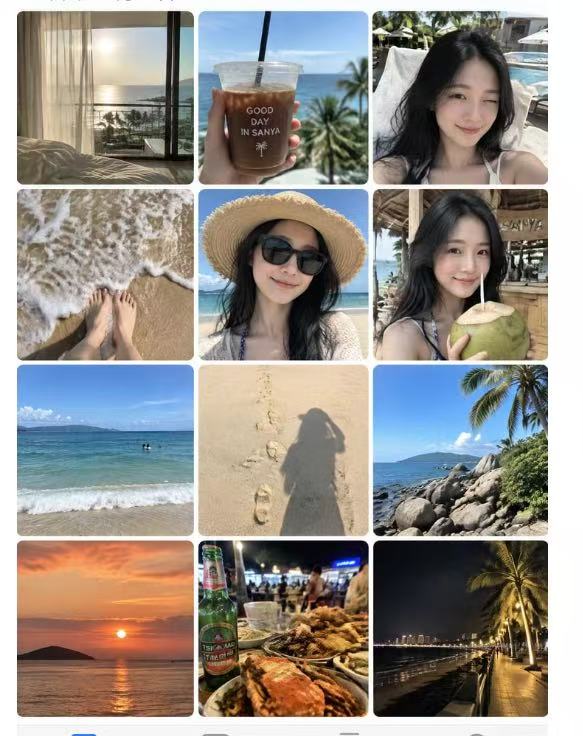


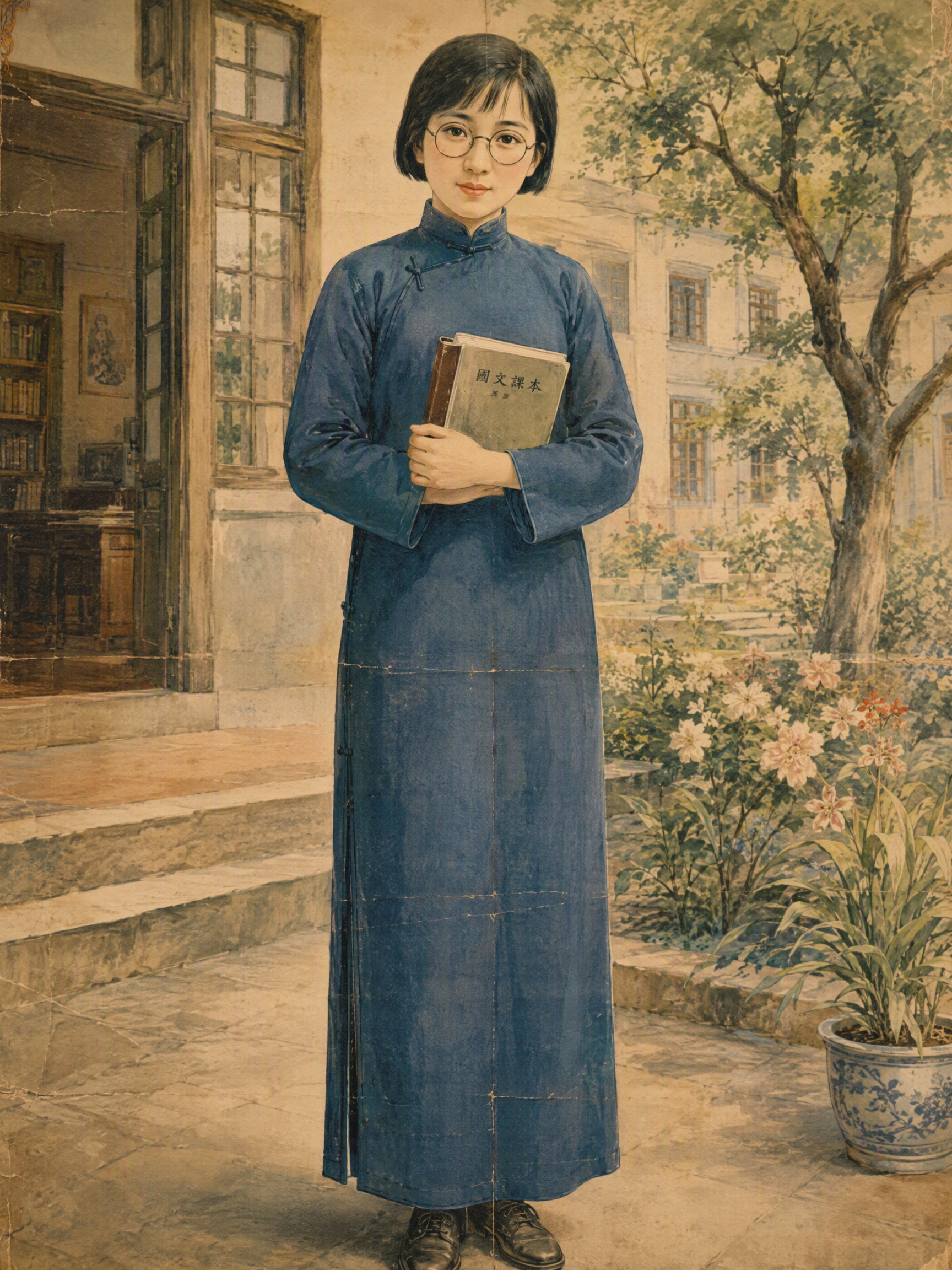
Republic-Era Image Restoration
Turn “Republic-era style” into visual materials grounded in the period, with credible textures and production details—instead of applying a generic retro filter. Whether you’re working with calendar posters, old photographs, studio portraits, <良友> pictorial covers, cigarette cards, newspaper ads, product packaging, or Shikumen interiors and New Year picture opera sheets, you’ll get image concepts that more closely reflect authentic historical aesthetics, based on the specific era, people’s identities, production techniques, and material qualities. Enter a theme, image, or modern photo to receive bilingual Chinese-English prompts for AI image generation, negative prompts, and aspect-ratio recommendations. Images can also be generated directly when needed. The process focuses on details such as qipao silhouettes, hairstyles, makeup, class-specific character, paper aging, halftone printing, hand coloring, and misregistered color layers—avoiding the “period drama Republic-era look” created by brand-new costumes, modern studio lighting, digital sharpening, and plastic-like textures. Each delivery also includes a concise material history explaining its period context, purpose, and visual features. For text-heavy ads, packaging, and opera sheets, compositions can be prepared for direct image generation or later typesetting. For real historical figures, fictional people with comparable identities are used instead, clearly labeled as AI-generated and styled as historical-material restorations.





Common Questions
Ready to create with
YouMind?
Turn these prompts into images with the models available in YouMind.
LET YOUR IMAGINATION SOAR